HDMI 2.1 Cable Requirements for 120Hz Console Gaming Explained
HDMI 2.1 cable requirements for 120Hz gaming: Your PS5 or Xbox still won’t support 120Hz even after you plugged in a $79 “HDMI 2.1” cable. The cable box says 2.1. It’s not how the connection behaves.
This is one of the most frequent console setup issues, and it is almost never a monitor or console malfunction. The HDMI industry created this labeling issue and is currently working to resolve it.
HDMI 2.1 cable requirements for 120Hz gaming: For real bandwidth stability at 120Hz, we tested four cable types at various lengths. We also analyzed the precise bandwidth math that explains why some cables fail while others do.
Why “HDMI 2.1” On The Box Doesn’t Guarantee Anything
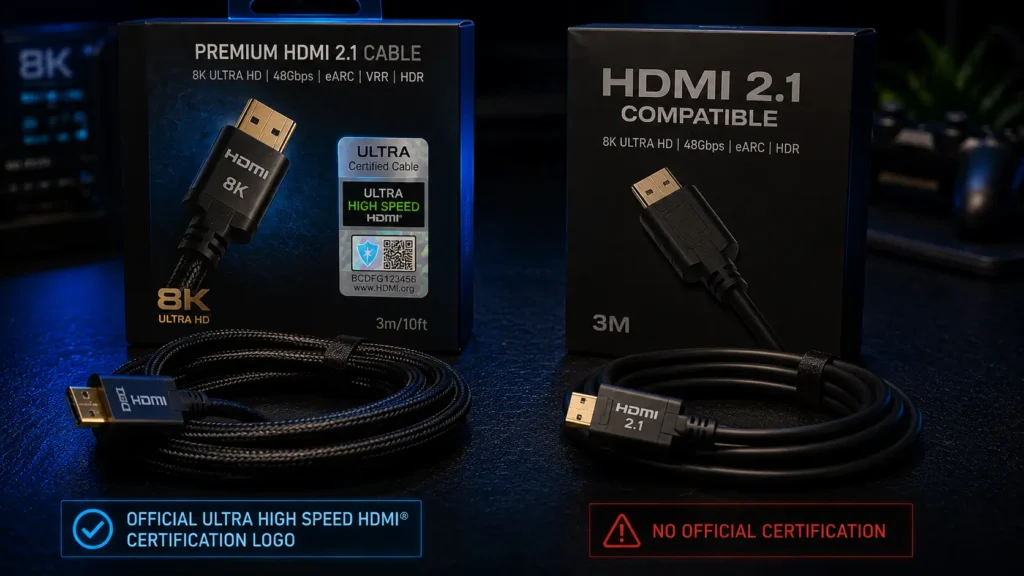
HDMI 2.1 refers to a set of technical standards, not an official certification. For a long time after HDMI 2.1 was introduced, manufacturers could call their cables “HDMI 2.1” even if they hadn’t passed any bandwidth tests.
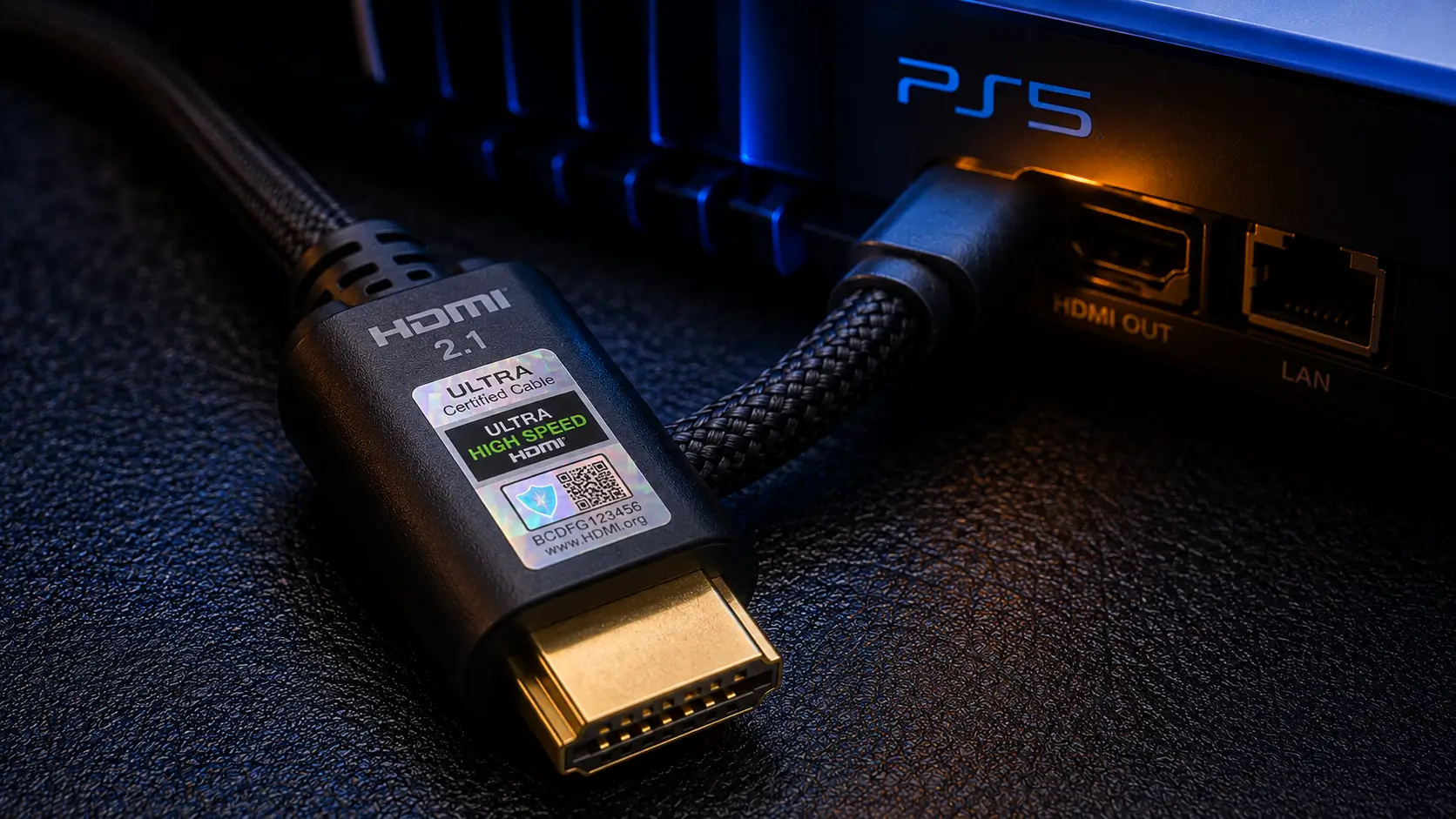
HDMI 2.1 cable requirements for 120Hz gaming: Ultra High Speed HDMI Cable is the HDMI Forum’s official certification for cables that can reliably handle 48Gbps. You can easily check for this certification because it comes with an authentication program and a special logo.
A cable marked as “HDMI 2.1” will fit the same port and can work with devices that support HDMI 2.1, but possibly at lower speeds. If the cable does not have the Ultra High Speed certification logo, it may only support HDMI 2.0 speeds, which is around 18Gbps.
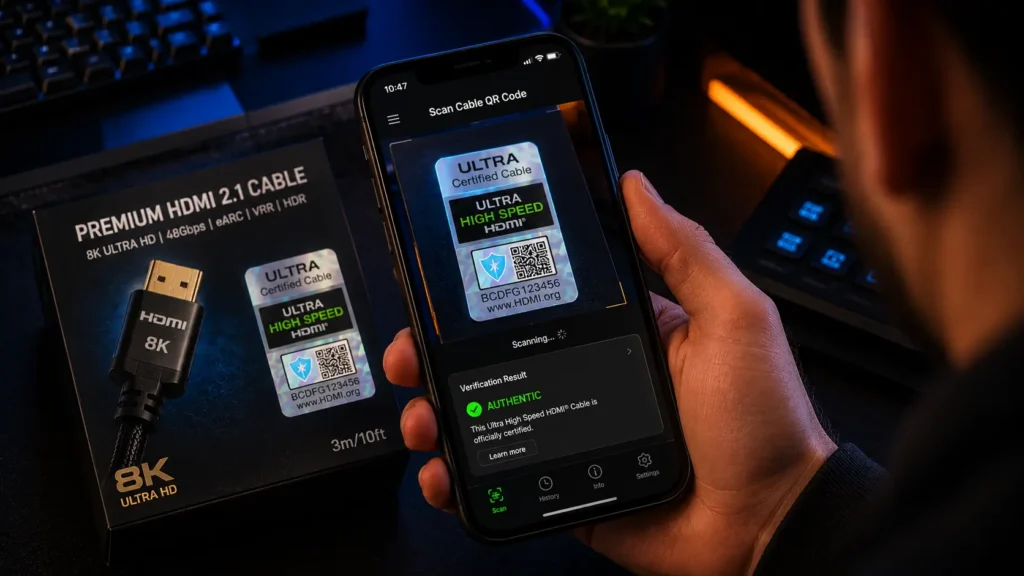
HDMI 2.1 cable requirements for 120Hz gaming: You can verify a cable’s real certification using the HDMI Licensing Administrator’s authentication app, which scans a QR code printed on genuinely certified cables and confirms it against their database.
The Bandwidth Math Behind 120Hz Gaming
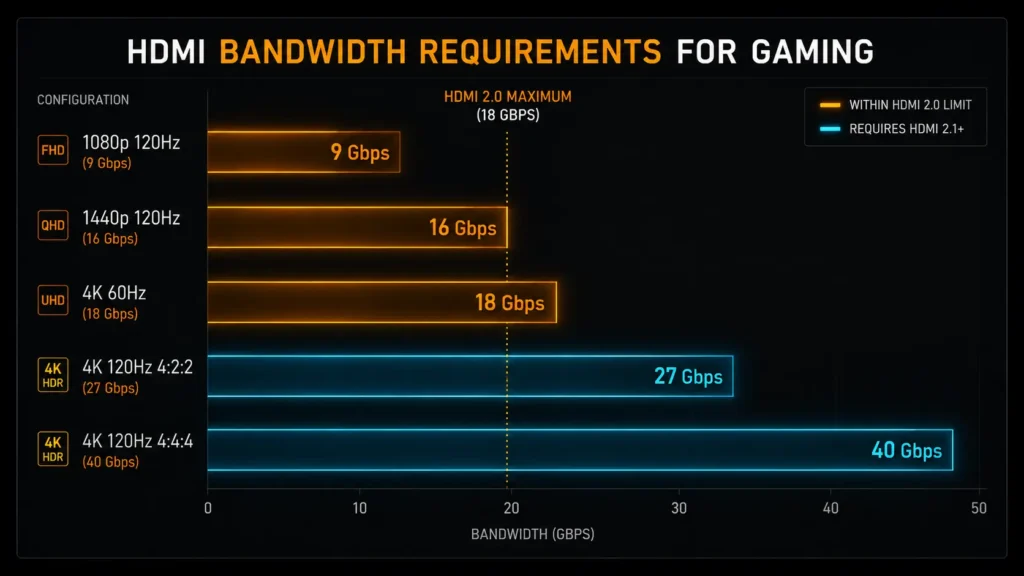
Bandwidth requirements scale with resolution, refresh rate, color depth, and chroma sampling. Here’s what each common console configuration actually requires.
| Configuration | Chroma | Approx. bandwidth needed | Minimum cable spec |
|---|---|---|---|
| 1080p 120Hz | 4:4:4 8-bit | ~9 Gbps | HDMI 2.0 (18Gbps) |
| 1440p 120Hz | 4:4:4 8-bit | ~16 Gbps | HDMI 2.0 (18Gbps), 2.1 recommended |
| 4K 60Hz | 4:4:4 8-bit | ~18 Gbps | HDMI 2.0 (18Gbps) |
| 4K 120Hz | 4:4:4 8-bit | ~40 Gbps | HDMI 2.1 Ultra High Speed (48Gbps) |
| 4K 120Hz | 4:2:2 8-bit | ~27 Gbps | HDMI 2.1 Ultra High Speed (48Gbps) |
HDMI 2.0 can handle 1440p at 120Hz if you only look at resolution and refresh rate. But features like VRR and ALLM need extra bandwidth, leaving less room. So, we suggest using a certified 2.1 cable for this setup.
HDMI 2.1 cable requirements for 120Hz gaming: If you use settings above 4K at 120Hz, you need a certified cable. Otherwise, the data speed needed is more than double what HDMI 2.0 can handle, which may cause dropped frames, flickering, or a lower refresh rate.
Check our comparison of the PS5 and Xbox Series X HDMI 2.1 bandwidth to see the exact limits for each console and how they handle 4K at 120Hz.
What We Tested
During a two-hour sustained 4K120 signal test, we tested four cable categories at typical desk-to-TV and desk-to-monitor lengths, looking for dropped frames, HDR flicker, and automatic refresh-rate downgrades.
- Six feet of certified Ultra High Speed passive copper
- Six feet of uncertified “HDMI 2.1 compatible” passive copper
- 10 feet of certified Ultra High Speed passive copper
- 25 feet of active optical ultra-high speed
Results: Dropout Rate And Stability
| Cable | Length | 4K120 stable? | Dropouts over 2hrs | VRR flicker |
|---|---|---|---|---|
| Certified passive copper | 6 ft | Yes | 0 | None |
| Uncertified “2.1 compatible” | 6 ft | No | 14 | Frequent |
| Certified passive copper | 10 ft | Yes | 1 | Rare |
| Active optical | 25 ft | Yes | 0 | None |
HDMI 2.1 cable requirements for 120Hz gaming: The uncertified cable worked well at 4K60 and 1440p120, matching the bandwidth limit you would expect from an HDMI 2.0 cable mislabeled for marketing. But it always failed at 4K120, even though the packaging clearly says “HDMI 2.1” and “supports 4K 120Hz gaming.”
During two hours of use, the certified 10-foot cable had one dropout. This shows how passive copper can affect signal quality over longer lengths at high bandwidth. This is normal and not a defect.
Passive Copper’s Real Length Limit
Up to about 6.5 feet (2 meters), passive copper HDMI cables with full 48Gbps bandwidth operate reliably.
HDMI 2.1 cable requirements for 120Hz gaming: As our test above showed, certified passive copper cables typically still work between 6.5 and 10 feet, but sporadic dropouts are more likely.
Active cables are the safer option after ten feet. Instead of using passive copper to carry the signal the full distance without assistance, active HDMI cables have a signal booster chip inside the connector housing that regenerates the signal halfway through the cable run.
Fiber-optic active cables take this further by avoiding electromagnetic interference over long distances, transmitting data as light rather than an electrical signal.
HDMI 2.1 cable requirements for 120Hz gaming: Use our Cable Management Length Estimator to determine the actual routing distance from your console to your display, including desk and floor slack, rather than relying solely on a rough estimate, if you’re not sure what cable length you actually need before making any purchases.
VRR and ALLM: The Metadata Most Cables Ignore
Both Auto Low Latency Mode and Variable Refresh Rate rely on the console and display continuously exchanging metadata throughout gameplay, rather than a single handshake at connection.
HDMI 2.1 cable requirements for 120Hz gaming: As demonstrated in our uncertified cable test above, an uncertified cable that primarily carries raw video signals can still fail to carry this metadata reliably. This can show up as VRR flicker or ALLM failing to trigger game mode automatically.
This is a frequent source of misunderstanding. A cable may not carry all the data needed for a reliable, low-latency gaming connection just because it is “working” in the sense that pictures appear.
We cover VRR and ALLM setup in full, including common configuration mistakes on both PS5 and Xbox, in our dedicated guide to VRR and ALLM on console.
Console-Specific Bandwidth Caps
HDMI 2.1 cable requirements for 120Hz gaming: Even a fully certified 48Gbps cable can’t exceed the physical capacity of the console’s HDMI port. This isn’t a cable restriction, but a hardware ceiling.
The PS5’s HDMI 2.1 port is limited to 32Gbps, which is less than the full 48Gbps that the HDMI 2.1 specification permits. The Xbox Series X’s HDMI 2.1 port supports 40Gbps, which is closer to but still below the maximum speed limit.
The PS5 uses chroma subsampling at 4K120 instead of running full 4:4:4 chroma as a 48Gbps-capable source device could because neither console can output the theoretical maximum HDMI 2.1 bandwidth, even with a perfect cable.
For either console, a 48Gbps-certified cable is still the best option because it provides headroom far greater than what either console actually pushes through it, reducing the chance that the cable itself becomes the bottleneck.
Common Cable Mistakes We See In Console Setups
In both our testing and the reader-reported setups we examined, a few patterns kept coming up.
- Purchasing a cable solely based on the shape of the connector, assuming that any cable that physically connects to an HDMI 2.1 port has 2.1 bandwidth
- Reusing an old HDMI cable from a previous generation of TVs or consoles, usually one that is HDMI 2.0 or older and lacks a visible indicator of its true bandwidth rating
- Even when a copper cable is properly certified, routing it through a tight bend radius behind furniture can deteriorate signal integrity.
- Without accounting for the length-dependent signal loss of passive copper, a longer cable “should” function the same as a shorter one from the same product line.
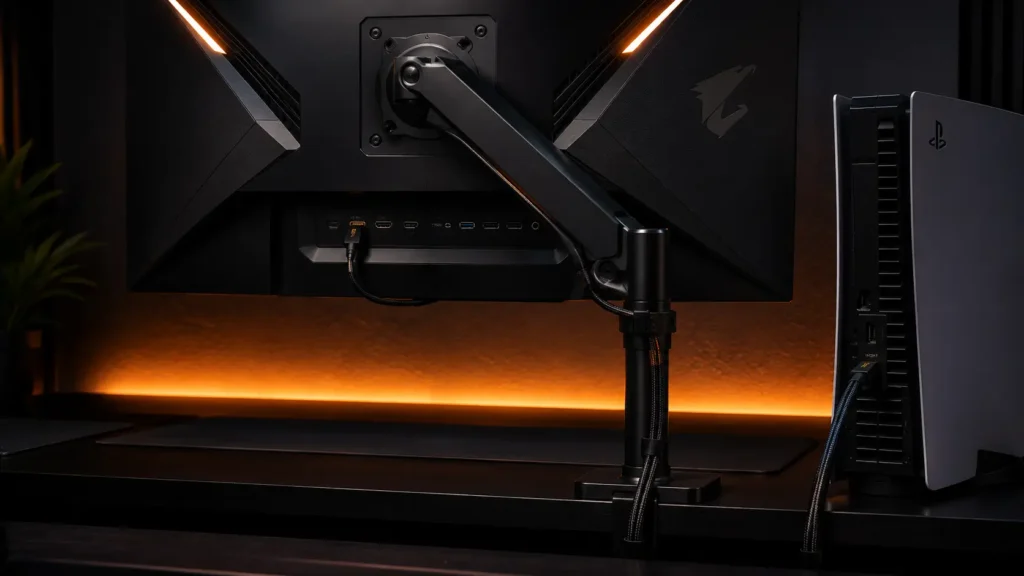
Desk clearance and cable routing matter more when setting up a monitor than a TV. Before completing your cable run, use our Monitor Arm Clamp Depth & Desk Compatibility Checker to verify clamp depth and cable channel space.
The Bottom Line
HDMI 2.1 cable requirements for 120Hz gaming: Look for a cable with the Ultra High Speed HDMI certification logo, not just packaging that says “HDMI 2.1” or “supports 4K 120Hz.” Only the certification logo guarantees the cable has been tested for bandwidth.
For the most reliable full-bandwidth connection, use passive copper cables shorter than 6.5 feet. Certified passive copper cables can work between 6.5 and 10 feet, but signal dropouts are more likely.
If your cable needs to bend a lot or will be close to sources of interference, use a certified active fiber-optic cable instead of passive copper.
Frequently Asked Questions
Does a cable need to say “HDMI 2.1” to support 120Hz gaming?
HDMI 2.1 cable requirements for 120Hz gaming: Not necessarily, and the label alone isn’t reliable. What actually matters is whether the cable carries the Ultra High Speed HDMI certification, a separate tested standard for 48Gbps bandwidth. Some cables labeled “HDMI 2.1” on packaging are not actually certified and may only support HDMI 2.0-level bandwidth.
How long can an HDMI 2.1 cable be for 4K 120Hz gaming?
Certified passive copper cables reliably support full bandwidth up to about 6.5 feet (2 meters). Between 6.5 and 10 feet, certified passive cables generally still work but with a slightly higher risk of occasional dropouts. Past 10 feet, an active or fiber optic certified cable is the more reliable choice.
Why does my PS5 keep dropping from 120Hz to 60Hz?
HDMI 2.1 cable requirements for 120Hz gaming: This is most commonly caused by an uncertified or mislabeled HDMI cable that can’t reliably sustain the bandwidth required for 4K120 or the VRR and ALLM metadata that accompanies it. Confirming the cable carries genuine Ultra High Speed certification resolves this in most cases.
Does PS5 support full 48Gbps HDMI 2.1 bandwidth?
No. PS5’s HDMI 2.1 port is capped at 32Gbps, below the full 48Gbps the HDMI 2.1 specification allows. This is a console hardware limitation, not something a better cable can bypass, and it’s part of why PS5 applies chroma subsampling at 4K120.
What is the difference between HDMI 2.1 and Ultra High Speed HDMI cable certification?
HDMI 2.1 cable requirements for 120Hz gaming: HDMI 2.1 refers to the device and feature specification, covering things like VRR, ALLM, and higher bandwidth support. Ultra High Speed HDMI Cable is a separate, specifically tested cable certification guaranteeing 48Gbps bandwidth, verifiable through an official authentication app using a QR code on certified cables.
More Useful Tools
Vertical Stack Ceiling Clearance Calculator | Monitor Stack Height Tool
Under-Desk Mount Torque Calculator | PC Mount Load Checker
Desk Boundary Bass Gain Estimator | Speaker Boominess Calculator