Best 540Hz Gaming Monitor 2026: Top Ultra-Fast Monitors for Competitive Gaming
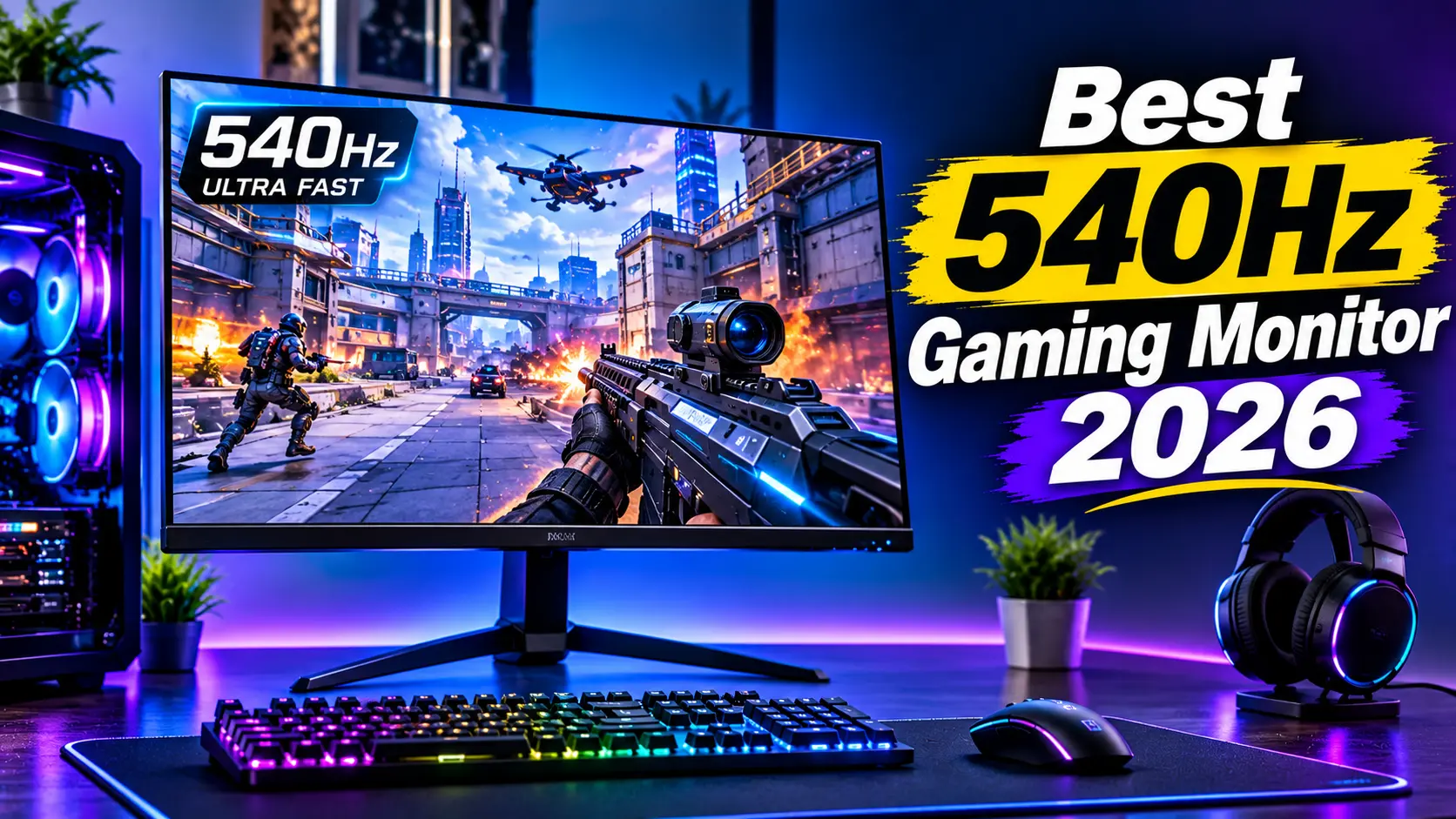
Competitive PC gaming requires more than a powerful graphics card and a fast processor. Your monitor also plays an important role in how smoothly you see movement and respond to in-game actions.
A 540Hz gaming monitor is designed for players who want extremely high refresh rates and responsive gameplay. These displays are particularly attractive to competitive FPS gamers who play titles such as Counter-Strike 2, Valorant, and other fast-paced esports games.
Traditional 144Hz and 240Hz monitors already provide smooth gaming experiences, but 540Hz displays take motion performance even further.
However, a 540Hz monitor is not necessary for every gamer. To benefit from such a high refresh rate, your PC must generate a very high frame rate, and your favorite games must support it.
In this guide, we explore the best 540Hz gaming monitors in 2026, compare their features, and explain what to consider before upgrading your gaming setup.
Best 540Hz Gaming Monitors 2026: Quick Comparison
| Monitor | Best For | Resolution | Refresh Rate |
|---|---|---|---|
| Acer Nitro XV273U F5 | Best Overall 540Hz Monitor | 1440p | 540Hz |
| Sony Inzone M10S II | Best Premium Esports Monitor | 1440p / 720p | 540Hz / 720Hz |
| ASUS ROG Swift Pro PG248QP | Competitive 1080p Gaming | 1080p | 540Hz OC |
| Acer Nitro XV252Q Series | Alternative Esports Display | 1080p | Model-dependent |
Specifications and refresh rates can depend on the selected display mode, connection, and configuration. Check the exact model before buying.
1. Acer Nitro XV273U F5 – Best 540Hz Gaming Monitor Overall
The Acer Nitro XV273U F5 is a standout option for gamers who want a 540Hz refresh rate at native 1440p resolution.
It combines a high refresh rate with a 27-inch display, making it attractive for competitive gamers who do not want to sacrifice resolution completely.
Key Features
- Screen size: 27 inches
- Native resolution: 2560 × 1440
- Panel type: IPS
- Native refresh rate: 540Hz
- Special mode: Up to 1000Hz at 720p
- Response time: 1ms GTG
- Adaptive Sync support
- DisplayPort and HDMI connectivity
One of the most interesting features is its dual refresh-rate capability.
At native 1440p resolution, it supports up to 540Hz. With the special 720p mode, the refresh rate can reach 1000Hz.
The 1440p mode provides a strong balance between image clarity and competitive responsiveness.
The monitor is particularly appealing to esports players who want very high refresh rates without moving to a low-resolution-only experience.
Pros
- 540Hz at native 1440p
- Additional 1000Hz mode at 720p
- Fast response performance
- IPS display technology
- Suitable for competitive gaming
Cons
- Premium price
- 1000Hz mode requires reduced resolution
- High refresh rates require powerful PC hardware
Best for: Competitive gamers who want a 540Hz display with native 1440p resolution.
2. Sony Inzone M10S II – Best Premium High-Refresh Gaming Monitor
The Sony Inzone M10S II is an advanced gaming monitor designed for competitive esports players.
Its standout feature is the ability to reach 540Hz at 1440p and up to 720Hz at 720p.
Key Features
- Screen size: 27 inches
- Native resolution: 2560 × 1440
- OLED display technology
- 540Hz refresh rate at 1440p
- Up to 720Hz at 720p
- Extremely fast 0.02ms response specification
- DisplayPort 2.1 and HDMI 2.1 connectivity
OLED technology provides excellent contrast and fast pixel response characteristics.
The M10S II is designed for gamers who want both high refresh rates and the image quality advantages of OLED.
Its additional high-refresh mode is particularly interesting for esports players who prioritize maximum motion performance.
However, the reduced 720p resolution may not be attractive for everyday gaming. Its premium features also make it a more expensive option.
Pros
- 540Hz native 1440p mode
- Up to 720Hz at 720p
- OLED image quality
- Extremely fast response characteristics
- Modern connectivity
Cons
- Premium pricing
- 720Hz mode uses lower resolution
- OLED care and burn-in considerations
Best for: Competitive gamers who want premium OLED technology and extreme refresh rates.
3. ASUS ROG Swift Pro PG248QP – Best 540Hz Monitor for Competitive 1080p Gaming
The ASUS ROG Swift Pro PG248QP is a dedicated esports monitor designed for players who prioritize speed and responsiveness.
It features a 24.1-inch display with a native 1080p resolution and an overclocked refresh rate of up to 540Hz.
Key Features
- Screen size: 24.1 inches
- Resolution: 1920 × 1080
- Panel type: E-TN
- Refresh rate: Up to 540Hz overclocked
- NVIDIA ULMB 2 support
- Designed for competitive esports
- Fast response performance
The monitor is particularly suitable for competitive games where high frame rates and responsive controls are more important than high resolution.
Its 1080p resolution also makes it easier for many gaming PCs to reach very high frame rates compared with 1440p gaming.
However, the monitor uses an older TN panel technology, which may not deliver the same image quality and viewing angles as modern IPS or OLED displays.
Pros
- Extremely high refresh rate
- Designed for competitive esports
- NVIDIA ULMB 2 support
- 1080p resolution is easier to drive
Cons
- 540Hz requires overclocking
- Limited image quality compared with premium OLED displays
- Older model compared with newer 540Hz options
Best for: Competitive FPS players who prioritize speed over resolution and cinematic image quality.
4. Acer Nitro XV252Q Series – Alternative High-Speed Esports Monitor
The Acer Nitro XV252Q series includes fast gaming displays designed for esports-focused users.
Specific model configurations vary, so buyers should verify the exact refresh rate and resolution before purchasing.
Features to Consider
- Fast refresh-rate options
- Competitive gaming design
- 1080p resolution on relevant models
- Adaptive Sync support on supported versions
- Fast response specifications
This series can be worth considering for gamers who want a high-refresh-rate display without automatically paying for the newest premium models.
However, not every XV252Q model supports 540Hz. Check the complete model number and official specification sheet carefully.
Best for: Gamers comparing alternative high-refresh-rate esports monitors.
What Does 540Hz Mean in Gaming?
A monitor’s refresh rate describes how many times per second its screen can update the displayed image.
A 540Hz monitor can refresh its image up to 540 times every second.
For comparison:
| Refresh Rate | Time Between Refreshes |
|---|---|
| 60Hz | 16.67ms |
| 144Hz | 6.94ms |
| 240Hz | 4.17ms |
| 360Hz | 2.78ms |
| 500Hz | 2.00ms |
| 540Hz | 1.85ms |
A higher refresh rate can make fast movement appear smoother and reduce the time between displayed frames.
However, refresh rate is only one part of monitor performance. Pixel response, input lag, motion clarity, and frame rate also matter.
Is a 540Hz Monitor Worth It?
A 540Hz gaming monitor can be worth buying for serious competitive gamers, but it is not necessary for everyone.
Advantages of 540Hz Gaming
- Very smooth motion
- Reduced time between displayed frames
- Excellent for high-frame-rate esports games
- Potential competitive responsiveness benefits
- Advanced display technology
Disadvantages of 540Hz Gaming
- Expensive compared with 240Hz and 360Hz monitors
- Requires powerful PC hardware
- Benefits may be less noticeable for casual gamers
- Some high-refresh modes use lower resolution
- Not all games can reach 540 FPS
For casual gaming, a 144Hz or 240Hz monitor may provide better value.
For serious esports players, a 360Hz or 540Hz display can be an attractive upgrade.
540Hz vs. 360Hz vs. 240Hz: Which Is Better?
Different refresh rates are suitable for different gaming requirements.
| Feature | 240Hz | 360Hz | 540Hz |
|---|---|---|---|
| Gaming Smoothness | Excellent | Extremely Smooth | Extremely Smooth |
| Competitive FPS | Very Good | Excellent | Enthusiast-Level |
| Hardware Requirements | High | Very High | Extremely High |
| Price | More Affordable | Premium | Very Premium |
| Best For | Most Competitive Gamers | Serious Esports | Professional-Level Enthusiasts |
A 240Hz monitor remains an excellent option for many players.
A 360Hz monitor offers an additional step for serious competitive gamers.
A 540Hz monitor is designed for users who want to push motion performance to an extreme level.
What PC Hardware Do You Need for a 540Hz Monitor?
A 540Hz monitor requires a gaming PC capable of generating very high frame rates.
The exact hardware depends on the games you play and your graphics settings.
1. Powerful Graphics Card
Your graphics card must render enough frames to take advantage of the monitor’s refresh rate.
Modern high-end graphics cards are more suitable for this purpose, particularly when playing competitive titles at lower graphical settings.
2. Fast Processor
Competitive games can be CPU-limited, especially when targeting extremely high frame rates.
A modern gaming processor with strong single-threaded performance and adequate cache can help maintain high FPS.
3. Sufficient RAM
For a modern gaming PC, 32GB of RAM is a practical target.
It can support gaming alongside voice chat, background applications, and other tasks.
4. Compatible Display Connection
Check the monitor’s supported display inputs and the graphics card’s output capabilities.
The required refresh rate may depend on:
- DisplayPort version
- HDMI version
- Resolution
- Color depth
- Display mode
- Supported cable bandwidth
Always follow the manufacturer’s connection recommendations to enable the full refresh rate.
What to Look for When Buying a 540Hz Gaming Monitor
1. Resolution
Most competitive gamers choose between 1080p and 1440p.
1080p is easier to drive at very high frame rates, while 1440p provides sharper visuals.
2. Panel Technology
Common panel types include:
IPS: Offers good color reproduction and viewing angles.
TN: Traditionally focuses on speed, although image quality and viewing angles can be more limited.
OLED: Offers excellent contrast and very fast pixel response characteristics, with potential burn-in considerations.
3. Response Time
Response time describes how quickly pixels transition between colors.
A lower response time can help reduce visible ghosting, but manufacturer figures do not always represent real-world performance.
4. Adaptive Sync
Adaptive Sync technologies help synchronize the display refresh rate with the graphics card’s frame output.
This can reduce screen tearing and improve visual consistency.
5. Ergonomics
A good gaming monitor should offer suitable adjustment options.
Consider:
- Height adjustment
- Tilt
- Swivel
- VESA mounting
- Screen size
- Desk space
6. Motion Clarity Features
Some high-refresh monitors offer backlight strobing or other motion-clarity technologies.
These features can improve perceived motion sharpness, but they may have trade-offs such as reduced brightness or compatibility limitations.
Common Mistakes to Avoid When Buying a 540Hz Monitor
- Buying a 540Hz monitor without a PC capable of high FPS
- Ignoring native resolution
- Confusing overclocked refresh rates with native refresh rates
- Not checking supported cable and display connections
- Choosing refresh rate over all other image-quality factors
- Assuming every game can reach 540 FPS
- Ignoring warranty and panel quality
Frequently Asked Questions
What is the best 540Hz gaming monitor in 2026?
The Acer Nitro XV273U F5 is a strong overall option because it supports 540Hz at native 1440p resolution. The Sony Inzone M10S II is a premium OLED alternative with an additional 720Hz mode at 720p.
Is 540Hz better than 360Hz?
A 540Hz monitor offers shorter intervals between screen refreshes than a 360Hz display. However, the practical difference may be more important to competitive players than casual gamers.
Do I need 540 FPS for a 540Hz monitor?
To fully utilize every refresh opportunity, your PC should generate frame rates close to 540 FPS. The display can still operate at lower frame rates, but you will not be using its maximum refresh potential.
Is a 540Hz monitor good for everyday use?
Yes, but its main advantage is competitive gaming. For general desktop work, browsing, and video watching, a high-refresh 540Hz monitor may offer little practical benefit over a more affordable display.
Is 540Hz better than 4K 144Hz?
They serve different purposes. A 540Hz monitor focuses on competitive motion performance, while a 4K 144Hz display prioritizes resolution and image detail.
Can an RTX graphics card run a 540Hz monitor?
Yes, if the graphics card supports the monitor’s required resolution and refresh-rate connection. However, reaching very high FPS depends on the GPU, CPU, game, and settings.
Final Verdict: Best 540Hz Gaming Monitor 2026
The best 540Hz gaming monitor depends on your gaming style, PC hardware, and budget.
The Acer Nitro XV273U F5 is an excellent overall choice because it offers 540Hz at native 1440p resolution. The Sony Inzone M10S II is a premium OLED option with an additional high-refresh mode, while the ASUS ROG Swift Pro PG248QP remains a dedicated choice for competitive 1080p esports gaming.
Before buying, check the monitor’s native resolution, refresh-rate modes, response performance, connectivity, and compatibility with your graphics card.
For most casual gamers, a 240Hz or 360Hz monitor may offer better value. However, for serious competitive players who can generate extremely high frame rates, a 540Hz monitor represents an impressive level of gaming display technology.
Read more articles on related categories PC Components
Motherboard CPU Combo: How to Choose the Best Combo for Your PC Build
M.2 SSD: Complete Guide to Types, Speed, Compatibility, and Installation
Micro ATX Case: Complete Guide to Choosing the Best Compact PC Case
Monitor Stand for Desk: How to Choose the Best Monitor Stand for Your PC Setup
Is 8GB RAM Enough in 2026? A Complete Guide for PC and Laptop Users
Valve Steam Frame Is Here: Price, Specs, and Is It Actually Worth $1,059?
Best Budget Tripods for Your Gaming and Streaming Setup
Best Budget 3D Printers: What Actually Matters Before You Buy One
Best Gaming Headset: What Actually Matters Before You Buy One
Best Portable Monitors: What Actually Matters Before You Buy One
Ergonomic Keyboard and Mouse: Do You Actually Need One, and How to Choose the Right Pair
M.2 SSD Explained: Everything You Actually Need to Know Before Buying One
NVIDIA G-Sync Pulsar Explained: Do You Really Need a 1000Hz Monitor in 2026?
DLSS vs FSR in 2026: What a Massive Blind Test Actually Reveals About Upscaling
Valve Steam Machine Is Here: Should It Replace Your Gaming PC or Console?
The Great RAM Shortage of 2026: Why Memory Prices Exploded and What You Should Actually Do About It
Arduview Transparent Handheld Review: Is This Fully Worth Backing on Kickstarter?
Onimusha: Way of the Sword CPU Benchmark: 31 CPUs Compared
ASUS ROG Strix XG259QWPG Ace: 540Hz OLED Specs, Price, and Buying Guide
Nvidia RTX 5090, RTX 5080 and RTX 5070 at MSRP: How PAX West VPA Access Works
Intel Arc G3 Extreme vs Ryzen Z2 Extreme: Can Intel Finally Beat AMD in Handhelds?
Best Handheld Gaming PC 2026? MSI Claw 8 EX AI+ vs ROG Xbox Ally X20 vs Acer Predator Atlas 8:
DLSS 5 on AMD GPUs: Mod Compatibility, Performance, and Limitations
Best Gaming Mouse 2026: Top Picks for Every PC Gamer
Best SSD for Gaming 2026: Top NVMe Drives for Faster Gaming
Best Wireless Router for Gaming 2026: Top Wi-Fi Routers for Low-Latency Gaming
Best 540Hz Gaming Monitor 2026: Top Ultra-Fast Monitors for Competitive Gaming