Best Wireless Router for Gaming 2026: Top Wi-Fi Routers for Low-Latency Gaming
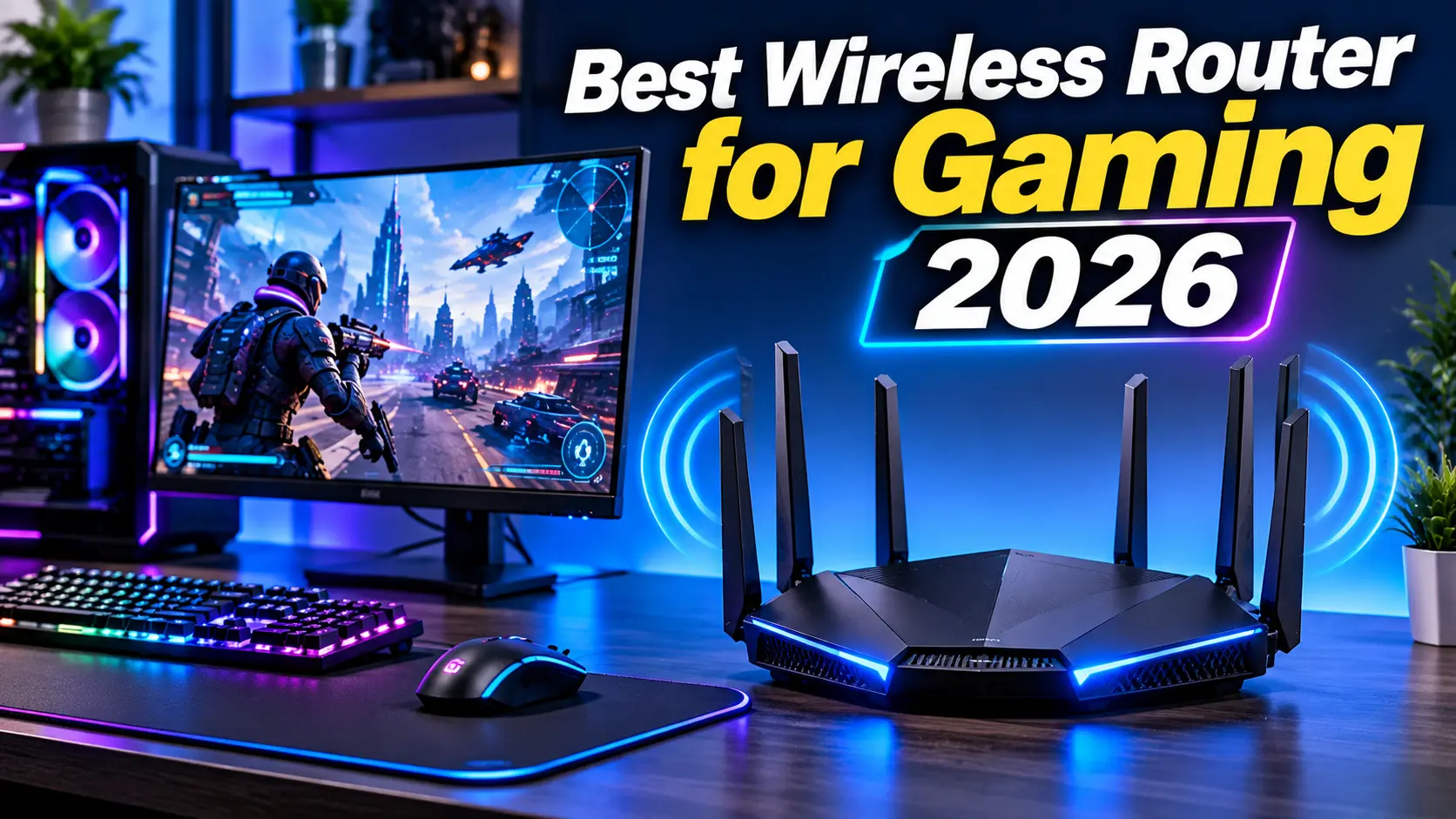
A reliable internet connection is essential for modern online gaming. Whether you play competitive FPS games, battle royale titles, multiplayer RPGs, or online sports games, your network connection can affect responsiveness and overall gameplay.
Choosing the best wireless router for gaming in 2026 can help improve Wi-Fi coverage, manage multiple connected devices, and provide a more consistent wireless connection.
Modern gaming routers include advanced technologies such as Wi-Fi 7, tri-band connectivity, Quality of Service (QoS), multi-gigabit Ethernet ports, and improved network management features.
However, an expensive gaming router does not automatically guarantee lower ping. Your internet service provider, network congestion, server location, and Wi-Fi interference also affect online gaming performance.
In this guide, we explore the best wireless routers for gaming in 2026 and explain what features matter most when choosing a router for your PC gaming setup.
Best Wireless Router for Gaming 2026: Quick Comparison
| Router | Best For | Wi-Fi Standard |
|---|---|---|
| TP-Link Archer BE900 | Best Overall | Wi-Fi 7 |
| ASUS ROG Strix GS-BE18000 | Best Premium Gaming | Wi-Fi 7 |
| TP-Link Archer BE550 | Best Mid-Range | Wi-Fi 7 |
| TP-Link Archer AX55 | Best Budget | Wi-Fi 6 |
| ASUS TUF Gaming BE9400 | Competitive Gaming Features | Wi-Fi 7 |
| NETGEAR Nighthawk RS300 | High-Performance Home Gaming | Wi-Fi 7 |
The right choice depends on your internet package, home size, number of connected devices, and budget.
1. TP-Link Archer BE900 – Best Wireless Router for Gaming Overall
The TP-Link Archer BE900 is a powerful Wi-Fi 7 router designed for users who need excellent wireless performance and extensive wired connectivity.
Its quad-band configuration provides access to 2.4GHz, two 5GHz bands, and 6GHz connectivity.
Key Features
- Wi-Fi 7 technology
- Quad-band connectivity
- Multi-gigabit Ethernet ports
- Four 2.5Gbps Ethernet ports
- Three 10Gbps Ethernet ports
- USB connectivity
- Mesh networking support
The Archer BE900 is designed for demanding home networks with multiple devices, gaming desktops, streaming systems, and high-speed internet connections.
Its extensive Ethernet connectivity is especially useful for gaming setups that include multiple wired devices.
Although it is an impressive router, its features may be excessive for users with slower internet plans or smaller homes.
Pros
- Excellent Wi-Fi 7 capabilities
- Extensive wired connectivity
- Strong coverage potential
- Suitable for multiple connected devices
Cons
- Expensive
- Large physical design
- Many users will not need its advanced ports
Best for: Gamers who want a premium Wi-Fi 7 router with advanced networking features.
2. ASUS ROG Strix GS-BE18000 – Best Premium Gaming Router
The ASUS ROG Strix GS-BE18000 is designed specifically for high-performance home networking and gaming environments.
Its Wi-Fi 7 technology, gaming-focused features, and multiple high-speed Ethernet ports make it a strong option for demanding users.
Key Features
- Wi-Fi 7 tri-band connectivity
- 2.4GHz, 5GHz, and 6GHz bands
- Eight 2.5Gbps Ethernet ports
- Dedicated gaming ports
- RGB lighting
- Advanced network management
One of its key advantages is the inclusion of gaming ports that can prioritize connected devices.
This can help manage network traffic when multiple devices are using the connection.
The router is suitable for gaming, streaming, video calls, and large downloads across a busy household.
However, its premium price means it may not be the best choice for casual gamers.
Pros
- Gaming-focused design
- Wi-Fi 7 support
- Multiple 2.5Gbps ports
- Advanced network controls
Cons
- Premium price
- Large feature set may be unnecessary for casual users
- Actual performance depends on client-device support
Best for: Serious gamers who want advanced network management and high-speed connectivity.
3. TP-Link Archer BE550 – Best Mid-Range Gaming Router
The TP-Link Archer BE550 is a strong option for users who want Wi-Fi 7 performance without spending as much as they would on a premium quad-band router.
It offers tri-band connectivity and multiple 2.5Gbps Ethernet ports.
Key Features
- Wi-Fi 7 technology
- Tri-band connectivity
- 2.4GHz, 5GHz, and 6GHz bands
- Five 2.5Gbps Ethernet ports
- Multi-device support
- Modern network management features
The Archer BE550 is suitable for gaming PCs, laptops, streaming devices, and other connected hardware.
Its combination of wireless performance and wired connectivity makes it a practical option for modern home networks.
For competitive gaming, connecting your PC through Ethernet is still preferable whenever possible.
Pros
- Wi-Fi 7 support
- Multiple 2.5Gbps ports
- Good mid-range feature set
- Suitable for busy households
Cons
- Not as powerful as premium quad-band models
- Wi-Fi 7 benefits require compatible devices
- 6GHz coverage can be affected by walls and distance
Best for: Gamers who want modern Wi-Fi 7 features at a mid-range price.
4. TP-Link Archer AX55 – Best Budget Wireless Router for Gaming
The TP-Link Archer AX55 is a practical budget gaming router for users who do not need the latest Wi-Fi 7 technology.
It supports Wi-Fi 6 and offers dual-band connectivity for everyday gaming and home networking.
Key Features
- Wi-Fi 6 technology
- Dual-band connectivity
- 2.4GHz and 5GHz bands
- Gigabit Ethernet ports
- Multiple-device support
- Mesh compatibility
The Archer AX55 is suitable for apartments and medium-sized homes with standard broadband connections.
It can provide a reliable wireless experience for gaming, streaming, and everyday internet usage.
If your internet connection is below 1Gbps, spending significantly more on an expensive Wi-Fi 7 router may not provide meaningful benefits.
Pros
- Affordable
- Wi-Fi 6 support
- Good everyday networking features
- Suitable for standard broadband plans
Cons
- No 6GHz band
- Not as advanced as Wi-Fi 7 models
- Limited multi-gigabit connectivity
Best for: Budget-conscious gamers who want reliable Wi-Fi for everyday gaming.
5. ASUS TUF Gaming BE9400 – Best Router for Gaming Features
The ASUS TUF Gaming BE9400 is a Wi-Fi 7 router designed for users who want gaming-focused network features.
It is part of ASUS’s TUF gaming networking lineup and offers modern wireless connectivity.
Key Features
- Wi-Fi 7 support
- Tri-band wireless networking
- Gaming-focused traffic management
- Advanced network controls
- Designed for modern connected devices
A gaming-focused router can help prioritize certain network traffic, making it easier to manage a busy home network.
However, Quality of Service features cannot overcome limitations caused by a slow internet connection or a distant game server.
Pros
- Gaming-focused networking features
- Modern Wi-Fi technology
- Suitable for demanding home networks
Cons
- May cost more than basic routers
- Performance depends on placement and connected devices
- Wired Ethernet remains preferable for competitive play
Best for: Gamers interested in network prioritization and advanced router controls.
6. NETGEAR Nighthawk RS300 – Best High-Performance Home Gaming Router
The NETGEAR Nighthawk RS300 is a Wi-Fi 7 router designed for users who need high-speed home networking.
It offers modern wireless connectivity and is suitable for households with multiple connected devices.
Key Features
- Wi-Fi 7 technology
- Tri-band wireless networking
- Multi-gigabit connectivity
- High-speed wireless performance
- Modern network security features
The RS300 can be useful for gaming, high-resolution streaming, large downloads, and connecting multiple computers.
Its performance depends on the broadband connection, network placement, and the Wi-Fi capabilities of your devices.
Pros
- Modern Wi-Fi 7 connectivity
- Suitable for multiple connected devices
- High-speed networking features
- Useful for gaming and streaming
Cons
- Premium pricing compared with basic routers
- Full Wi-Fi 7 performance requires compatible devices
- Not every home needs its advanced features
Best for: Users who want a modern high-performance router for gaming and home networking.
Wi-Fi 6 vs. Wi-Fi 6E vs. Wi-Fi 7 for Gaming
Wireless standards have improved over time, offering higher potential speeds and additional networking features.
| Feature | Wi-Fi 6 | Wi-Fi 6E | Wi-Fi 7 |
|---|---|---|---|
| 2.4GHz Band | Yes | Yes | Yes |
| 5GHz Band | Yes | Yes | Yes |
| 6GHz Band | No | Yes | Yes |
| Multi-Link Operation | No | No | Yes |
| Maximum Channel Width | 160MHz | 160MHz | 320MHz |
| Best For | Budget Gaming | Modern Gaming | Advanced Gaming Networks |
Wi-Fi 7 provides advanced capabilities, but not every gaming device supports them.
The 6GHz band also has shorter practical range than 2.4GHz in many indoor environments, especially when walls and obstacles are involved. Availability and permitted channel use can vary by country.
For most gamers, a good Wi-Fi 6 or Wi-Fi 7 router can provide a suitable wireless connection.
What to Look for When Buying a Gaming Router
1. Wi-Fi Standard
Choose a router based on the wireless technology supported by your devices.
Wi-Fi 6 remains suitable for many gaming setups, while Wi-Fi 7 offers newer features for compatible systems.
2. Low Latency
Latency measures the time required for data to travel between your device and a destination.
Lower and more consistent latency is important for online gaming.
A router can help manage local network traffic, but it cannot guarantee low ping to every game server.
3. Quality of Service (QoS)
QoS allows routers to prioritize certain types of network traffic or connected devices.
For example, you may prioritize your gaming PC over background downloads or video streaming.
The effectiveness of QoS depends on the router and the way your home network is configured.
4. Ethernet Ports
Wired Ethernet is generally more reliable than Wi-Fi for competitive gaming.
Look for:
- Gigabit Ethernet ports
- 2.5Gbps Ethernet ports
- Multi-gigabit WAN connectivity
- Enough LAN ports for your devices
A wired connection can reduce wireless interference and improve connection consistency.
5. Coverage and Antenna Design
Your router should provide sufficient coverage throughout your home.
Consider the number of rooms, walls, floors, and distance between your router and gaming PC.
For large homes, a mesh system or additional access point may be more practical than purchasing an extremely expensive single router.
6. Security Features
A good router should support modern security standards and regular firmware updates.
Look for WPA3 support, guest networks, automatic updates, and useful parental controls.
7. Internet Plan Compatibility
Your router should match your broadband package.
If your internet plan provides 100Mbps, buying a router with extremely high theoretical wireless speeds will not make your internet connection faster.
Wireless Router vs. Ethernet for Gaming
Many gamers prefer Wi-Fi because it avoids running cables across rooms. However, Ethernet usually provides a more stable connection.
| Feature | Wireless Router Connection | Ethernet Connection |
|---|---|---|
| Convenience | High | Requires cable |
| Interference | Can be affected | Minimal |
| Stability | Depends on Wi-Fi conditions | Generally more consistent |
| Mobility | Excellent | Limited by cable |
| Competitive Gaming | Good with strong Wi-Fi | Usually preferred |
If you play competitive FPS games, connect your gaming PC directly to the router using Ethernet whenever possible.
How to Reduce Ping and Improve Gaming Network Performance
A new router is only one part of a good gaming network.
Try these practical steps:
- Use Ethernet when possible.
- Place your router in a central, open location.
- Keep router firmware updated.
- Avoid unnecessary background downloads.
- Select a less congested Wi-Fi channel where appropriate.
- Use the 5GHz or 6GHz band when your device supports it and signal quality is good.
- Choose a nearby game server when available.
- Configure QoS if your router supports useful traffic prioritization.
These steps can help improve connection consistency, although actual ping still depends on your ISP and the game server.
Common Mistakes to Avoid When Buying a Gaming Router
- Buying an expensive router without checking your internet speed
- Assuming Wi-Fi 7 automatically means lower ping
- Ignoring Ethernet port availability
- Placing the router behind furniture
- Ignoring home coverage requirements
- Forgetting to check device compatibility
- Expecting a router to fix ISP-related problems
- Ignoring firmware and security updates
Frequently Asked Questions
What is the best wireless router for gaming in 2026?
The TP-Link Archer BE900 is a strong premium overall choice. The TP-Link Archer BE550 is a practical mid-range Wi-Fi 7 option, while the Archer AX55 is suitable for budget gaming networks.
Is Wi-Fi 7 worth it for gaming?
Wi-Fi 7 is useful if your devices support it and you need advanced wireless performance. However, a good Wi-Fi 6 router can still provide an excellent gaming experience.
Does a gaming router reduce ping?
A router can improve local network management and reduce some sources of congestion, but it cannot guarantee lower internet ping. ISP routing, server distance, and network congestion also matter.
Is Ethernet better than Wi-Fi for gaming?
Yes. Ethernet generally provides more consistent latency and less interference, making it preferable for competitive gaming.
How much internet speed do I need for online gaming?
Many online games use relatively little bandwidth during gameplay. Stable connectivity and low latency are often more important than extremely high download speeds.
Should I buy a Wi-Fi 6 or Wi-Fi 7 router?
Choose Wi-Fi 6 if you want affordable, reliable networking. Choose Wi-Fi 7 if your devices support the newer standard and you want more advanced wireless features.
Final Verdict: Best Wireless Router for Gaming 2026
The best wireless router for gaming depends on your home size, broadband speed, connected devices, and budget.
The TP-Link Archer BE900 is an excellent premium choice for users who need advanced networking and multi-gigabit connectivity. The ASUS ROG Strix GS-BE18000 offers gaming-focused features, while the TP-Link Archer BE550 is a strong mid-range option.
For budget-conscious users, the TP-Link Archer AX55 remains a practical Wi-Fi 6 choice.
Remember that a gaming router cannot replace a reliable internet service. For the most consistent competitive gaming experience, use a wired Ethernet connection whenever possible.
Read more articles on related categories PC Components
Motherboard CPU Combo: How to Choose the Best Combo for Your PC Build
M.2 SSD: Complete Guide to Types, Speed, Compatibility, and Installation
Micro ATX Case: Complete Guide to Choosing the Best Compact PC Case
Monitor Stand for Desk: How to Choose the Best Monitor Stand for Your PC Setup
Is 8GB RAM Enough in 2026? A Complete Guide for PC and Laptop Users
Valve Steam Frame Is Here: Price, Specs, and Is It Actually Worth $1,059?
Best Budget Tripods for Your Gaming and Streaming Setup
Best Budget 3D Printers: What Actually Matters Before You Buy One
Best Gaming Headset: What Actually Matters Before You Buy One
Best Portable Monitors: What Actually Matters Before You Buy One
Ergonomic Keyboard and Mouse: Do You Actually Need One, and How to Choose the Right Pair
M.2 SSD Explained: Everything You Actually Need to Know Before Buying One
NVIDIA G-Sync Pulsar Explained: Do You Really Need a 1000Hz Monitor in 2026?
DLSS vs FSR in 2026: What a Massive Blind Test Actually Reveals About Upscaling
Valve Steam Machine Is Here: Should It Replace Your Gaming PC or Console?
The Great RAM Shortage of 2026: Why Memory Prices Exploded and What You Should Actually Do About It
Arduview Transparent Handheld Review: Is This Fully Worth Backing on Kickstarter?
Onimusha: Way of the Sword CPU Benchmark: 31 CPUs Compared
ASUS ROG Strix XG259QWPG Ace: 540Hz OLED Specs, Price, and Buying Guide
Nvidia RTX 5090, RTX 5080 and RTX 5070 at MSRP: How PAX West VPA Access Works
Intel Arc G3 Extreme vs Ryzen Z2 Extreme: Can Intel Finally Beat AMD in Handhelds?
Best Handheld Gaming PC 2026? MSI Claw 8 EX AI+ vs ROG Xbox Ally X20 vs Acer Predator Atlas 8:
DLSS 5 on AMD GPUs: Mod Compatibility, Performance, and Limitations
Best Gaming Mouse 2026: Top Picks for Every PC Gamer
Best SSD for Gaming 2026: Top NVMe Drives for Faster Gaming
Best Wireless Router for Gaming 2026: Top Wi-Fi Routers for Low-Latency Gaming