
Best SSD for Gaming 2026: Top NVMe Drives for Faster Gaming
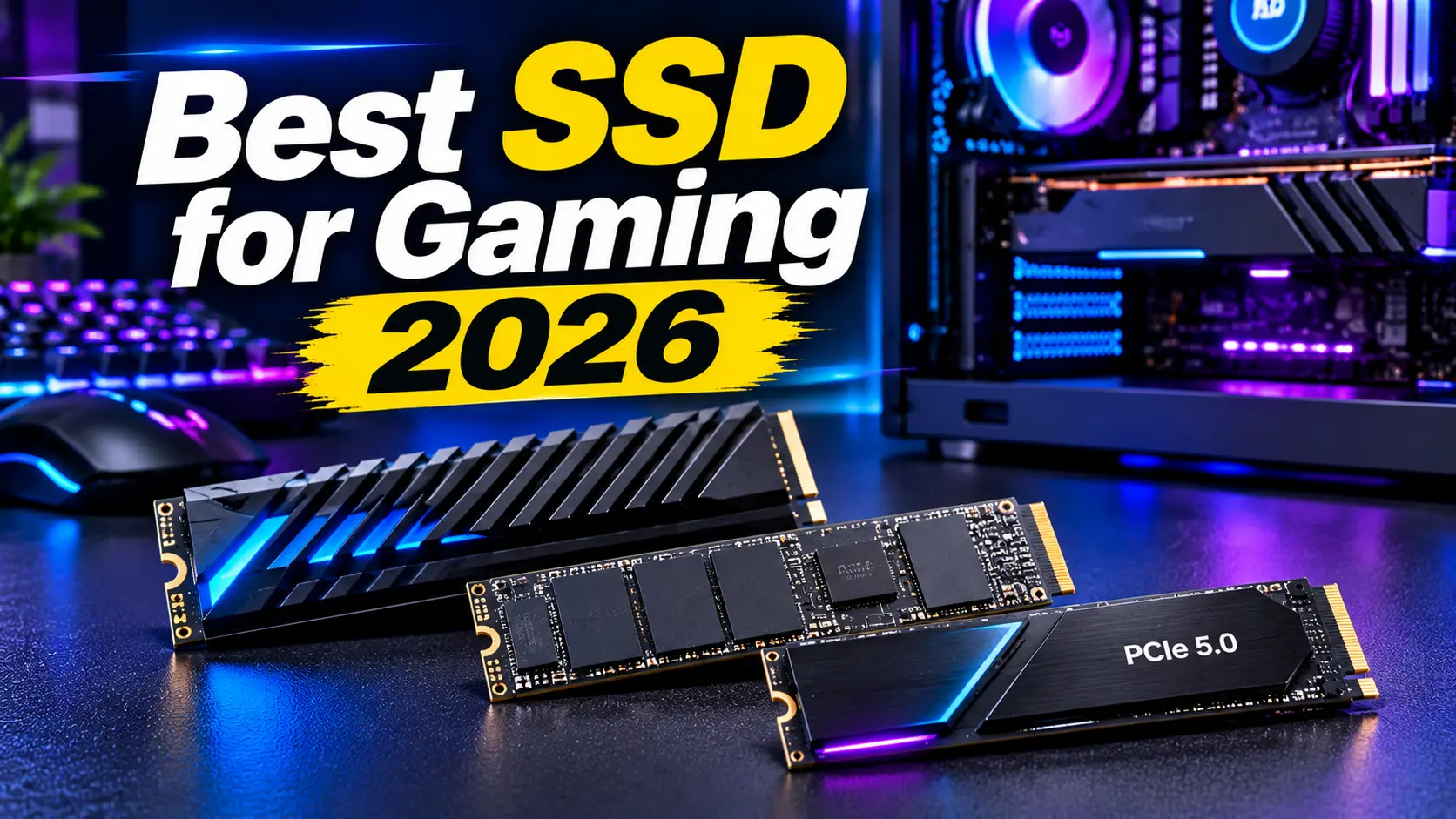
Choosing the best SSD for gaming in 2026 can improve your PC’s overall performance, reduce game loading times, and provide more storage for your favorite titles. Modern games require significant storage space, and many popular AAA games can occupy more than 100GB.
Traditional hard drives are becoming less practical for modern gaming systems because SSDs offer faster data access, quicker boot times, and a smoother overall computing experience.
However, not every SSD delivers the same performance. PCIe 4.0 NVMe drives offer excellent value for most gamers, while PCIe 5.0 SSDs provide even higher theoretical speeds for compatible systems.
In this guide, we explore the best SSDs for gaming in 2026, compare their features, and explain how to choose the right storage drive for your gaming PC or laptop.
Best SSD for Gaming 2026: Quick Comparison
| SSD Model | Best For | Interface |
|---|---|---|
| Samsung 990 Pro | Best Overall | PCIe 4.0 NVMe |
| WD Black SN850X | Best Alternative | PCIe 4.0 NVMe |
| WD Black SN7100 | Best Value | PCIe 4.0 NVMe |
| Crucial T705 | High-End Performance | PCIe 5.0 NVMe |
| Corsair MP700 Pro XT | Extreme Performance | PCIe 5.0 NVMe |
| Lexar NM790 | Budget Gaming | PCIe 4.0 NVMe |
The best choice depends on your motherboard, laptop compatibility, storage requirements, and budget.
1. Samsung 990 Pro – Best SSD for Gaming Overall
The Samsung 990 Pro is one of the strongest PCIe 4.0 NVMe SSDs for gaming in 2026. It combines excellent performance, efficient operation, and reliable software support.
With sequential read speeds of up to 7,450 MB/s and write speeds of up to 6,900 MB/s, it offers fast data transfer for modern gaming systems.
Key Features
- PCIe 4.0 NVMe interface
- M.2 2280 form factor
- Sequential read speed up to 7,450 MB/s
- Sequential write speed up to 6,900 MB/s
- Available in 1TB, 2TB, and 4TB capacities
- Samsung Magician software support
- Five-year limited warranty
The Samsung 990 Pro is suitable for gamers who want fast storage without moving to a more expensive PCIe 5.0 drive.
It can reduce loading times and improve system responsiveness. Its 2TB capacity is particularly attractive for gamers with large game libraries.
Pros
- Excellent PCIe 4.0 performance
- Strong random-read performance
- Reliable software support
- Multiple storage capacities
Cons
- Can cost more than competing PCIe 4.0 SSDs
- Requires a compatible M.2 slot
Best for: Gamers who want a premium all-around NVMe SSD.
2. WD Black SN850X – Best Alternative Gaming SSD
The WD Black SN850X is another excellent PCIe 4.0 SSD for gaming PCs.
It offers sequential read speeds of up to 7,300 MB/s and write speeds of up to 6,600 MB/s, making it a strong alternative to the Samsung 990 Pro.
Key Features
- PCIe 4.0 NVMe interface
- M.2 2280 form factor
- Read speeds up to 7,300 MB/s
- Write speeds up to 6,600 MB/s
- Capacities from 1TB to 8TB
- Optional heatsink versions
- WD Dashboard software
The SN850X is designed for demanding PC workloads and large game libraries.
Its optional heatsink version can be useful in systems where SSD cooling is limited. However, check whether your motherboard already includes an M.2 heatsink before buying one.
Pros
- Excellent gaming performance
- Multiple capacity options
- Optional heatsink
- Strong software support
Cons
- Pricing can vary significantly
- PCIe 4.0 performance requires a compatible motherboard
Best for: Gamers looking for a high-performance alternative to the Samsung 990 Pro.
3. WD Black SN7100 – Best Value SSD for Gaming
The WD Black SN7100 is a strong option for gamers who want excellent everyday performance without paying for an expensive flagship SSD.
It uses the PCIe 4.0 NVMe interface and is available in multiple capacities.
Key Features
- PCIe 4.0 NVMe interface
- M.2 2280 design
- Capacities up to 2TB
- High-speed sequential transfers
- Designed for gaming and laptop upgrades
The SN7100 is particularly interesting for gaming laptops and desktop systems that support M.2 NVMe storage.
For most gaming situations, a quality PCIe 4.0 drive offers a better balance of cost and performance than an expensive PCIe 5.0 model.
Pros
- Strong value-oriented performance
- Suitable for gaming laptops
- Compact M.2 design
- Good everyday responsiveness
Cons
- Not the fastest flagship SSD
- Capacity options may vary by retailer
Best for: Gamers who want fast NVMe storage at a more accessible price.
4. Crucial T705 – Best High-End PCIe 5.0 SSD
The Crucial T705 is designed for users who want extremely fast storage performance.
It uses a PCIe 5.0 interface and offers sequential read speeds of up to approximately 14,500 MB/s in suitable configurations.
Key Features
- PCIe 5.0 NVMe interface
- M.2 2280 form factor
- Sequential read speeds up to 14,500 MB/s
- High-end storage performance
- Multiple capacity options
- Heatsink and non-heatsink versions
The T705 is suitable for high-end gaming desktops, demanding workloads, and users who regularly transfer large files.
However, it is important to understand that higher sequential speeds do not automatically produce higher gaming frame rates.
Many games will not show a major difference between a good PCIe 4.0 SSD and a much faster PCIe 5.0 model.
Pros
- Extremely high sequential speeds
- Excellent for large file transfers
- Advanced PCIe 5.0 interface
- Suitable for high-end desktops
Cons
- More expensive than many PCIe 4.0 options
- Requires PCIe 5.0 support
- High-performance operation requires proper cooling
Best for: Enthusiasts who want high-end storage performance.
5. Corsair MP700 Pro XT – Best Extreme Performance SSD
The Corsair MP700 Pro XT is another high-performance PCIe 5.0 SSD designed for demanding desktop systems.
It focuses on extremely fast data transfers and advanced storage performance.
Key Features
- PCIe 5.0 NVMe interface
- M.2 2280 form factor
- High sequential read and write performance
- Advanced thermal management requirements
- Designed for compatible high-end systems
For gaming enthusiasts, the MP700 Pro XT can be an attractive option when building a premium PC.
However, it is important to consider the total system cost. A high-end SSD may not provide a noticeable gaming advantage if your graphics card or processor is the main performance limitation.
Pros
- High-end PCIe 5.0 performance
- Suitable for demanding workloads
- Advanced storage technology
Cons
- Premium pricing
- Requires compatible hardware
- Cooling is important
Best for: Enthusiasts building high-performance gaming desktops.
6. Lexar NM790 – Best Budget Gaming SSD
The Lexar NM790 is a budget-friendly PCIe 4.0 SSD that offers a practical combination of performance and value.
It is available in multiple capacities and can be a useful option for gamers upgrading from an older SATA SSD or hard drive.
Key Features
- PCIe 4.0 NVMe interface
- M.2 2280 form factor
- Capacities up to 4TB
- High sequential read performance
- Suitable for desktop and compatible laptop upgrades
The NM790 is worth considering if you need more storage without spending money on a premium flagship model.
Always compare the exact capacity and specifications before buying because performance can vary between configurations.
Pros
- Good value
- Multiple capacity options
- Fast NVMe storage
- Suitable for gaming libraries
Cons
- Not a flagship performance drive
- Check warranty and regional availability
Best for: Budget-conscious gamers who want a capable NVMe SSD.
PCIe 4.0 vs. PCIe 5.0 SSD: Which Is Better for Gaming?
PCIe 4.0 and PCIe 5.0 are different generations of the interface used by modern NVMe SSDs.
PCIe 5.0 offers higher theoretical bandwidth, but PCIe 4.0 remains an excellent choice for gaming.
| Feature | PCIe 4.0 SSD | PCIe 5.0 SSD |
|---|---|---|
| Performance | Very fast | Extremely fast |
| Price | Usually more affordable | Usually more expensive |
| Gaming Experience | Excellent | Excellent |
| Cooling | Generally easier | May require stronger cooling |
| Compatibility | Requires PCIe 4.0 or compatible slot | Requires PCIe 5.0 support for full speed |
| Best For | Most gaming PCs | High-end enthusiast systems |
For most gamers, a good PCIe 4.0 SSD is the smarter purchase. Consider PCIe 5.0 when you have compatible hardware and workloads that benefit from its additional bandwidth.
How Much SSD Storage Do You Need for Gaming?
Modern games can require substantial storage space. Choosing the right capacity helps avoid constantly deleting and reinstalling games.
| SSD Capacity | Best For |
|---|---|
| 500GB | Basic gaming and a small game library |
| 1TB | Casual and regular gaming |
| 2TB | Recommended for many gaming PCs |
| 4TB | Large game libraries and additional files |
A 2TB SSD is a practical target for many gamers in 2026.
If you regularly install large AAA games, a 4TB SSD may be worth considering.
What to Look for When Buying a Gaming SSD
1. Read and Write Speeds
Sequential read and write speeds indicate how quickly an SSD can transfer large files.
However, random performance, latency, controller quality, and sustained performance also matter.
Do not select an SSD based only on its advertised maximum speed.
2. NVMe vs. SATA
NVMe SSDs use PCIe connectivity and generally offer much higher performance than traditional SATA SSDs.
SATA SSDs can still be useful for additional storage, but NVMe drives are usually the preferred option for new gaming systems.
3. M.2 Compatibility
Before buying an SSD, check:
- M.2 slot availability
- Supported drive lengths
- PCIe generation
- NVMe support
- Motherboard compatibility
- Laptop thickness and physical clearance
Not every M.2 slot supports the same storage standards.
4. SSD Heatsink
Fast NVMe drives can generate heat during demanding workloads.
A heatsink helps manage temperatures and may prevent thermal throttling.
Check whether your motherboard already includes an M.2 heatsink.
5. Warranty and Endurance
SSD endurance is commonly measured using TBW, or terabytes written.
A higher TBW rating generally indicates a greater rated write endurance.
Also compare the manufacturer’s warranty and support policies.
Common Mistakes to Avoid When Buying a Gaming SSD
- Buying PCIe 5.0 without checking motherboard compatibility
- Choosing a drive based only on advertised speed
- Purchasing insufficient storage capacity
- Ignoring SSD temperatures
- Forgetting to check the M.2 form factor
- Buying from an unreliable seller
- Assuming a faster SSD automatically increases FPS
Frequently Asked Questions
What is the best SSD for gaming in 2026?
The Samsung 990 Pro is a strong overall choice. The WD Black SN850X is an excellent alternative, while the WD Black SN7100 offers attractive value for gamers.
Is a 1TB SSD enough for gaming?
A 1TB SSD is enough for many gamers, but users with large game libraries may prefer 2TB or more.
Does an SSD increase FPS in games?
An SSD generally does not directly increase average FPS. Its main benefits include faster loading, quicker file access, and improved system responsiveness.
Is PCIe 5.0 worth it for gaming?
For most gamers, PCIe 4.0 is sufficient. PCIe 5.0 is more attractive for high-end systems and demanding file-transfer workloads.
Which SSD is best for a gaming laptop?
The WD Black SN7100 is worth considering for compatible gaming laptops. Always check the laptop’s M.2 specifications, available slot, and supported SSD size.
Is NVMe better than SATA for gaming?
NVMe drives offer much higher theoretical transfer speeds. Both can work for gaming, but NVMe is generally the better choice for a new PC build.
Final Verdict: Best SSD for Gaming 2026
The best SSD for gaming depends on your budget, storage requirements, and system compatibility.
The Samsung 990 Pro is an excellent overall choice for gamers who want premium PCIe 4.0 performance. The WD Black SN850X is another strong option, while the WD Black SN7100 offers a good balance of performance and value.
For enthusiasts who want the fastest storage available, the Crucial T705 and Corsair MP700 Pro XT are worth considering.
For most gaming PCs, however, a quality 2TB PCIe 4.0 NVMe SSD is the most practical upgrade. It provides plenty of space, fast loading, and excellent everyday performance without requiring the extra expense of PCIe 5.0.
Read more articles on related categories PC Components
Motherboard CPU Combo: How to Choose the Best Combo for Your PC Build
M.2 SSD: Complete Guide to Types, Speed, Compatibility, and Installation
Micro ATX Case: Complete Guide to Choosing the Best Compact PC Case
Monitor Stand for Desk: How to Choose the Best Monitor Stand for Your PC Setup
Is 8GB RAM Enough in 2026? A Complete Guide for PC and Laptop Users
Valve Steam Frame Is Here: Price, Specs, and Is It Actually Worth $1,059?
Best Budget Tripods for Your Gaming and Streaming Setup
Best Budget 3D Printers: What Actually Matters Before You Buy One
Best Gaming Headset: What Actually Matters Before You Buy One
Best Portable Monitors: What Actually Matters Before You Buy One
Ergonomic Keyboard and Mouse: Do You Actually Need One, and How to Choose the Right Pair
M.2 SSD Explained: Everything You Actually Need to Know Before Buying One
NVIDIA G-Sync Pulsar Explained: Do You Really Need a 1000Hz Monitor in 2026?
DLSS vs FSR in 2026: What a Massive Blind Test Actually Reveals About Upscaling
Valve Steam Machine Is Here: Should It Replace Your Gaming PC or Console?
The Great RAM Shortage of 2026: Why Memory Prices Exploded and What You Should Actually Do About It
Arduview Transparent Handheld Review: Is This Fully Worth Backing on Kickstarter?
Onimusha: Way of the Sword CPU Benchmark: 31 CPUs Compared
ASUS ROG Strix XG259QWPG Ace: 540Hz OLED Specs, Price, and Buying Guide
Nvidia RTX 5090, RTX 5080 and RTX 5070 at MSRP: How PAX West VPA Access Works
Intel Arc G3 Extreme vs Ryzen Z2 Extreme: Can Intel Finally Beat AMD in Handhelds?
Best Handheld Gaming PC 2026? MSI Claw 8 EX AI+ vs ROG Xbox Ally X20 vs Acer Predator Atlas 8:
DLSS 5 on AMD GPUs: Mod Compatibility, Performance, and Limitations


One Comment