Best Budget 3D Printers 2026: Affordable Picks for Beginners and Hobbyists
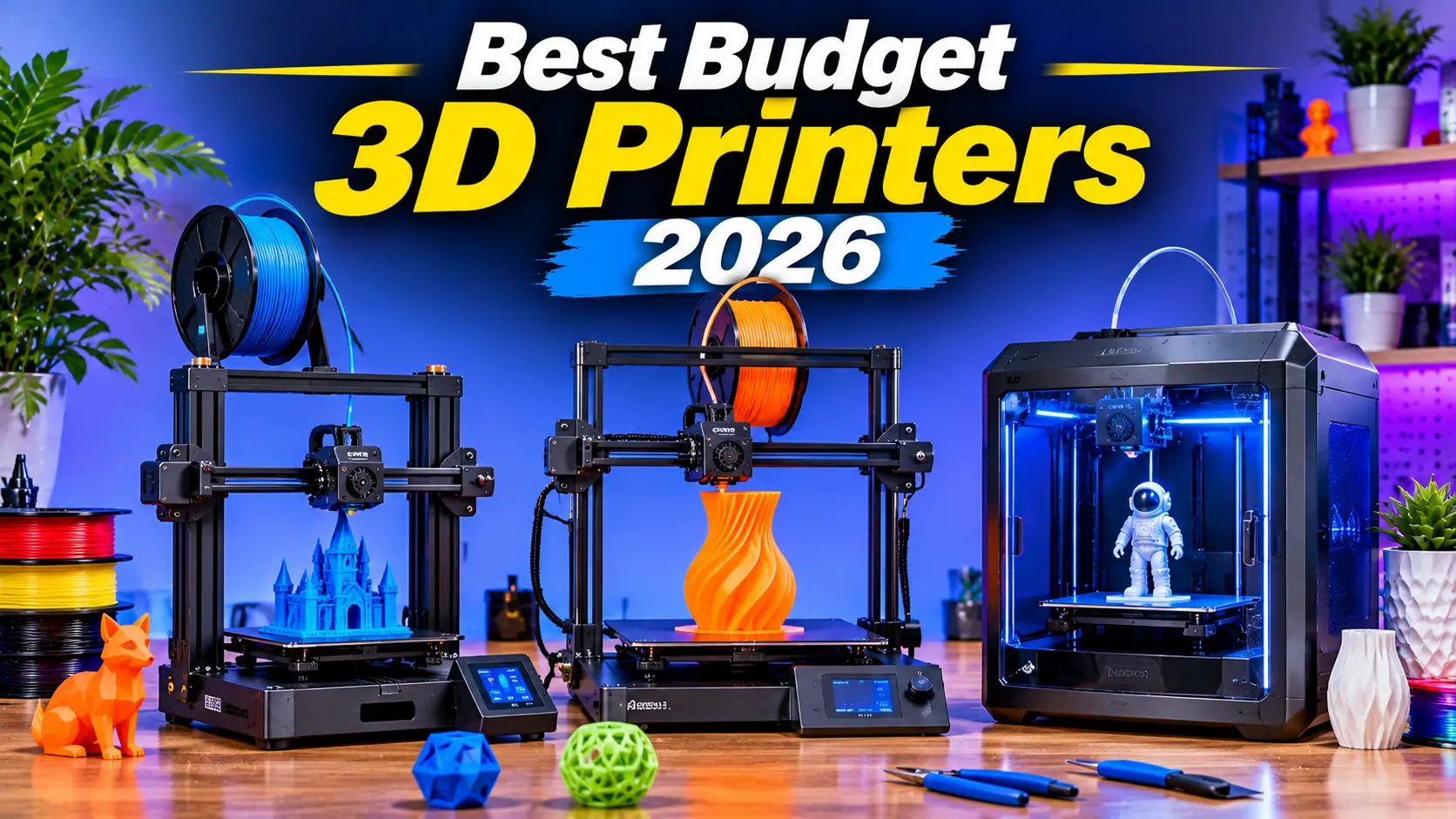
Finding the best budget 3D printer in 2026 is easier than ever. Modern affordable 3D printers offer impressive print quality, automatic bed leveling, faster printing speeds, and beginner-friendly features that were once available only on expensive machines.
Whether you want to print household accessories, gaming miniatures, replacement parts, creative models, or DIY projects, an affordable 3D printer can help turn digital designs into physical objects.
However, not every budget 3D printer is suitable for every user. Some models are designed for beginners, while others focus on high-speed printing, multicolor designs, or highly detailed resin models.
In this guide, we explore the best budget 3D printers in 2026, compare their features, and explain how to choose the right printer for your needs.
Best Budget 3D Printers 2026: Quick Comparison
| 3D Printer | Best For | Printing Technology |
|---|---|---|
| Sovol SV06 ACE | Best Overall Budget Printer | FDM |
| Creality Ender 3 V3 SE | Best for Beginners | FDM |
| Bambu Lab A1 Mini | Best Compact Printer | FDM |
| Elegoo Centauri Carbon | Best for Fast Printing | FDM |
| Anycubic Kobra 3 V2 | Best Budget Multicolor Printing | FDM |
| Anycubic Photon Mono 2 | Best Budget Resin Printer | Resin |
| Elegoo Mars 5 Ultra | Best for Detailed Miniatures | Resin |
These models offer different advantages depending on your budget, printing requirements, and experience level. Pricing and availability may vary by retailer and region.
1. Sovol SV06 ACE – Best Budget 3D Printer Overall
<AsyncImage query=”Sovol SV06 ACE 3D printer product photo” aspectRatio=”4:3″ maxWidth=”100%” />
The Sovol SV06 ACE is an excellent choice for users who want a capable budget 3D printer with a useful selection of modern features.
It combines an affordable price with automatic bed leveling, a direct-drive extruder, and a design suitable for a wide range of printing projects.
Key Features
- FDM printing technology
- Build volume: 220 × 220 × 250 mm
- Automatic bed leveling
- Direct-drive extruder
- Klipper-based firmware
- Built-in camera
- Wi-Fi and LAN connectivity
The SV06 ACE can print practical objects, decorative models, and medium-sized projects. Its automatic bed leveling helps simplify setup, making it more approachable for beginners.
Its direct-drive extruder also provides flexibility when printing different filament types.
Pros
- Good feature set for the price
- Automatic bed leveling
- Direct-drive extruder
- Built-in camera
- Useful build volume
Cons
- Not suitable for very large models
- Some users may need to learn basic printer tuning
Best for: Beginners and hobbyists looking for an affordable all-around 3D printer.
2. Creality Ender 3 V3 SE – Best Budget 3D Printer for Beginners
<AsyncImage query=”Creality Ender 3 V3 SE 3D printer” aspectRatio=”4:3″ maxWidth=”100%” />
The Creality Ender 3 V3 SE is a popular entry-level 3D printer designed for users who want to begin 3D printing without spending a large amount of money.
Its straightforward design, automatic bed leveling, and direct-drive extruder make it a practical choice for first-time users.
Key Features
- FDM printing technology
- Build volume: 220 × 220 × 250 mm
- Maximum print speed: up to 250 mm/s
- Automatic bed leveling
- Sprite direct-drive extruder
- Easy assembly
- Heated build plate
The Ender 3 V3 SE can be used for household accessories, small mechanical parts, decorative models, and educational projects.
It is not the fastest printer in the market, but it offers a good balance between affordability and functionality.
Pros
- Beginner-friendly setup
- Affordable price
- Automatic bed leveling
- Direct-drive extrusion
- Good printing capabilities for its category
Cons
- No built-in Wi-Fi in the reviewed configuration
- Limited advanced features
- Open-frame design
Best for: Beginners who want an affordable introduction to 3D printing.
3. Bambu Lab A1 Mini – Best Compact Budget 3D Printer
<AsyncImage query=”Bambu Lab A1 Mini 3D printer product image” aspectRatio=”4:3″ maxWidth=”100%” />
The Bambu Lab A1 Mini is a compact 3D printer that delivers impressive printing performance in a relatively small footprint.
It is designed to make 3D printing accessible to beginners while providing useful features for experienced hobbyists.
Key Features
- FDM printing technology
- Build volume: 180 × 180 × 180 mm
- Automatic bed leveling
- Direct-drive extruder
- High-speed printing
- Wi-Fi connectivity
- Optional AMS Lite multicolor system
One of the major advantages of the A1 Mini is its ease of setup. It comes largely assembled and provides automated calibration features that help reduce the complexity of getting started.
The optional AMS Lite system allows multicolor printing, making it useful for decorative objects and creative designs.
Its main limitation is the smaller build volume, which may not accommodate large models.
Pros
- Compact design
- Beginner-friendly setup
- Fast printing performance
- Automatic calibration
- Optional multicolor printing
Cons
- Smaller build volume
- Multicolor setup costs extra
- Not ideal for large projects
Best for: Beginners, hobbyists, and users with limited workspace.
4. Elegoo Centauri Carbon – Best Budget 3D Printer for Fast Printing
<AsyncImage query=”Elegoo Centauri Carbon enclosed 3D printer” aspectRatio=”4:3″ maxWidth=”100%” />
The Elegoo Centauri Carbon is an affordable CoreXY-style 3D printer designed for users who want fast printing performance and a more enclosed design.
Its combination of speed, automation, and useful features makes it a strong choice for hobbyists who want to print more efficiently.
Key Features
- FDM printing technology
- CoreXY motion system
- Maximum advertised speed: up to 500 mm/s
- Fully enclosed design
- Automatic calibration
- Built-in camera
- Two-sided build plate
The Centauri Carbon is suitable for printing functional parts, models, and creative projects.
Its enclosed design can also be useful when printing certain materials that benefit from more controlled temperatures. However, material compatibility depends on the printer’s specifications and recommended settings.
Pros
- High advertised print speed
- Enclosed design
- Automatic calibration
- Built-in camera
- Suitable for a variety of projects
Cons
- Larger footprint than compact printers
- Advanced slicer settings may require learning
- Actual print speed depends on the model and material
Best for: Hobbyists who want a fast budget 3D printer.
5. Anycubic Kobra 3 V2 – Best Budget Multicolor 3D Printer
<AsyncImage query=”Anycubic Kobra 3 V2 3D printer with ACE Pro” aspectRatio=”4:3″ maxWidth=”100%” />
The Anycubic Kobra 3 V2 is a useful option for users interested in multicolor 3D printing.
It offers a relatively large build volume and features designed to improve printing convenience.
Key Features
- FDM printing technology
- Build volume: 255 × 255 × 260 mm
- Automatic bed leveling
- High-flow hotend
- Built-in camera
- Wi-Fi connectivity
- Optional ACE Pro multicolor system
The optional ACE Pro system allows users to print with multiple filament colors. This is useful for producing decorative models, colorful designs, and creative objects.
The printer’s larger build volume also makes it suitable for projects that may not fit on compact models.
Pros
- Multicolor printing capability
- Larger build volume
- Automatic bed leveling
- Built-in camera
- Useful for creative projects
Cons
- Multicolor printing requires additional equipment
- Filament changes can create material waste
- Setup may be more complex than a basic single-color printer
Best for: Users who want to experiment with multicolor 3D printing.
6. Anycubic Photon Mono 2 – Best Budget Resin 3D Printer
<AsyncImage query=”Anycubic Photon Mono 2 resin 3D printer” aspectRatio=”4:3″ maxWidth=”100%” />
The Anycubic Photon Mono 2 is a budget resin 3D printer designed for users who need detailed prints.
Unlike FDM printers that use filament, resin printers use liquid photopolymer resin cured by light.
Key Features
- Resin printing technology
- 6.6-inch monochrome LCD
- 4K resolution
- Build volume: approximately 165 × 89 × 143 mm
- Compact design
- Suitable for detailed miniatures
Resin printing is particularly useful for producing highly detailed models, miniatures, figurines, and small decorative objects.
The Photon Mono 2 offers a relatively affordable way to explore resin printing.
However, resin printing requires more careful handling than filament printing. Users should follow the manufacturer’s safety guidance, use appropriate gloves and eye protection, ensure suitable ventilation, and properly cure and dispose of resin materials.
Pros
- Detailed print quality
- Compact footprint
- Affordable entry point
- Suitable for miniatures
- Easy-to-understand basic operation
Cons
- Smaller build volume
- Requires resin handling
- Post-processing is necessary
- Additional safety equipment may be needed
Best for: Hobbyists who want detailed miniatures and small models.
7. Elegoo Mars 5 Ultra – Best Budget Resin Printer for Miniatures
<AsyncImage query=”Elegoo Mars 5 Ultra resin 3D printer” aspectRatio=”4:3″ maxWidth=”100%” />
The Elegoo Mars 5 Ultra is a resin 3D printer designed for detailed printing projects.
It is particularly suitable for tabletop miniatures, figurines, and other objects where fine details are important.
Key Features
- Resin printing technology
- High-resolution monochrome LCD
- Automatic leveling
- Failure detection features
- Tilt-release printing system
- Designed for detailed models
The Mars 5 Ultra provides features that help make resin printing more convenient.
Its high-resolution printing capabilities make it a suitable option for hobbyists who want detailed results.
However, resin printers require careful handling, cleaning, curing, and workspace preparation.
Best for: Miniature enthusiasts and users who prioritize fine detail.
FDM vs. Resin 3D Printers: Which Should You Buy?
Before purchasing a budget 3D printer, it is important to understand the difference between FDM and resin printing.
| Feature | FDM 3D Printer | Resin 3D Printer |
|---|---|---|
| Material | Filament | Liquid resin |
| Best For | Functional parts and larger models | Detailed miniatures |
| Ease of Use | Generally easier | Requires careful handling |
| Post-Processing | Often minimal | Usually necessary |
| Safety | Standard hot-surface precautions | Chemical handling precautions |
| Build Volume | Often larger | Often smaller |
| Cost | Affordable materials | Additional cleaning and curing supplies |
For most beginners, an FDM printer is a practical starting point. Resin printing is better suited to users who specifically need fine details and are prepared for its handling and post-processing requirements.
What to Look for When Buying a Budget 3D Printer in 2026
1. Build Volume
Build volume determines the maximum size of an object you can print.
A larger build volume is useful for bigger projects, while a compact printer may be more convenient for smaller models.
Common build volume categories include:
- Small: around 180 × 180 × 180 mm
- Medium: around 220 × 220 × 250 mm
- Larger: around 255 × 255 × 260 mm or above
Choose a build volume that matches the types of objects you plan to print.
2. Automatic Bed Leveling
Bed leveling is one of the most important factors in successful 3D printing.
An uneven print bed can cause poor first-layer adhesion and failed prints.
Automatic bed leveling helps simplify the process by measuring the print surface and compensating for small variations.
For beginners, this feature can make the printing experience significantly easier.
3. Printing Speed
A faster 3D printer can reduce printing time, but speed alone does not determine print quality.
Consider:
- Maximum advertised speed
- Acceleration
- Material compatibility
- Print quality at higher speeds
- Reliability
A printer that produces consistent results is often more useful than one that advertises extremely high speed but requires extensive tuning.
4. Filament Compatibility
FDM printers commonly use PLA filament, which is popular among beginners.
Other materials include:
- PETG
- ABS
- TPU
- ASA
Different materials have different temperature and printing requirements. Check the printer’s compatibility before purchasing filament.
5. Connectivity
Some budget printers support USB, memory cards, Wi-Fi, or LAN connectivity.
Wireless connectivity can make transferring print files easier, while memory card support may be sufficient for simple projects.
6. Software and Slicer Support
A slicer converts a digital 3D model into instructions that the printer can follow.
Popular slicers include:
- Cura
- PrusaSlicer
- Bambu Studio
- OrcaSlicer
- Manufacturer-specific software
A printer with accessible software, useful profiles, and a supportive community can make learning easier.
7. Replacement Parts and Customer Support
Before buying a budget 3D printer, check the availability of replacement parts such as:
- Nozzles
- Build plates
- Extruders
- Belts
- Hotends
- Fans
Good customer support and accessible replacement parts can make a printer more practical over the long term.
Best Budget 3D Printer for Different Uses
| Use Case | Recommended Printer |
|---|---|
| General 3D Printing | Sovol SV06 ACE |
| Beginner Projects | Creality Ender 3 V3 SE |
| Small Workspace | Bambu Lab A1 Mini |
| Fast Printing | Elegoo Centauri Carbon |
| Multicolor Models | Anycubic Kobra 3 V2 |
| Detailed Miniatures | Anycubic Photon Mono 2 |
| High-Detail Resin Models | Elegoo Mars 5 Ultra |
These recommendations are based on the printer features and intended use. Your choice should also depend on the exact price and availability in your region.
Common Mistakes to Avoid When Buying a Budget 3D Printer
Many first-time buyers focus only on the printer’s price. However, several other factors can influence the total cost and user experience.
Avoid these common mistakes:
- Buying a printer without automatic bed leveling when you need beginner-friendly setup
- Ignoring build volume
- Choosing a printer only because it advertises high speed
- Forgetting the cost of filament or resin
- Ignoring replacement parts
- Purchasing a resin printer without considering safety and post-processing
- Assuming every printer supports every material
- Not checking the availability of software and support
- Buying a printer that is too small for your intended projects
A budget printer should provide a good balance of affordability, print quality, usability, and reliability.
Frequently Asked Questions
What is the best budget 3D printer in 2026?
The Sovol SV06 ACE is a strong overall budget recommendation. The Creality Ender 3 V3 SE is suitable for beginners, while the Bambu Lab A1 Mini is a good compact option.
What is the cheapest type of 3D printer?
Entry-level FDM printers are generally among the most affordable options. Models such as the Creality Ender 3 V3 SE provide a practical starting point for beginners.
Is a budget 3D printer worth buying?
Yes. Budget 3D printers can be useful for hobbyists, students, DIY enthusiasts, and users interested in creating functional or decorative objects.
Is FDM or resin better for beginners?
FDM printing is generally easier for beginners because it uses filament and requires less chemical handling. Resin printing is better for users who need detailed miniatures and can manage the necessary safety and post-processing steps.
How much should I spend on a budget 3D printer?
Many affordable FDM printers are available below $300. A higher budget can provide more automation, larger build volumes, faster printing, and multicolor capabilities.
Can a budget 3D printer print useful objects?
Yes. Budget printers can create organizers, brackets, replacement parts, holders, decorative models, and many other objects. The result depends on the printer, material, model design, and settings.
Do budget 3D printers require maintenance?
Yes. Regular maintenance may include cleaning the build plate, checking belts, inspecting the nozzle, and following the manufacturer’s maintenance instructions.
Final Verdict: Best Budget 3D Printers 2026
The best budget 3D printer in 2026 depends on your experience, projects, and budget.
The Sovol SV06 ACE is a compelling all-around option for affordable 3D printing. The Creality Ender 3 V3 SE is a practical beginner choice, while the Bambu Lab A1 Mini is suitable for users who want a compact and convenient printer.
For faster printing, the Elegoo Centauri Carbon is worth considering. The Anycubic Kobra 3 V2 offers multicolor capabilities, while the Anycubic Photon Mono 2 and Elegoo Mars 5 Ultra are designed for detailed resin printing.
Before purchasing, compare build volume, automatic leveling, material compatibility, software support, replacement parts, and total operating costs.
A carefully selected budget 3D printer can provide an enjoyable and productive introduction to 3D printing without requiring a large investment.
Read more articles on related categories PC Components
Motherboard CPU Combo: How to Choose the Best Combo for Your PC Build
M.2 SSD: Complete Guide to Types, Speed, Compatibility, and Installation
Micro ATX Case: Complete Guide to Choosing the Best Compact PC Case
Monitor Stand for Desk: How to Choose the Best Monitor Stand for Your PC Setup
Is 8GB RAM Enough in 2026? A Complete Guide for PC and Laptop Users
Valve Steam Frame Is Here: Price, Specs, and Is It Actually Worth $1,059?
Best Budget Tripods for Your Gaming and Streaming Setup
Best Budget 3D Printers: What Actually Matters Before You Buy One
Best Gaming Headset: What Actually Matters Before You Buy One
Best Portable Monitors: What Actually Matters Before You Buy One
Ergonomic Keyboard and Mouse: Do You Actually Need One, and How to Choose the Right Pair
M.2 SSD Explained: Everything You Actually Need to Know Before Buying One
NVIDIA G-Sync Pulsar Explained: Do You Really Need a 1000Hz Monitor in 2026?
DLSS vs FSR in 2026: What a Massive Blind Test Actually Reveals About Upscaling
Valve Steam Machine Is Here: Should It Replace Your Gaming PC or Console?
The Great RAM Shortage of 2026: Why Memory Prices Exploded and What You Should Actually Do About It
Arduview Transparent Handheld Review: Is This Fully Worth Backing on Kickstarter?
Onimusha: Way of the Sword CPU Benchmark: 31 CPUs Compared
ASUS ROG Strix XG259QWPG Ace: 540Hz OLED Specs, Price, and Buying Guide
Nvidia RTX 5090, RTX 5080 and RTX 5070 at MSRP: How PAX West VPA Access Works
Intel Arc G3 Extreme vs Ryzen Z2 Extreme: Can Intel Finally Beat AMD in Handhelds?
Best Handheld Gaming PC 2026? MSI Claw 8 EX AI+ vs ROG Xbox Ally X20 vs Acer Predator Atlas 8:
DLSS 5 on AMD GPUs: Mod Compatibility, Performance, and Limitations
Best Gaming Mouse 2026: Top Picks for Every PC Gamer
Best Budget 3D Printers 2026: Affordable Picks for Beginners and Hobbyists