Best Gaming Mouse 2026: Top Picks for Every PC Gamer Best Gaming Mouse 2026: Top Picks for Every PC GamerBest Gaming Mouse 2026: Top Picks for Every PC Gamer
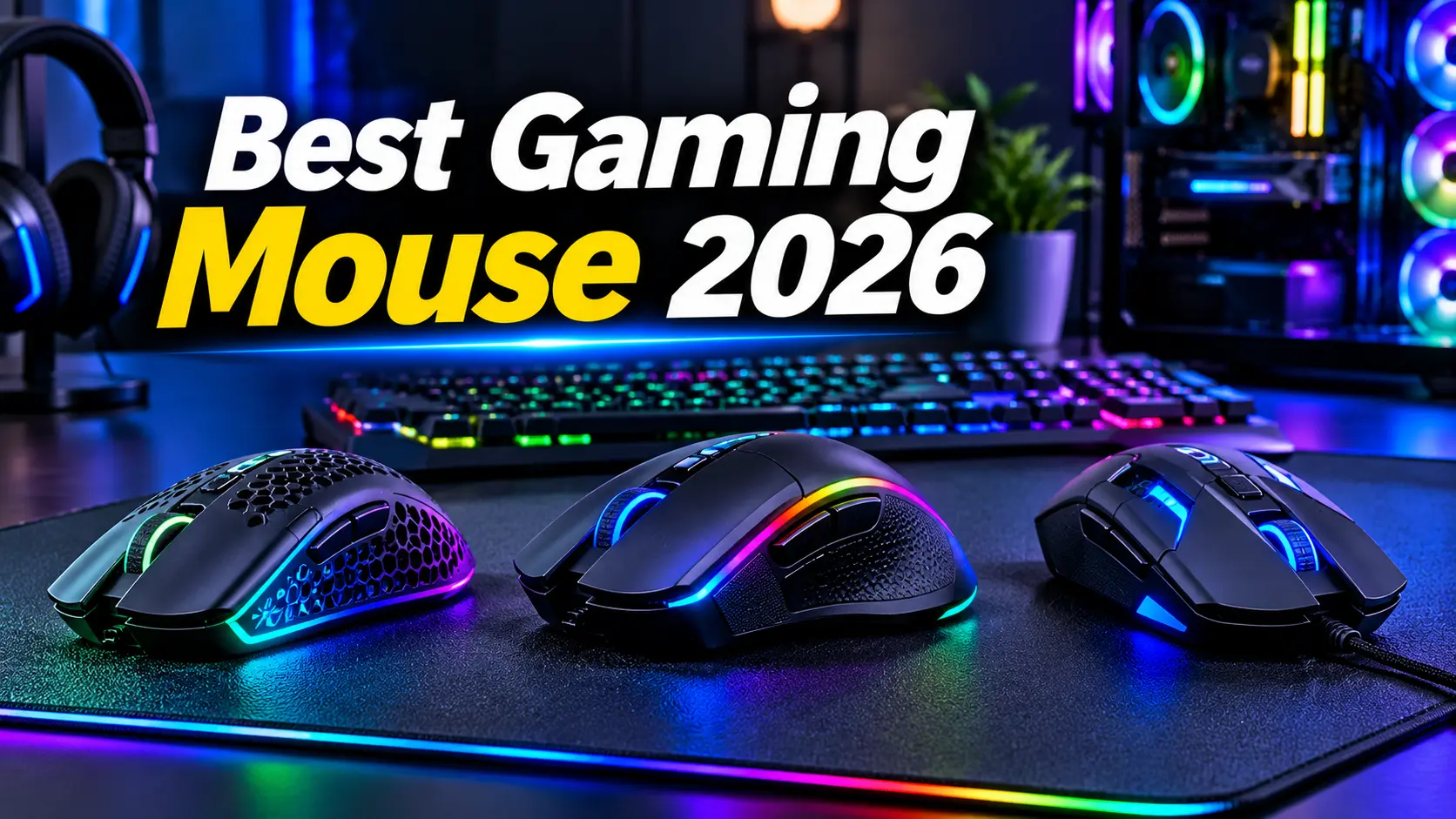
Choosing the best gaming mouse in 2026 can make a significant difference in your PC gaming experience. Whether you enjoy competitive first-person shooters, multiplayer online battle arenas, battle royale games, or casual gaming, the right mouse can improve comfort, precision, and control.
Modern gaming mice offer advanced optical sensors, lightweight designs, customizable buttons, high polling rates, and reliable wireless connectivity. However, buying the most expensive mouse does not automatically mean you will get the best gaming performance. The ideal gaming mouse depends on your hand size, grip style, favorite games, and budget.
In this guide, we explore some of the best gaming mouse options in 2026, explain their strengths, and help you choose the right model for your PC gaming setup.
Best Gaming Mouse 2026: Quick Overview
Here are some gaming mice worth considering in 2026:
| Gaming Mouse | Best For | Main Advantage |
|---|---|---|
| Razer Viper V4 Pro | Best Overall | Lightweight design and excellent performance |
| Logitech G Pro X2 Superstrike | Competitive Gaming | Innovative adjustable click technology |
| MCHOSE L7 Ultra | Mid-Range Gaming | High performance at a more accessible price |
| Corsair Sabre V2 Pro | Lightweight Gaming | Extremely lightweight construction |
| Corsair Scimitar Elite Wireless SE | MMO Gaming | Numerous programmable side buttons |
| Logitech G502 X Plus | All-Purpose Gaming | Ergonomic design and customizable controls |
| MCHOSE G3 V2 Pro | Budget Wireless Gaming | Affordable wireless gaming features |
These recommendations cover different gaming styles and price categories. Availability and pricing may vary depending on your region and retailer.
1. Razer Viper V4 Pro – Best Gaming Mouse Overall
The Razer Viper V4 Pro is a strong choice for gamers looking for a premium wireless gaming mouse in 2026. It is designed for competitive gaming, with a lightweight body, accurate sensor, responsive clicks, and a comfortable shape.
<em>Key Features:</em>
- Lightweight construction of approximately 49–50 grams
- High-performance optical sensor
- Wireless and wired connectivity
- Up to 8,000Hz polling rate
- Six programmable buttons
- Designed for competitive FPS gaming
One of the biggest advantages of the Razer Viper V4 Pro is its balance between performance and usability. Its lightweight construction makes quick movements easier, while its symmetrical shape can accommodate different grip styles.
The mouse is particularly suitable for games such as Counter-Strike 2, Valorant, Apex Legends, and other competitive PC titles.
The main drawback is its premium price. It may also be more than casual gamers need.
Best for: Competitive gamers who want a high-performance wireless gaming mouse.
2. Logitech G Pro X2 Superstrike – Best for Competitive Gaming
The Logitech G Pro X2 Superstrike is an advanced gaming mouse designed for enthusiasts and competitive players. Its standout feature is an adjustable haptic click system that replaces conventional mechanical switches with a customizable clicking experience.
<em>Key Features:</em>
- Wireless connectivity
- Lightweight design
- Adjustable click actuation
- Rapid Trigger-style click functionality
- High-performance sensor
- Competitive gaming-focused design
The adjustable click technology allows gamers to customize how their mouse buttons respond. This can be appealing to players who want greater control over their input experience.
The mouse is designed for demanding competitive environments where responsiveness and precision matter.
However, its advanced features come at a high price. Most casual players may not notice a meaningful advantage over less expensive gaming mice.
Best for: Enthusiasts and competitive players who want innovative mouse technology.
3. MCHOSE L7 Ultra – Best Mid-Range Gaming Mouse
The MCHOSE L7 Ultra is an attractive option for gamers who want high-level wireless performance without spending as much as they would on some flagship gaming mice.
<em>Key Features:</em>
- Lightweight wireless design
- High-performance sensor
- Competitive FPS-focused shape
- Low-latency wireless connectivity
- Suitable for claw and fingertip grips
The MCHOSE L7 Ultra offers impressive performance for its price category. Its relatively small and lightweight design makes it suitable for gamers who prefer fast movements and precise aiming.
It can be a useful option for players who want to upgrade from a basic gaming mouse without investing in a premium model.
Potential disadvantages include a less established brand reputation, a thinner shell, and shorter warranty coverage compared with some major manufacturers.
Best for: Budget-conscious competitive gamers seeking strong performance.
4. Corsair Sabre V2 Pro – Best Lightweight Gaming Mouse
The Corsair Sabre V2 Pro is designed for gamers who prioritize a lightweight mouse. Its very low weight can make fast movement and repeated directional changes feel easier.
<em>Key Features:</em>
- Extremely lightweight construction
- Competitive gaming design
- Wireless connectivity
- High-performance sensor
- Designed for fast and precise movement
Lightweight mice are especially popular among FPS players because they can reduce the effort required for large mouse movements.
The Corsair Sabre V2 Pro is worth considering for players who prefer a minimal design and want a mouse focused on gaming performance rather than additional buttons or lighting.
Best for: FPS players who prefer an ultralight mouse.
5. Corsair Scimitar Elite Wireless SE – Best Gaming Mouse for MMO Games
Not every gamer needs a lightweight mouse with only a few buttons. MMO and MOBA players often benefit from additional controls that can be assigned to abilities, macros, and in-game actions.
The Corsair Scimitar Elite Wireless SE is designed for this type of gaming.
<em>Key Features:</em>
- Multiple programmable side buttons
- Wireless connectivity
- Customizable controls
- MMO-focused design
- Suitable for complex gaming commands
Its additional side buttons can help players access abilities without relying entirely on keyboard shortcuts.
This mouse is particularly useful for games that require frequent access to skills, inventory items, or other commands.
However, the additional controls and larger design may not be ideal for competitive FPS gaming.
Best for: MMO and MOBA players who need many programmable buttons.
6. Logitech G502 X Plus – Best All-Purpose Gaming Mouse
The Logitech G502 X Plus is a versatile gaming mouse that combines an ergonomic shape, customizable controls, and RGB lighting.
<em>Key Features:</em>
- Ergonomic design
- Multiple programmable buttons
- Wireless connectivity
- Customizable RGB lighting
- High-performance optical sensor
- Dual-mode scroll wheel
The G502 X Plus is a good choice for gamers who play multiple genres. It can be useful for FPS games, strategy games, and everyday PC tasks.
Its additional buttons also make it convenient for players who want to assign shortcuts or commands.
The mouse is heavier than many modern ultralight gaming models, so it may not be the best option for gamers who prioritize fast, low-weight movement.
Best for: Gamers who want a versatile mouse for gaming and everyday PC use.
7. MCHOSE G3 V2 Pro – Best Budget Wireless Gaming Mouse
The MCHOSE G3 V2 Pro is a budget-friendly wireless gaming mouse that offers a practical alternative to expensive premium models.
<em>Key Features:</em>
- Affordable wireless gaming design
- Lightweight construction
- Gaming-focused sensor
- Suitable for everyday PC gaming
- Simple, familiar shape
For gamers working with a limited budget, the MCHOSE G3 V2 Pro can provide a useful combination of wireless convenience and gaming performance.
It is worth considering for casual gaming, entry-level competitive gaming, and users upgrading from a basic office mouse.
Before purchasing, check the exact specifications, warranty, and availability of the model in your region.
Best for: Budget-conscious gamers who want wireless connectivity.
What to Look for in the Best Gaming Mouse 2026
Before buying a gaming mouse, it is important to understand the features that influence its performance and comfort.
1. Sensor Accuracy
The sensor tracks mouse movement and translates it into movement on your PC screen.
A high-quality gaming sensor should provide:
- Accurate tracking
- Consistent movement
- Minimal unwanted jitter
- Reliable performance during fast movements
A mouse with an excellent sensor can help you maintain precise control during competitive gaming.
2. DPI and Sensitivity
DPI stands for dots per inch. It describes how far the cursor moves in response to physical mouse movement.
A higher DPI setting makes the cursor move farther with less physical movement. However, a higher DPI does not automatically make a mouse more accurate.
Many competitive FPS players prefer lower sensitivity settings because they allow more controlled aiming.
Choose a mouse with adjustable DPI settings so you can customize sensitivity for your preferred games.
3. Polling Rate
Polling rate refers to how frequently the mouse reports its position to the computer.
Common polling rates include:
- 125Hz
- 500Hz
- 1,000Hz
- 2,000Hz
- 4,000Hz
- 8,000Hz
A higher polling rate can reduce input reporting delay. However, higher polling rates may increase battery consumption and system workload.
For most gamers, a 1,000Hz polling rate is a practical starting point. Competitive players may prefer higher polling rates if their hardware and gaming setup support them.
4. Mouse Weight
Mouse weight can influence comfort and control.
Lightweight gaming mice are popular for FPS games because they can make quick movements easier. Heavier mice may feel more stable or comfortable to certain users.
There is no universally ideal mouse weight. The best choice depends on your preferences and playing style.
5. Grip Style
Your grip style is an important factor when selecting a gaming mouse.
Palm Grip: Your entire palm rests on the mouse. Ergonomic mice with larger bodies can be comfortable for this grip.
Claw Grip: Your palm rests toward the back of the mouse while your fingers are curved. Medium-sized mice often work well.
Fingertip Grip: The mouse is controlled primarily using your fingertips. Smaller and lighter mice may be suitable.
Choosing a mouse that matches your hand size and grip style can improve comfort during long gaming sessions.
6. Wired vs. Wireless Gaming Mouse
Both wired and wireless gaming mice can offer excellent performance.
| Feature | Wired Gaming Mouse | Wireless Gaming Mouse |
|---|---|---|
| Connectivity | USB cable | Wireless receiver or Bluetooth |
| Battery | No charging required | Requires charging or batteries |
| Desk Setup | Cable may create drag | Cleaner desk appearance |
| Responsiveness | Very good | Modern 2.4GHz models can be very responsive |
| Portability | Cable required | Convenient for transport |
Modern 2.4GHz wireless gaming mice can deliver highly responsive performance. Bluetooth is convenient for general use, but a dedicated 2.4GHz receiver is generally preferable for competitive gaming.
7. Programmable Buttons
Programmable buttons allow you to assign custom actions to your mouse.
They can be useful for:
- Reloading or switching weapons
- Activating abilities
- Assigning shortcuts
- Managing inventory
- Performing repetitive commands
FPS players often prefer a simple mouse with fewer buttons, while MMO players may benefit from additional side controls.
8. Build Quality and Comfort
A gaming mouse should feel comfortable and reliable.
Consider its:
- Shell quality
- Button durability
- Scroll wheel feel
- Grip coating
- Shape
- Warranty
A comfortable mouse is especially important if you spend several hours gaming every day.
Best Gaming Mouse for Different Games
Different genres have different requirements.
| Game Type | Recommended Mouse Features |
|---|---|
| FPS Games | Lightweight body, accurate sensor, low latency |
| Battle Royale | Lightweight design, responsive buttons |
| MMO Games | Numerous programmable buttons |
| MOBA Games | Comfortable shape and quick side-button access |
| Strategy Games | Accurate tracking and comfortable controls |
| Casual PC Gaming | Affordable, comfortable, reliable design |
For competitive FPS games, the Razer Viper V4 Pro and Logitech G Pro X2 Superstrike are worth considering.
For MMO gaming, the Corsair Scimitar Elite Wireless SE is a more suitable choice because of its additional controls.
For general gaming, the Logitech G502 X Plus offers a versatile feature set.
How to Choose the Right Gaming Mouse for Your Budget
Your budget should influence your decision, but it should not be the only factor.
Budget Gaming Mouse
If you are a beginner or casual gamer, choose a reliable mouse with a good sensor, comfortable shape, and basic gaming features.
You do not necessarily need advanced wireless technology or an extremely high polling rate.
Mid-Range Gaming Mouse
Mid-range models can offer a good balance of performance, build quality, and price.
They are suitable for players who want a meaningful upgrade without paying flagship prices.
Premium Gaming Mouse
Premium gaming mice offer advanced sensors, lightweight designs, wireless connectivity, and additional customization.
They are most useful for competitive players and enthusiasts who appreciate their specialized features.
Common Mistakes to Avoid When Buying a Gaming Mouse
Avoid these common mistakes when choosing your next mouse:
- Buying a mouse only because it has a high DPI rating
- Ignoring hand size and grip style
- Choosing a heavy mouse when you prefer lightweight movement
- Paying for extra buttons you will never use
- Ignoring battery life in wireless models
- Assuming expensive mice automatically improve gaming skill
- Forgetting to check warranty and regional availability
The most important factor is finding a mouse that feels comfortable and provides consistent control.
Frequently Asked Questions
What is the best gaming mouse in 2026?
The Razer Viper V4 Pro is a strong overall recommendation for competitive gaming, while the Logitech G Pro X2 Superstrike is worth considering for its innovative adjustable click technology. The best choice depends on your budget, hand size, and gaming style.
Is a wireless gaming mouse better than a wired mouse?
Modern wireless gaming mice using dedicated 2.4GHz receivers can provide excellent responsiveness. Wired mice remain a good choice for users who prefer not to charge their devices.
Is 8,000 DPI necessary for gaming?
No. Most gamers do not need extremely high DPI settings. A comfortable sensitivity setting and accurate sensor are more important than the maximum DPI number.
Which gaming mouse is best for FPS games?
Lightweight mice with accurate sensors and responsive buttons are popular for FPS gaming. The Razer Viper V4 Pro, Logitech G Pro X2 Superstrike, and Corsair Sabre V2 Pro are options worth considering.
Which gaming mouse is best for MMO games?
The Corsair Scimitar Elite Wireless SE is a strong choice for MMO gaming because it provides multiple programmable side buttons.
Are budget gaming mice worth buying?
Yes. Budget gaming mice can provide good performance for casual gaming and even some competitive use. Focus on sensor quality, comfort, build quality, and reliability rather than price alone.
How long does a gaming mouse last?
The lifespan depends on build quality, usage, and switch durability. A well-maintained gaming mouse can last several years, although battery capacity and switches may wear over time.
Final Verdict: Which Is the Best Gaming Mouse 2026?
The best gaming mouse in 2026 is not necessarily the most expensive model. It is the one that matches your hand size, grip style, gaming genre, and budget.
The Razer Viper V4 Pro is a compelling premium option for competitive gaming. The Logitech G Pro X2 Superstrike appeals to enthusiasts who want advanced click customization. The MCHOSE L7 Ultra and MCHOSE G3 V2 Pro are worth considering for buyers looking for more affordable alternatives.
For MMO players, the Corsair Scimitar Elite Wireless SE offers useful programmable controls, while the Logitech G502 X Plus is a versatile option for gamers who want an all-purpose mouse.
Before making your purchase, compare the specifications, check the latest pricing, and make sure the mouse feels comfortable in your hand.
A well-chosen gaming mouse can make your PC setup more comfortable, responsive, and enjoyable for years to come.
Read more articles on related categories PC Components
Motherboard CPU Combo: How to Choose the Best Combo for Your PC Build
M.2 SSD: Complete Guide to Types, Speed, Compatibility, and Installation
Micro ATX Case: Complete Guide to Choosing the Best Compact PC Case
Monitor Stand for Desk: How to Choose the Best Monitor Stand for Your PC Setup
Is 8GB RAM Enough in 2026? A Complete Guide for PC and Laptop Users
Valve Steam Frame Is Here: Price, Specs, and Is It Actually Worth $1,059?
Best Budget Tripods for Your Gaming and Streaming Setup
Best Budget 3D Printers: What Actually Matters Before You Buy One
Best Gaming Headset: What Actually Matters Before You Buy One
Best Portable Monitors: What Actually Matters Before You Buy One
Ergonomic Keyboard and Mouse: Do You Actually Need One, and How to Choose the Right Pair
M.2 SSD Explained: Everything You Actually Need to Know Before Buying One
NVIDIA G-Sync Pulsar Explained: Do You Really Need a 1000Hz Monitor in 2026?
DLSS vs FSR in 2026: What a Massive Blind Test Actually Reveals About Upscaling
Valve Steam Machine Is Here: Should It Replace Your Gaming PC or Console?
The Great RAM Shortage of 2026: Why Memory Prices Exploded and What You Should Actually Do About It
Arduview Transparent Handheld Review: Is This Fully Worth Backing on Kickstarter?
Onimusha: Way of the Sword CPU Benchmark: 31 CPUs Compared
ASUS ROG Strix XG259QWPG Ace: 540Hz OLED Specs, Price, and Buying Guide
Nvidia RTX 5090, RTX 5080 and RTX 5070 at MSRP: How PAX West VPA Access Works
Intel Arc G3 Extreme vs Ryzen Z2 Extreme: Can Intel Finally Beat AMD in Handhelds?
Best Handheld Gaming PC 2026? MSI Claw 8 EX AI+ vs ROG Xbox Ally X20 vs Acer Predator Atlas 8:
DLSS 5 on AMD GPUs: Mod Compatibility, Performance, and Limitations