2TB SSD: Is It Worth Buying for Gaming and Everyday PC Use?
A 2TB SSD is an excellent storage option for modern desktop PCs and laptops. It provides a large amount of storage space for operating systems, games, applications, videos, documents, and other digital files while delivering the fast performance associated with solid-state storage.
As PC games and software continue to require more storage, a 1TB SSD may become limiting for users with large game libraries or demanding workloads. A 2TB SSD offers additional space, making it easier to keep frequently used applications and games installed without constantly deleting files.
Whether you are building a gaming PC, upgrading your laptop, or expanding your computer’s storage, a 2TB SSD can provide a practical balance of capacity and performance.
In this guide, we will explore what a 2TB SSD is, its benefits, different SSD types, gaming performance, compatibility, and important buying considerations.
What Is a 2TB SSD?
A 2TB SSD is a solid-state drive with an advertised storage capacity of approximately two terabytes. It uses NAND flash memory to store data without relying on mechanical moving parts.
A 2TB SSD can store:
- Operating system files
- PC games
- Software and applications
- High-resolution photos
- Videos and movies
- Documents and work files
- Creative projects
The actual usable storage capacity may be slightly lower than the advertised capacity because of formatting and the difference between decimal and binary capacity calculations.
A 2TB SSD is available in different form factors and interfaces, including M.2 NVMe and 2.5-inch SATA models.
Why Choose a 2TB SSD?
A 2TB SSD offers several advantages for modern PC users.
1. More Storage Capacity
The biggest benefit of a 2TB SSD is its additional storage space.
Users can install more games, applications, and software without frequently managing their storage. This is particularly useful for gamers who maintain a large game library or professionals who work with large files.
2. Faster Data Access
An SSD can provide faster data access than a traditional mechanical hard drive.
Depending on the drive and interface, it can improve:
- Operating system boot times
- Application launch times
- Game loading times
- File transfer performance
- System responsiveness
3. Better Gaming Storage
Modern PC games often require substantial installation space. A 2TB SSD provides more room for multiple games, updates, and downloadable content.
For many gaming PC users, 2TB is a comfortable capacity that reduces the need to uninstall games regularly. <Cite refs={[“turn788522search2″,”turn788522search7”]}/>
4. Compact Design
Many 2TB SSDs use the M.2 form factor. These drives install directly onto compatible motherboards and do not require separate SATA data cables.
This makes them suitable for compact desktop PC builds and compatible laptops.
5. No Moving Parts
Unlike HDDs, SSDs do not use spinning platters or mechanical read/write heads.
This provides silent operation and makes SSDs suitable for computers where noise and physical space are important considerations.
Types of 2TB SSDs
There are different types of 2TB SSDs available depending on their interface, form factor, and performance characteristics.
2TB NVMe SSD
<AsyncImage query=”2TB M.2 NVMe SSD computer storage drive product photography” aspectRatio=”16:9″ width=”100%” />
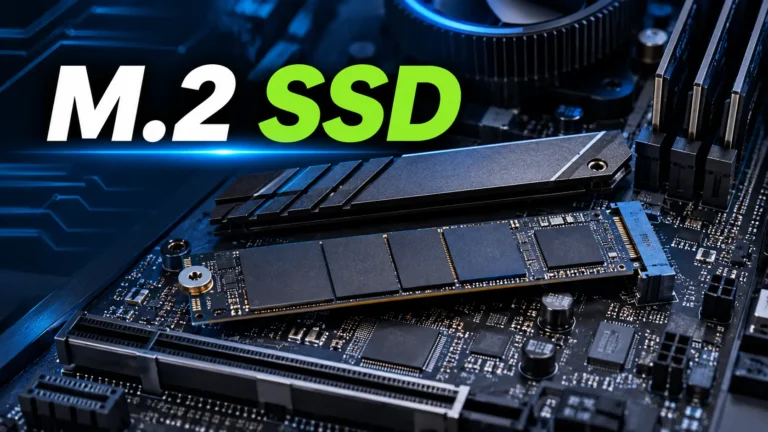
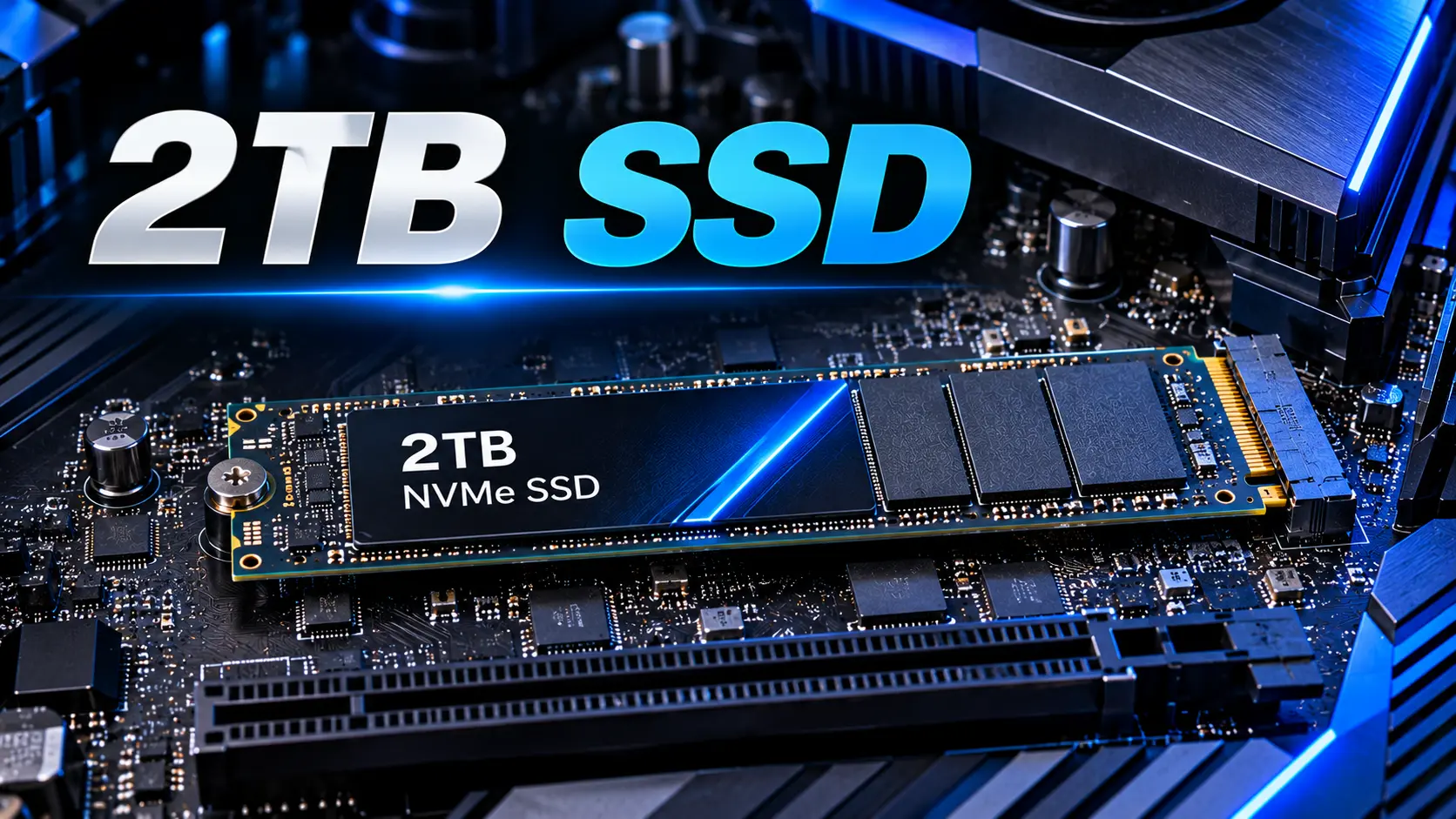
A 2TB NVMe SSD uses the NVMe protocol over PCIe. It is commonly available in the M.2 2280 form factor.
NVMe drives can deliver much higher sequential transfer speeds than SATA SSDs. PCIe Gen 4 drives are a popular option for modern gaming PCs and productivity systems.
Typical uses include:
- Gaming PC storage
- Operating system installation
- Video editing
- Software development
- Large file transfers
The exact performance depends on the SSD model, PCIe generation, controller, NAND memory, and system compatibility.
2TB SATA SSD
A 2TB SATA SSD uses the SATA interface and is commonly available in a 2.5-inch form factor.
SATA SSDs generally provide sequential speeds of up to approximately 550 MB/s because of interface limitations.
They can be useful for:
- Older desktop computers
- Compatible laptops
- Secondary storage
- Systems without an available NVMe slot
2TB External SSD
A 2TB external SSD is a portable storage device that connects through USB or another supported external interface.
It is suitable for:
- Backups
- Portable file storage
- Moving large files between computers
- Storing photos and videos
- Expanding compatible devices’ storage
External SSD performance depends on the drive and the USB or other interface supported by the connected system.
2TB SSD vs 1TB SSD
A 2TB SSD provides approximately twice the advertised capacity of a 1TB SSD.
| Feature | 1TB SSD | 2TB SSD |
|---|---|---|
| Advertised capacity | 1TB | 2TB |
| Storage space | Moderate | Larger |
| Gaming library | Smaller collection | Larger collection |
| Application storage | Suitable for many users | More flexibility |
| Video editing | Suitable for smaller projects | Better for larger projects |
| Storage management | May require more frequent cleanup | Less frequent cleanup |
| Cost | Usually lower | Usually higher |
A 1TB SSD is suitable for users with a limited number of games and applications. A 2TB SSD is a better option for users who want additional storage flexibility.
2TB SSD vs HDD
A 2TB SSD and a 2TB HDD provide the same advertised storage capacity, but their technologies and performance are different.
| Feature | 2TB SSD | 2TB HDD |
|---|---|---|
| Storage technology | NAND flash memory | Magnetic disks |
| Mechanical parts | No | Yes |
| Data access | Faster | Slower |
| Noise | Silent | Mechanical noise possible |
| Shock resistance | Generally better | More sensitive to physical shock |
| Best use | Gaming, OS, applications | Bulk storage and archives |
An SSD is generally the better choice for a primary system drive. An HDD can still be useful for storing large collections of media, backups, and files that do not require fast access.
Is a 2TB SSD Good for Gaming?
Yes. A 2TB SSD is an excellent choice for gaming PCs.
It offers sufficient capacity for many modern games while providing fast data access. A compatible NVMe SSD can help reduce loading times and improve the responsiveness of games that benefit from fast storage.
Benefits of a 2TB SSD for Gaming
More games installed: A larger capacity allows users to keep more games installed at the same time.
Faster loading: SSDs can reduce game loading times compared with mechanical hard drives.
Convenient updates: Additional free storage provides room for game patches, updates, and downloadable content.
Better storage management: Gamers may not need to uninstall games as frequently.
Improved PC responsiveness: An SSD can also improve operating system and application performance.
However, a 2TB SSD does not automatically increase FPS. Gaming frame rates are primarily affected by the CPU, GPU, RAM, and graphics settings. Storage mainly affects data access and loading behavior.
Is 2TB SSD Enough for Gaming?
For many gamers, 2TB is enough.
The required storage capacity depends on the number of games installed and the size of each game. Large modern games can use substantial storage, especially when additional content and high-resolution assets are included.
| User Type | Recommended Storage |
|---|---|
| Casual gamer | 1TB SSD |
| Regular gamer | 1TB–2TB SSD |
| Gamer with a large library | 2TB SSD |
| Professional content creator | 2TB or more |
| Gamer with extensive media files | 2TB–4TB or more |
A 2TB SSD provides a comfortable amount of space for many gaming setups. Users with very large game collections or extensive video files may benefit from a 4TB SSD or an additional storage drive. <Cite refs={[“turn788522search2″,”turn788522search7”]}/>
PCIe Gen 3 vs Gen 4 vs Gen 5 2TB SSD
NVMe SSDs are available in different PCIe generations.
PCIe Gen 3 SSD
PCIe Gen 3 SSDs provide fast storage performance and are suitable for many everyday computing tasks.
They can be a practical option for older compatible PCs or budget upgrades.
PCIe Gen 4 SSD
PCIe Gen 4 SSDs offer higher bandwidth than Gen 3 drives. They are a popular choice for modern gaming PCs and productivity systems.
For many users, Gen 4 provides a strong combination of performance and value.
PCIe Gen 5 SSD
PCIe Gen 5 SSDs offer extremely high sequential transfer speeds.
They can be useful for demanding workloads such as large file transfers and certain professional applications. However, the additional speed may not produce a noticeable difference in every gaming or everyday computing task.
| PCIe Generation | General Performance | Suitable Use |
|---|---|---|
| Gen 3 | Fast | Everyday computing and older systems |
| Gen 4 | Very fast | Gaming and productivity |
| Gen 5 | Extremely fast | Demanding workloads and high-performance systems |
For many gaming PC builds, a good PCIe Gen 4 SSD is a practical choice. Gen 5 drives may be worth considering for workloads that can take advantage of their additional bandwidth. <Cite refs={[“turn788522search0″,”turn788522search1”]}/>
What to Consider Before Buying a 2TB SSD
1. Check Compatibility
Before buying a 2TB SSD, check your motherboard or laptop specifications.
Confirm:
- Whether the system supports NVMe or SATA
- Whether an M.2 slot is available
- Which PCIe generation is supported
- Which M.2 drive lengths are supported
- Whether a 2.5-inch SATA drive can be installed
Not every M.2 slot supports NVMe. Some support only SATA, so checking the specifications is important.
2. Compare Read and Write Speeds
SSD manufacturers advertise sequential read and write speeds in MB/s.
Read speed measures how quickly data can be accessed from the drive. Write speed measures how quickly data can be stored.
However, maximum sequential speed is not the only important performance factor. Random performance and sustained write performance can also affect how an SSD behaves during real-world use.
3. Check SSD Endurance
SSD endurance is commonly measured in TBW, or Terabytes Written.
The TBW rating indicates the manufacturer’s rated amount of data that can be written during the drive’s specified warranty period.
Different SSD models can have different endurance ratings even when they have the same capacity.
4. Look for a Suitable Warranty
Warranty length is an important consideration when buying an SSD.
Some consumer SSDs offer warranties of up to five years, while others have different coverage terms.
Always check the manufacturer’s warranty conditions and endurance limitations.
5. Consider the Heatsink
Some high-performance NVMe SSDs include a heatsink.
A heatsink can help manage temperatures during demanding workloads. Some motherboards also include built-in M.2 heatsinks.
Check the drive’s cooling requirements and ensure that the heatsink fits inside your PC case or laptop.
6. Compare the Price per Terabyte
A 2TB SSD may provide better value than purchasing two smaller SSDs, depending on the pricing.
Compare the cost per terabyte and consider the features offered by each model.
A higher price does not automatically mean better performance or reliability.
Best Uses for a 2TB SSD
Gaming PC Storage
A 2TB SSD is suitable for storing games, game launchers, updates, and other gaming files.
Operating System Drive
A 2TB SSD can serve as the primary boot drive for a desktop PC or compatible laptop. It provides ample space for the operating system, applications, and personal files.
Video Editing
Video editors can benefit from a 2TB SSD when working with large footage files and project assets.
Users with extensive video libraries may need additional storage.
Productivity and Software Development
A 2TB SSD can provide space for development tools, software packages, virtual machines, and project files.
Laptop Storage Upgrade
A compatible laptop can benefit from a 2TB SSD upgrade when the existing storage capacity is insufficient.
Always check the laptop’s service manual and specifications before purchasing an upgrade.
How to Install a 2TB SSD
Installing a 2TB SSD depends on the form factor and system configuration.
Installing an M.2 NVMe SSD
- Shut down the PC and disconnect the power.
- Open the PC case according to the manufacturer’s instructions.
- Locate a compatible M.2 slot on the motherboard.
- Remove the M.2 heatsink if necessary.
- Insert the SSD into the slot at the recommended angle.
- Secure the SSD using the appropriate screw or mounting mechanism.
- Reinstall the heatsink if required.
- Close the PC case and reconnect the power.
- Start the computer and check whether the drive is detected.
- Initialize and format the SSD if it is being used as additional storage.
Installing a 2.5-Inch SATA SSD
- Shut down the PC and disconnect the power.
- Locate an available 2.5-inch drive mounting position.
- Mount the SSD securely.
- Connect the SATA data cable to the motherboard.
- Connect the SATA power cable from the power supply.
- Start the computer.
- Check whether the SSD is detected and initialize it if necessary.
Always follow the manufacturer’s installation instructions. If you are upgrading a laptop, check the service manual before opening the device.
Frequently Asked Questions (FAQs)
Is a 2TB SSD worth buying?
Yes. A 2TB SSD is worth considering for users who need additional storage for games, applications, work files, and multimedia content. It offers a useful balance of capacity and performance.
Is a 2TB SSD enough for gaming?
Yes. A 2TB SSD can provide sufficient storage for many gaming libraries. Users with extensive game collections may need additional capacity.
Is a 2TB NVMe SSD better than a 2TB SATA SSD?
A 2TB NVMe SSD generally offers much higher sequential transfer speeds than a SATA SSD. However, the best choice depends on system compatibility, price, and workload.
Does a 2TB SSD improve FPS?
Not necessarily. An SSD can improve loading times and data access, but FPS primarily depends on the CPU, GPU, RAM, and graphics settings.
How much usable storage does a 2TB SSD provide?
The usable capacity is slightly lower than the advertised 2TB because of formatting and capacity calculation differences.
Can I use a 2TB SSD in my laptop?
Yes, if the laptop supports the SSD’s interface, form factor, and physical dimensions. Check the laptop specifications before purchasing.
Is a 2TB SSD better than a 1TB SSD?
A 2TB SSD offers more storage space. It is particularly useful for users who install many games or work with large files. A 1TB SSD may be sufficient for users with smaller storage requirements.
Should I buy a 2TB or 4TB SSD?
A 2TB SSD is suitable for many gaming and everyday computing setups. A 4TB SSD is better for users with large game libraries, extensive media collections, or demanding storage requirements.
Final Verdict: Is a 2TB SSD the Right Choice?
A 2TB SSD is a practical storage upgrade for modern desktop PCs and laptops. It provides additional capacity for games, applications, operating system files, and personal data while offering the benefits of solid-state storage.
For many gaming PC users, a 2TB PCIe Gen 4 NVMe SSD is a balanced option. It offers fast performance and enough storage for a growing game library.
Before purchasing, check compatibility, interface support, read and write speeds, endurance ratings, warranty terms, and cooling requirements.
If you need more storage space without constantly deleting files, a 2TB SSD can be a valuable addition to your computer setup.
Read more articles on related categories PC Components
Motherboard CPU Combo: How to Choose the Best Combo for Your PC Build
M.2 SSD: Complete Guide to Types, Speed, Compatibility, and Installation
Micro ATX Case: Complete Guide to Choosing the Best Compact PC Case
Monitor Stand for Desk: How to Choose the Best Monitor Stand for Your PC Setup
Is 8GB RAM Enough in 2026? A Complete Guide for PC and Laptop Users
Valve Steam Frame Is Here: Price, Specs, and Is It Actually Worth $1,059?
Best Budget Tripods for Your Gaming and Streaming Setup
Best Budget 3D Printers: What Actually Matters Before You Buy One
Best Gaming Headset: What Actually Matters Before You Buy One
Best Portable Monitors: What Actually Matters Before You Buy One
Ergonomic Keyboard and Mouse: Do You Actually Need One, and How to Choose the Right Pair
M.2 SSD Explained: Everything You Actually Need to Know Before Buying One
NVIDIA G-Sync Pulsar Explained: Do You Really Need a 1000Hz Monitor in 2026?
DLSS vs FSR in 2026: What a Massive Blind Test Actually Reveals About Upscaling
Valve Steam Machine Is Here: Should It Replace Your Gaming PC or Console?
The Great RAM Shortage of 2026: Why Memory Prices Exploded and What You Should Actually Do About It
Arduview Transparent Handheld Review: Is This Fully Worth Backing on Kickstarter?
Onimusha: Way of the Sword CPU Benchmark: 31 CPUs Compared
ASUS ROG Strix XG259QWPG Ace: 540Hz OLED Specs, Price, and Buying Guide
Nvidia RTX 5090, RTX 5080 and RTX 5070 at MSRP: How PAX West VPA Access Works
Intel Arc G3 Extreme vs Ryzen Z2 Extreme: Can Intel Finally Beat AMD in Handhelds?
Best Handheld Gaming PC 2026? MSI Claw 8 EX AI+ vs ROG Xbox Ally X20 vs Acer Predator Atlas 8:
DLSS 5 on AMD GPUs: Mod Compatibility, Performance, and Limitations