
Motherboard CPU Combo: How to Choose the Best Combo for Your PC Build
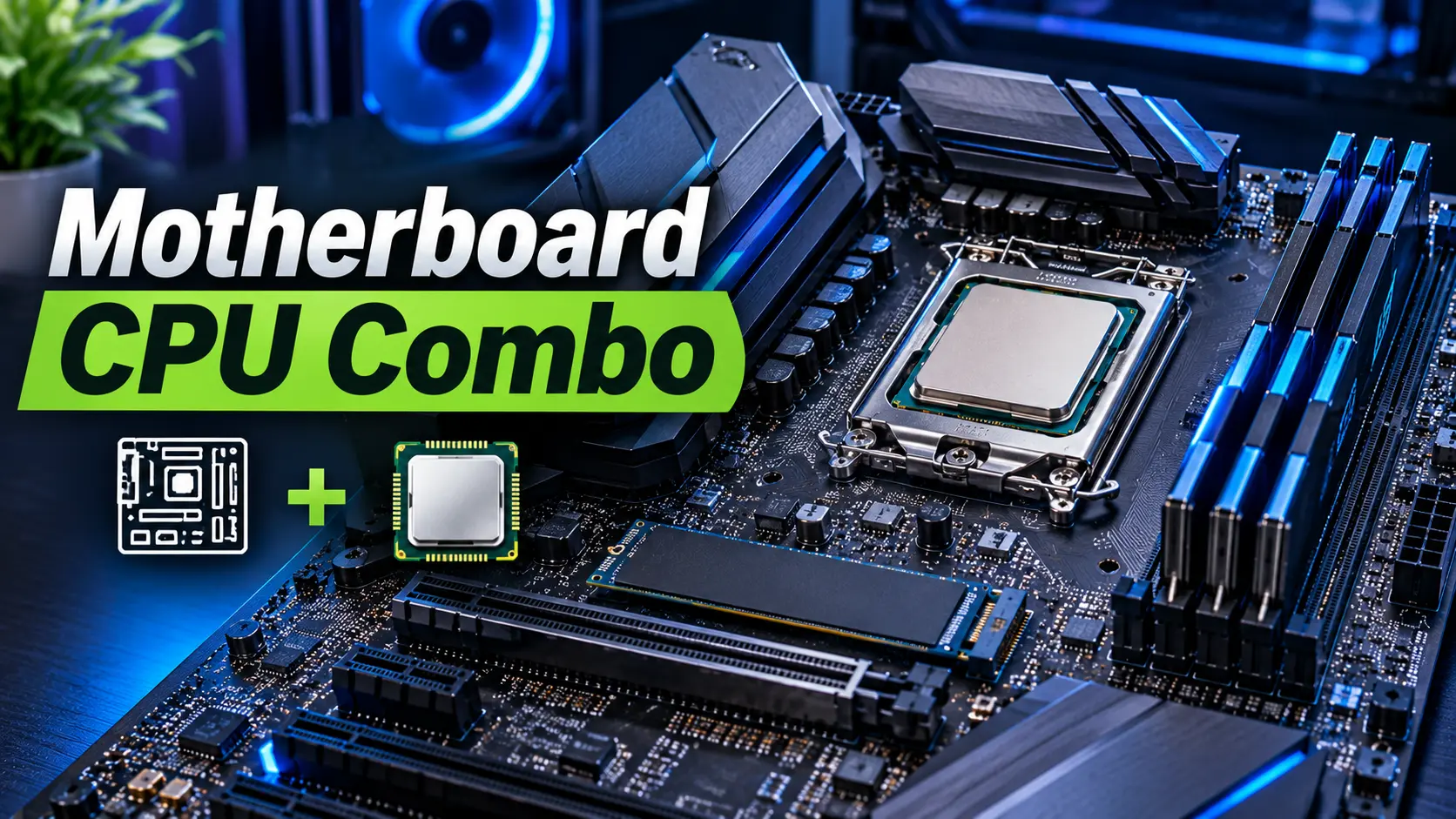
A motherboard CPU combo is one of the most convenient options for building or upgrading a desktop PC. Instead of purchasing a processor and motherboard separately, users can choose a compatible combination that meets their performance requirements, budget, and computing needs.
Whether you are building a gaming PC, a workstation, or a budget-friendly desktop computer, selecting the right motherboard and CPU combination is essential. The processor determines much of your system’s computing performance, while the motherboard provides the foundation for memory, storage, graphics cards, connectivity, and future upgrades.
A well-balanced motherboard CPU combo can help you avoid compatibility problems, simplify the PC building process, and make better use of your hardware budget.
In this guide, we will explain what a motherboard CPU combo is, its benefits, different types of combinations, compatibility requirements, and important factors to consider before buying one.
What Is a Motherboard CPU Combo?
A motherboard CPU combo is a package that includes a compatible motherboard and processor. Some retailers sell these components together as a bundle, while PC builders may select the two parts as a matched combination.
The motherboard is the main circuit board of a computer. It connects the CPU, RAM, graphics card, storage devices, and other hardware components.
The CPU, or Central Processing Unit, is responsible for executing instructions and performing calculations. It plays a major role in gaming performance, application responsiveness, multitasking, and productivity workloads.
When these two components are selected together, users can build a computer with a compatible platform and suitable performance.
A motherboard CPU combo may be designed for:
- Gaming PCs
- Budget desktop computers
- Office workstations
- Content creation systems
- Home computers
- PC upgrades
- High-performance computing
Benefits of Buying a Motherboard CPU Combo
1. Better Compatibility
One of the biggest advantages of purchasing a motherboard CPU combo is compatibility.
The processor must match the motherboard’s CPU socket and supported chipset. The motherboard must also have the correct BIOS version to recognize the processor.
A compatible combo can reduce the risk of purchasing components that do not work together. However, always verify the exact motherboard model and CPU support list before buying.
2. Convenient PC Building
Buying a motherboard and CPU together makes the PC building process easier.
Instead of researching several separate products, users can start with a suitable combination and select the remaining components, including RAM, storage, GPU, and power supply.
3. Potential Cost Savings
Some retailers offer discounts when purchasing a motherboard and CPU as a bundle.
These deals may provide better value than buying each component individually. However, compare the total bundle price with the separate component prices before making a decision.
4. Balanced Performance
A good motherboard CPU combo should match the intended workload.
For example, a mid-range CPU paired with a suitable mainstream motherboard can provide excellent performance for gaming and everyday computing. A high-end processor may require a motherboard with stronger power delivery and better cooling.
5. Upgrade Flexibility
A suitable motherboard can provide options for future upgrades, such as:
- Installing a more powerful processor
- Increasing RAM capacity
- Adding NVMe SSDs
- Upgrading the graphics card
- Expanding USB and connectivity features
Upgrade possibilities depend on the motherboard socket, chipset, firmware support, and manufacturer specifications.
Best Motherboard CPU Combo Types
Different motherboard CPU combinations are designed for different budgets and computing requirements.
Budget Motherboard CPU Combo
A budget combo is suitable for everyday computing, office tasks, browsing, and basic productivity.
Typical uses include:
- Word processing
- Internet browsing
- Online meetings
- Basic multitasking
- Light gaming with suitable graphics
A budget combination can be a practical choice for users who do not require high-end processing performance.
Gaming Motherboard CPU Combo
<AsyncImage query=”gaming desktop PC motherboard processor CPU gaming hardware build close up” aspectRatio=”16:9″ width=”100%” />
A gaming motherboard CPU combo is designed to deliver strong gaming performance.
The processor should provide enough performance for the selected graphics card and games. The motherboard should offer adequate power delivery, memory support, expansion slots, and connectivity.
Gaming PC builders should also consider:
- CPU gaming performance
- Graphics card compatibility
- RAM capacity and speed
- PCIe expansion support
- M.2 storage slots
- CPU cooling requirements
A balanced gaming combo helps prevent unnecessary spending on features that do not improve the gaming experience.
Productivity Motherboard CPU Combo
A productivity combo is designed for workloads such as:
- Video editing
- Photo editing
- Programming
- 3D rendering
- Multitasking
- Business applications
For these tasks, a processor with more cores and threads may be useful. The motherboard should provide suitable memory capacity, storage expansion, and stable power delivery.
High-End Motherboard CPU Combo
A high-end motherboard CPU combo is suitable for enthusiasts and users with demanding computing workloads.
These combinations may include powerful processors and motherboards with advanced connectivity, high-speed storage support, and premium power delivery.
However, a high-end motherboard is not automatically necessary for every powerful CPU. The right choice depends on the processor, workload, and features required.
AMD vs Intel Motherboard CPU Combo
AMD and Intel offer different processor platforms, each with its own motherboard socket and chipset requirements.
| Feature | AMD Motherboard CPU Combo | Intel Motherboard CPU Combo |
|---|---|---|
| Processor brand | AMD Ryzen | Intel Core / Core Ultra |
| CPU compatibility | Depends on socket and chipset | Depends on socket and chipset |
| Memory support | Depends on platform | Depends on platform |
| Gaming performance | Varies by CPU model | Varies by CPU model |
| Productivity performance | Varies by CPU model | Varies by CPU model |
| Upgrade options | Platform dependent | Platform dependent |
| Best choice | Based on budget and workload | Based on budget and workload |
Neither brand is universally better for every user. Compare specific CPU models, motherboard features, total cost, and performance benchmarks for the applications you use.
Motherboard CPU Combo Compatibility Guide
Compatibility is one of the most important factors when selecting a motherboard CPU combo.
CPU Socket
The CPU socket is the physical connection between the processor and motherboard.
The processor must use the same socket as the motherboard. For example, AMD AM5 processors require a compatible AM5 motherboard, while Intel processors must be paired with a board that supports their specific socket.
Chipset Support
The motherboard chipset determines several platform features, including expansion connectivity, storage options, and supported capabilities.
A compatible socket alone does not guarantee that every processor will work with every motherboard using that socket.
BIOS Compatibility
The motherboard BIOS or UEFI firmware must support the exact CPU model.
Some motherboards may require a BIOS update before they can recognize a newer processor. Check the manufacturer’s CPU support list and the required BIOS version before purchase.
RAM Compatibility
Motherboards support specific memory generations, such as DDR4 or DDR5.
DDR4 and DDR5 memory modules are not interchangeable. Check the motherboard specifications to determine which RAM type, capacity, and speeds are supported.
Power Delivery
The motherboard’s voltage regulator module (VRM) supplies power to the CPU.
A higher-performance processor may require a motherboard with stronger power delivery and suitable cooling, especially during demanding workloads.
Cooling Support
The CPU cooler must be compatible with the processor socket and provide sufficient cooling capacity.
Check whether the CPU combo includes a stock cooler. Some processors are sold without one, requiring a separate cooling solution.
Motherboard CPU Combo for Gaming PCs
A gaming PC motherboard CPU combo should provide enough CPU performance for the games you play while supporting the graphics card and other components.
When choosing a gaming combination, consider the following:
| Gaming Requirement | What to Consider |
|---|---|
| CPU performance | Strong gaming performance and suitable core count |
| Motherboard socket | Exact CPU compatibility |
| RAM | Supported memory generation and capacity |
| GPU support | PCIe x16 slot and case clearance |
| Storage | M.2 NVMe SSD support |
| Cooling | Suitable CPU cooler and case airflow |
| Connectivity | USB, Ethernet, Wi-Fi, and audio |
For gaming, spending more on a motherboard does not automatically increase FPS. Processor performance, GPU capability, memory configuration, and game settings are usually more important.
Is a Motherboard CPU Combo Worth Buying?
Yes, a motherboard CPU combo can be a worthwhile purchase for users building a new PC or upgrading an older platform.
A combo may simplify component selection and sometimes offer a lower overall cost. It can also make it easier to select a suitable motherboard for the processor.
However, a bundle is not always the best deal. Some combinations include motherboards with limited features, older chipsets, or fewer upgrade options.
Before buying, compare:
- The price of the combo
- The price of each component separately
- CPU performance
- Motherboard specifications
- BIOS support
- RAM compatibility
- Warranty terms
- Future upgrade options
The best motherboard CPU combo is the one that provides the right balance of performance, compatibility, features, and price.
How to Choose the Best Motherboard CPU Combo
1. Define Your Budget
Start by deciding how much you want to spend on the CPU and motherboard together.
A budget combo may be enough for office work and everyday computing, while gaming and content creation may require a more powerful processor.
2. Choose the Right Processor
Consider the applications and tasks you intend to run.
For basic computing, a mainstream CPU may be sufficient. For gaming, compare gaming benchmarks. For productivity, examine core count, multithreaded performance, and application-specific benchmarks.
3. Select a Compatible Motherboard
Choose a motherboard with the correct socket and chipset support.
Avoid selecting a motherboard solely because it has a premium chipset. A mainstream motherboard may provide all the features required for your build.
4. Check Memory Support
Confirm whether the combo supports DDR4 or DDR5 memory.
Also review maximum RAM capacity, memory slots, and supported memory speeds.
5. Consider Future Upgrades
If you plan to upgrade your PC later, examine the motherboard’s CPU support, memory capacity, storage slots, and connectivity.
A motherboard with suitable expansion features may help extend the useful life of your system.
6. Compare Reviews and Benchmarks
Read professional reviews and compare benchmarks for the exact processor and motherboard models.
Look for information about:
- Gaming performance
- Productivity performance
- Power consumption
- CPU temperatures
- Motherboard VRM performance
- BIOS stability
- Overall value
Common Mistakes to Avoid When Buying a Motherboard CPU Combo
Choosing an Incompatible Socket
Never assume that processors from the same brand or product family use the same socket. Always verify the exact model.
Ignoring BIOS Support
A motherboard may need a firmware update to support the processor. Check the manufacturer’s support information.
Buying the Wrong RAM
DDR4 and DDR5 are different memory standards. Confirm the motherboard’s supported memory type.
Overspending on the Motherboard
A premium motherboard may offer features you do not need. Select a board based on your workload and expansion requirements.
Ignoring Cooling Requirements
A powerful processor needs suitable cooling. Confirm cooler compatibility and cooling capacity before completing the build.
Focusing Only on Bundle Discounts
A low-priced combo may include a motherboard with limited expansion or upgrade features. Compare the specifications and total value.
Frequently Asked Questions (FAQs)
What is a motherboard CPU combo?
A motherboard CPU combo is a package or selected combination that includes a processor and a compatible motherboard for a desktop PC build or upgrade.
Is a motherboard CPU combo good for gaming?
Yes. A suitable combo can provide excellent gaming performance when paired with a compatible graphics card, RAM, and storage.
Should I buy a CPU and motherboard together?
Buying them together can simplify compatibility checks and may provide savings. However, compare the bundle price with the cost of purchasing the components separately.
How do I know if my CPU is compatible with my motherboard?
Check the processor’s socket, motherboard chipset, BIOS support, and official CPU support list. Matching the socket is necessary, but additional compatibility checks are also important.
Is AMD or Intel better for a motherboard CPU combo?
Both brands offer suitable options for gaming and productivity. The best choice depends on the exact processor, motherboard features, budget, and workload.
Can I upgrade my CPU without changing the motherboard?
Sometimes. The motherboard must support the new processor through its socket, chipset, and BIOS. Verify compatibility with the motherboard manufacturer.
Does a motherboard CPU combo include RAM?
Not always. Most motherboard CPU bundles include only the processor and motherboard. Check the retailer’s listing to confirm exactly what is included.
Does a motherboard CPU combo include a CPU cooler?
Some bundles include a cooler, while others do not. Check the product listing and processor packaging details before purchasing.
Final Verdict: Choosing the Right Motherboard CPU Combo
A motherboard CPU combo is a convenient and practical choice for building or upgrading a desktop PC. By selecting a compatible processor and motherboard, users can simplify their hardware selection process and build a system suited to their needs.
For gaming, choose a combination with strong CPU performance and the motherboard features required by your graphics card, RAM, and storage. For productivity, consider processors with suitable multicore performance and motherboards that support your memory and expansion needs.
Before making a purchase, verify the CPU socket, chipset, BIOS version, memory compatibility, cooling requirements, and total cost.
A well-selected motherboard CPU combo can provide reliable performance, convenient PC assembly, and a solid foundation for future upgrades.
For More Information Click Here :
Read more articles on related categories PC Components
Motherboard CPU Combo: How to Choose the Best Combo for Your PC Build
M.2 SSD: Complete Guide to Types, Speed, Compatibility, and Installation
Micro ATX Case: Complete Guide to Choosing the Best Compact PC Case
Monitor Stand for Desk: How to Choose the Best Monitor Stand for Your PC Setup
Is 8GB RAM Enough in 2026? A Complete Guide for PC and Laptop Users
Valve Steam Frame Is Here: Price, Specs, and Is It Actually Worth $1,059?
Best Budget Tripods for Your Gaming and Streaming Setup
Best Budget 3D Printers: What Actually Matters Before You Buy One
Best Gaming Headset: What Actually Matters Before You Buy One
Best Portable Monitors: What Actually Matters Before You Buy One
Ergonomic Keyboard and Mouse: Do You Actually Need One, and How to Choose the Right Pair
M.2 SSD Explained: Everything You Actually Need to Know Before Buying One
NVIDIA G-Sync Pulsar Explained: Do You Really Need a 1000Hz Monitor in 2026?
DLSS vs FSR in 2026: What a Massive Blind Test Actually Reveals About Upscaling
Valve Steam Machine Is Here: Should It Replace Your Gaming PC or Console?
The Great RAM Shortage of 2026: Why Memory Prices Exploded and What You Should Actually Do About It
Arduview Transparent Handheld Review: Is This Fully Worth Backing on Kickstarter?
Onimusha: Way of the Sword CPU Benchmark: 31 CPUs Compared
ASUS ROG Strix XG259QWPG Ace: 540Hz OLED Specs, Price, and Buying Guide
Nvidia RTX 5090, RTX 5080 and RTX 5070 at MSRP: How PAX West VPA Access Works
Intel Arc G3 Extreme vs Ryzen Z2 Extreme: Can Intel Finally Beat AMD in Handhelds?
Best Handheld Gaming PC 2026? MSI Claw 8 EX AI+ vs ROG Xbox Ally X20 vs Acer Predator Atlas 8:
DLSS 5 on AMD GPUs: Mod Compatibility, Performance, and Limitations



10 Comments