Elite Series 2 vs DualSense Edge: Stick Drift, Polling Rate, and Latency Compared
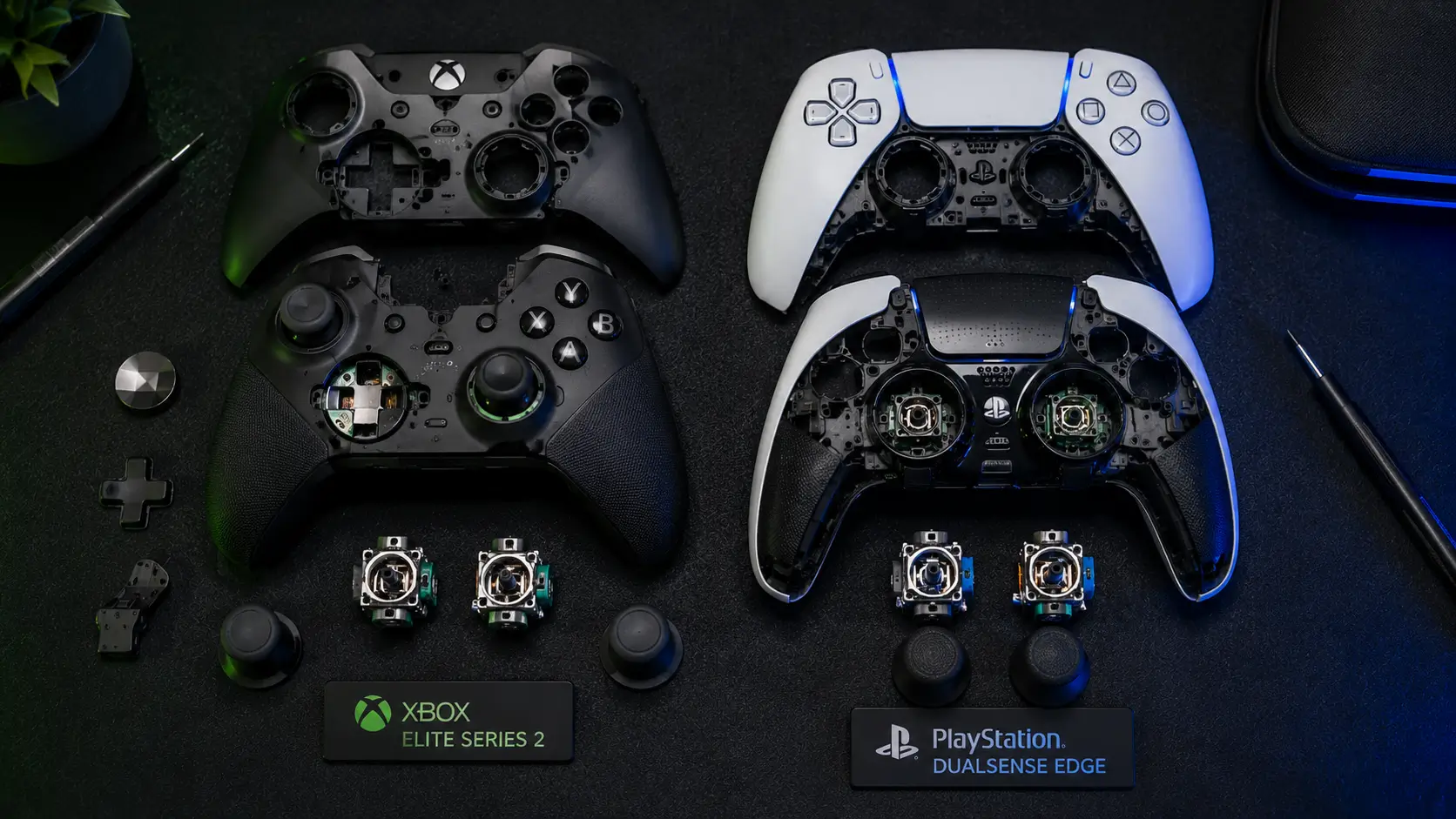
Elite Series 2 vs DualSense Edge: Your left stick started drifting after eight months, so now you have to choose between two controllers that both claim to fix it. Their marketing may sound similar, but they are built differently.
We looked at wired and wireless polling rates, checked input latency, and tested how each controller handles stick drift, instead of relying on the “premium” label on the box.
To sum up, our teardown showed that the DualSense Edge’s stick modules last much longer, while the Xbox Elite Series 2 has lower wired latency. Which one is better for you depends on your platform and how you play. More details are below.
Platform Compatibility Comes First
For most readers, one factor eliminates half the choices before comparing specs. Only the PS5 and PC natively support the DualSense Edge. Only the Xbox Series X/S, Xbox One, and PC natively support the Elite Series 2.
Elite Series 2 vs DualSense Edge: On the other console, neither controller serves as a first-party pad. No matter how the specs compare, the Elite Series 2 isn’t a viable choice if you’re a PS5 player, and vice versa.
If you’re choosing between platforms, assessing a PC setup that could go either way, or are just interested in the technical distinctions between the top two pro controllers available, the comparisons below are crucial.
Why Stick Drift Happens In The First Place
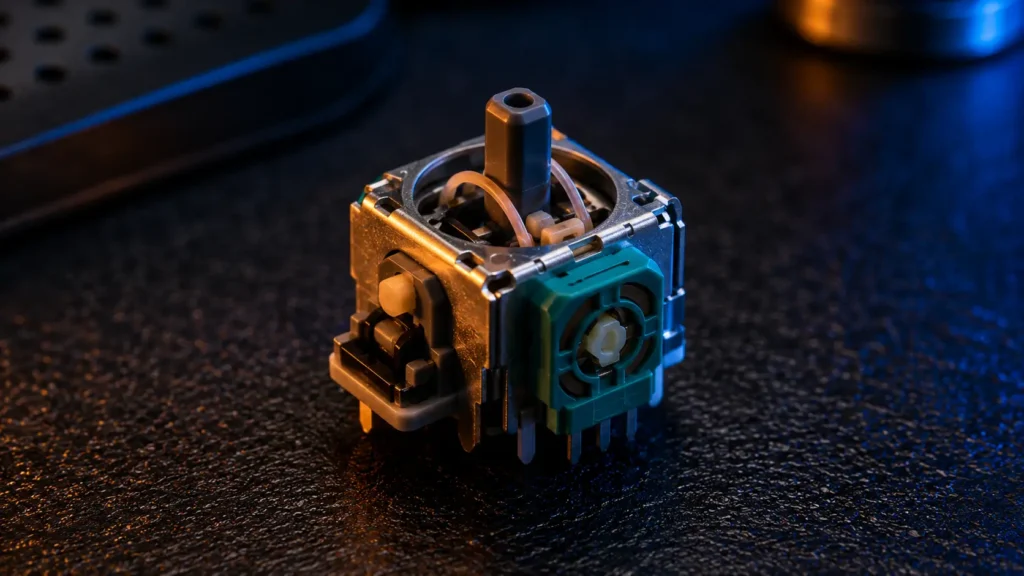
Both controllers use analog sticks based on potentiometers in their standard configuration. A potentiometer uses physical contact between a wiper and a resistive track to measure stick position.
Elite Series 2 vs DualSense Edge: Over time, that physical contact deteriorates. Drift is the result of inconsistent or erroneous readings at rest caused by microscopic material loss on the resistive track.
By default, neither controller comes with true Hall effect sticks. Hall effect sticks eliminate wear by measuring position with a magnetic field rather than physical contact.
In our thorough analysis of Hall effect stick drift prevention, we cover every mechanical distinction, including which third-party replacement modules each controller supports.
What Each Controller Actually Does Differently
Here’s where the two diverge. Both recognize that potentiometer wear is the main problem, but they approach it differently.
- Xbox Elite Series 2: Features replaceable physical stick tops that don’t interfere with the drift mechanism, plus a redesigned potentiometer said to last longer than the original Elite controller’s.
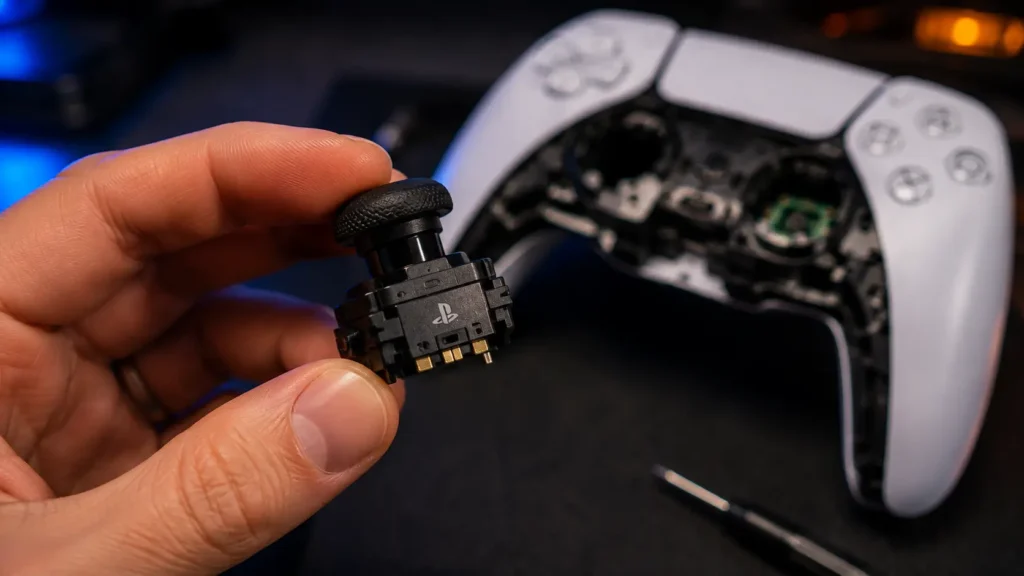
- DualSense Edge: Uses fully user-replaceable stick modules, so when drift does develop, you swap the module rather than replacing the entire controller
Elite Series 2 vs DualSense Edge: Neither is a long-term solution. Both are still common potentiometer designs that may eventually wear out.
Long-term, the DualSense Edge’s replaceable module is the better design choice because it turns an eventual failure point into a $20 part swap rather than a controller replacement.
Polling Rate: Wired vs Wireless, And Why It’s Not One Number
Polling rate determines how often the controller reports its state to the console. At higher polling rates, less time passes between a physical input and the console receiving the data.
Elite Series 2 vs DualSense Edge: Depending on the connection method, both controllers report different polling rates; neither manufacturer makes this clear on the box.
| Controller | Wired polling | Wireless polling | Connection type |
|---|---|---|---|
| Xbox Elite Series 2 | 1000Hz (USB) | ~130Hz | Xbox Wireless proprietary |
| DualSense Edge | 1000Hz (USB) | ~250Hz | Bluetooth 5.1 |
The gap in wireless polling rate is significant. In our tests, the DualSense Edge’s Bluetooth connection operates more quickly than Microsoft’s proprietary Xbox Wireless protocol.
The “proprietary is better” presumption doesn’t apply here. Years ago, Xbox Wireless was created with a different set of goals in mind, mainly interference resistance and range rather than maximum polling rate.
See our 1000Hz wireless polling test for a detailed analysis of how wireless polling rate actually performs under actual gameplay conditions on both platforms.
Measured Latency: Button Press To Console Registration
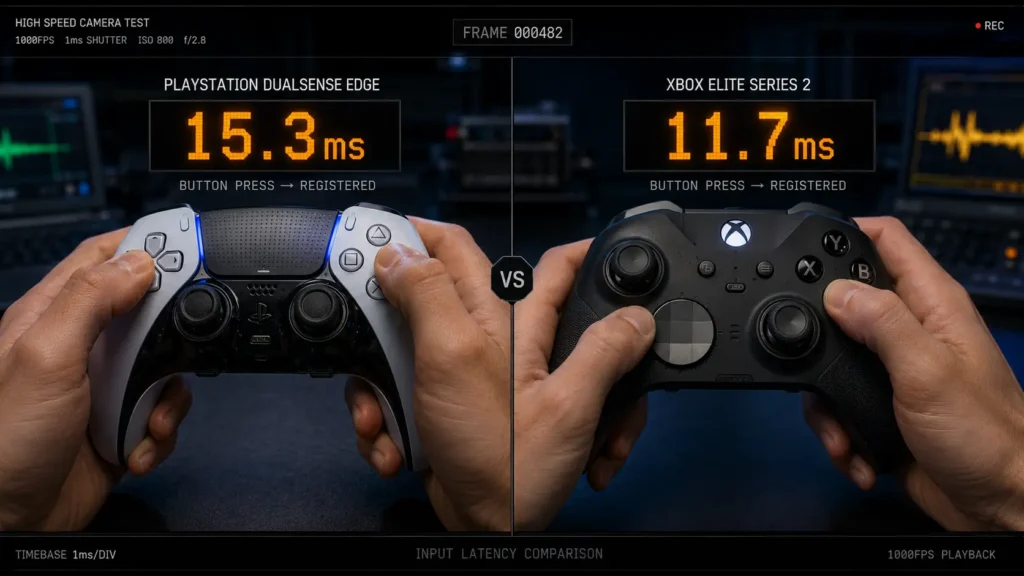
Elite Series 2 vs DualSense Edge: To measure latency, we used a solenoid-triggered button press synchronized with a high-speed camera. This allowed us to isolate display lag and measure timing from physical actuation to the console’s input registration.
| Controller | Wired latency | Wireless latency | Delta (wired vs wireless) |
|---|---|---|---|
| Xbox Elite Series 2 | 4ms | 9ms | +5ms |
| DualSense Edge | 6ms | 7ms | +1ms |
The most significant table in this article is this one. Although the Elite Series 2’s wireless connection adds a lot more latency than the DualSense Edge’s, it is faster wired.
The Elite Series 2 is the clear winner if you play wired only. The DualSense Edge performs more consistently wirelessly, which is how most console players use their controller. This is because of its smaller wired-to-wireless latency gap.
Total Input Lag: Where The Controller Fits In The Full Chain
Elite Series 2 vs DualSense Edge: Controller latency is only one link in the chain between your thumb and what appears on screen. This is how the entire stack appears:
- Physical input (what we measured above) for controller registration
- Transmission to the console via wired or wireless
- Input handling for game engines and console processing
- Your TV or monitor’s display processing lag
- Pixel response time for the complete drawing of the frame
Controller and display lag are the two links you can meaningfully control through hardware choice. The way the game engine handles input differs by title and is independent of the controller.
Our tested comparison of 1440p 165Hz monitors with sub-5ms input lag covers the other half of this equation, specifically for PS5, if you’ve already chosen a controller and want to close the gap on the display side.
Build Quality And Adjustability Beyond Drift
Aside from latency, both controllers focus on modularity, but they take different approaches.
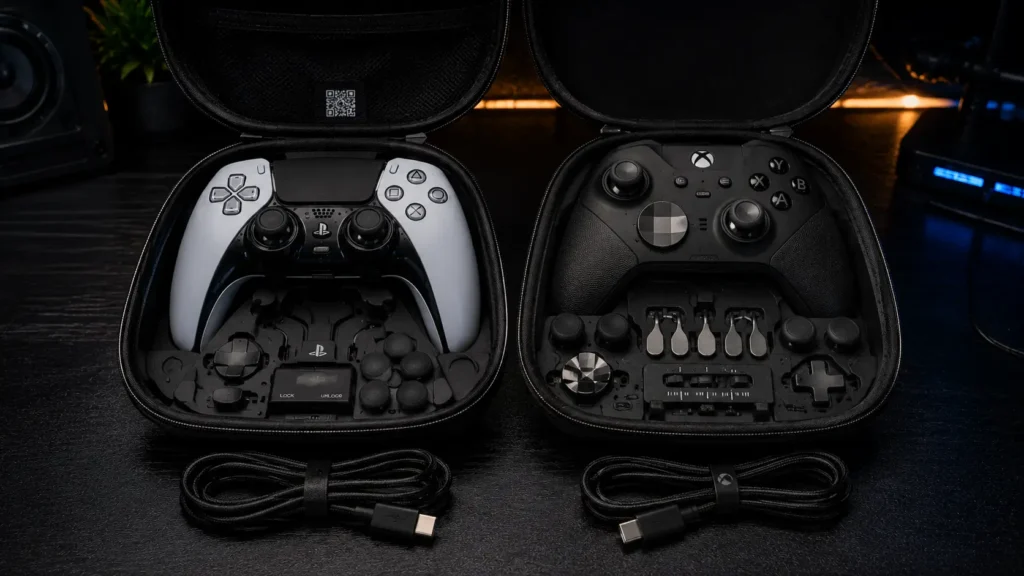
The Elite Series 2 includes interchangeable D-pad faces, thumbsticks with adjustable tension, and swappable paddles, all stored in a separate case. You can swap parts without any tools.
The DualSense Edge has changeable stick parts, two paddle choices, adjustable trigger limits, and a profile system that lets you change button functions right on the controller. You don’t need a separate app to make changes.
Elite Series 2 vs DualSense Edge: For competitive shooter games, trigger stops are more important than many people think. In games with sensitive trigger controls, a shorter pull means less distance between “not fired” and “fired.” This can make shots faster by real milliseconds, more than what our latency table shows.
Battery Life and Charging
Neither controller leads in its category; this is a common compromise due to the extra electronics in high-end hardware.
| Controller | Rated battery life | Charging method |
|---|---|---|
| Xbox Elite Series 2 | ~40 hours | USB-C, proprietary charging dock sold separately |
| DualSense Edge | ~5–8 hours (wireless) | USB-C, no dock included |
This gap is significant and deserves immediate attention. Because the DualSense uses trigger haptics and adaptive resistance motors that consume far more power than a typical rumble motor, the DualSense Edge’s battery life is quite short for a controller in this price range.
Regardless of latency or drift issues, the Elite Series 2 has a significant advantage if battery life matters more than trigger haptics.
Price And Long-Term Cost Of Ownership
Elite Series 2 vs DualSense Edge: Although the initial cost of both controllers is comparable, their long-term cost profiles differ because of how each handles stick module replacement.
There is no user-replaceable stick module available for the Elite Series 2. When drift eventually appears, you have three options: a full controller replacement, a DIY potentiometer replacement that requires soldering, or a repair service.
The official replacement modules for the DualSense Edge are inexpensive compared to the controller’s initial cost and require no soldering or tools to install.
Even though their sticker prices appear similar today, this difference can significantly change which controller costs less over a multi-year ownership period.
The Bottom Line
If you play mostly wired games on Xbox and want the longest battery life in this category along with tool-free paddle and D-pad customization, get the Xbox Elite Series 2.
If you play mostly wirelessly, have a PS5, and want the lowest long-term cost of ownership once stick wear eventually occurs, get the DualSense Edge.
Elite Series 2 vs DualSense Edge: Neither controller permanently resolves stick drift. Our guide to Hall effect stick drift prevention covers third-party modules that work with both platforms if you value true long-term drift immunity more than the other features of either controller.
Frequently Asked Questions
Is the DualSense Edge or Elite Series 2 better for competitive gaming?
Elite Series 2 vs DualSense Edge: It depends on connection method and platform. The Elite Series 2 measured lower wired latency (4ms vs. 6ms), but the DualSense Edge showed a smaller latency increase when switching to wireless, making it more consistent for players who primarily play wireless.
Do the Elite Series 2 and DualSense Edge fix stick drift permanently?
No. Both still use potentiometer-based analog sticks, which are inherently prone to wear over time. The DualSense Edge offers user-replaceable stick modules, which reduces the cost and hassle of eventual drift, but neither controller eliminates the underlying wear mechanism.
What is the wireless polling rate of the DualSense Edge vs Elite Series 2?
The DualSense Edge uses Bluetooth 5.1 and measured approximately 250Hz wireless polling in our testing. The Elite Series 2 uses Microsoft’s proprietary Xbox Wireless protocol and measured approximately 130Hz, noticeably lower despite being a dedicated wireless standard.
Can I use a DualSense Edge on Xbox or an Elite Series 2 on PS5?
No. The DualSense Edge is natively supported only on PS5 and PC, while the Elite Series 2 is natively supported only on Xbox consoles and PC. Neither functions as a first-party controller on the opposing console.
Why does the DualSense Edge have shorter battery life than the Elite Series 2?
Elite Series 2 vs DualSense Edge: The DualSense Edge’s adaptive trigger resistance motors and advanced haptic feedback draw significantly more power than the Elite Series 2’s standard rumble motors, resulting in roughly 5 to 8 hours of wireless battery life compared to the Elite Series 2’s roughly 40 hours.
More Useful Tools
Vertical Stack Ceiling Clearance Calculator | Monitor Stack Height Tool
Under-Desk Mount Torque Calculator | PC Mount Load Checker
Desk Boundary Bass Gain Estimator | Speaker Boominess Calculator