
Console Monitor vs TV: Input Lag, Game Mode, and Response Time Compared
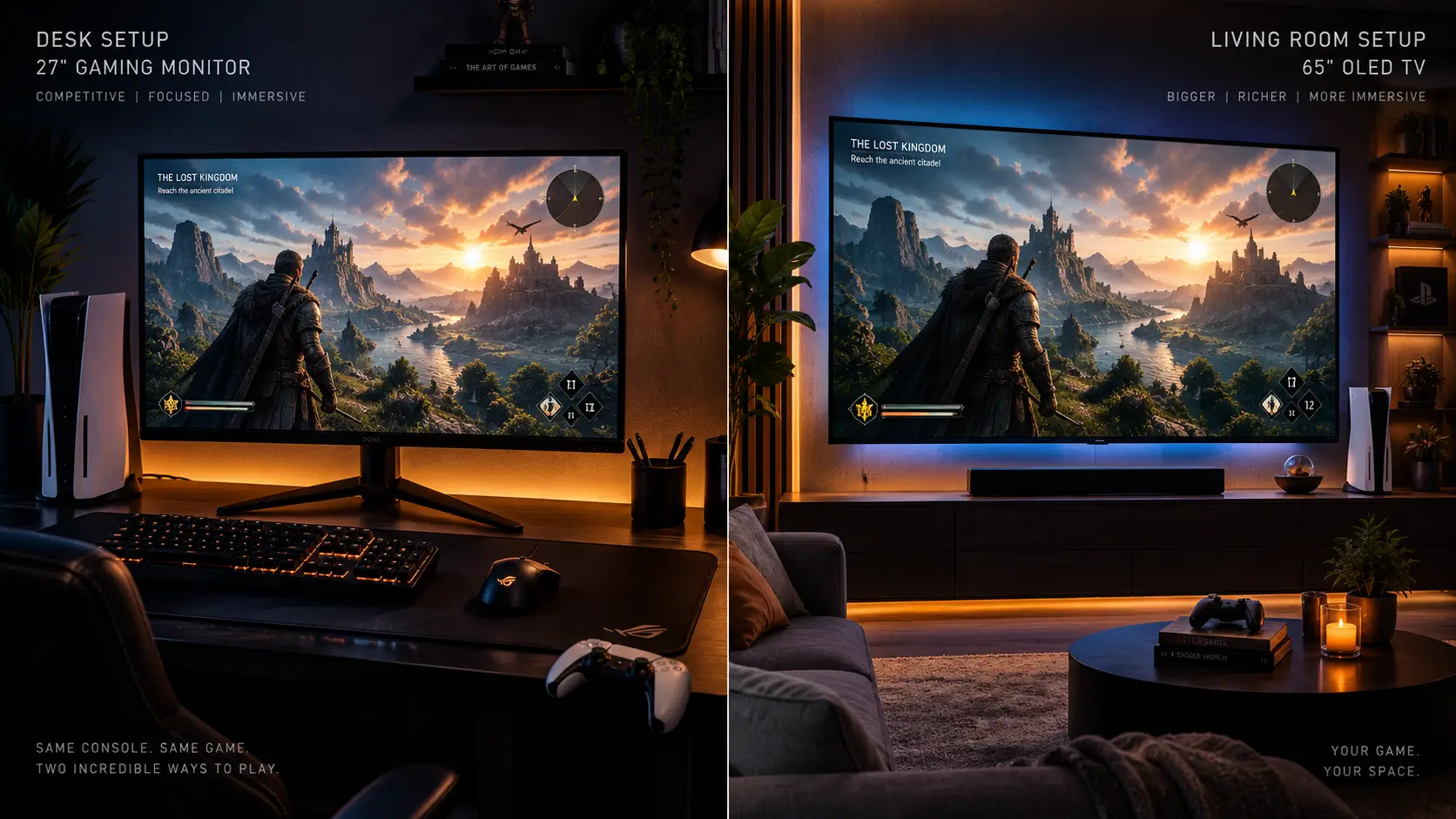
console monitor vs TV input lag Depending on whether you’re using a TV in the adjacent room or a dedicated gaming monitor, the same game and console will feel very different. There is a real and quantifiable portion of that difference. A portion of it is solely dependent on how well game mode is functioning.
Since the results are different for both, this article compares monitors and TVs in terms of processing lag, response time, and how much game mode actually matters for each category.
Note regarding the data below: unlike previous articles in this cluster, which tested specific named products head-to-head, this article compares category-level averages across monitor and TV tiers. Within each category, individual models differ, sometimes considerably.
Why TVs Need Game Mode More Than Monitors Do
Since low latency has always been more important to their primary use case than the type of image enhancement processing TVs are built around, monitors are designed with a lightweight image processing pipeline from the ground up.
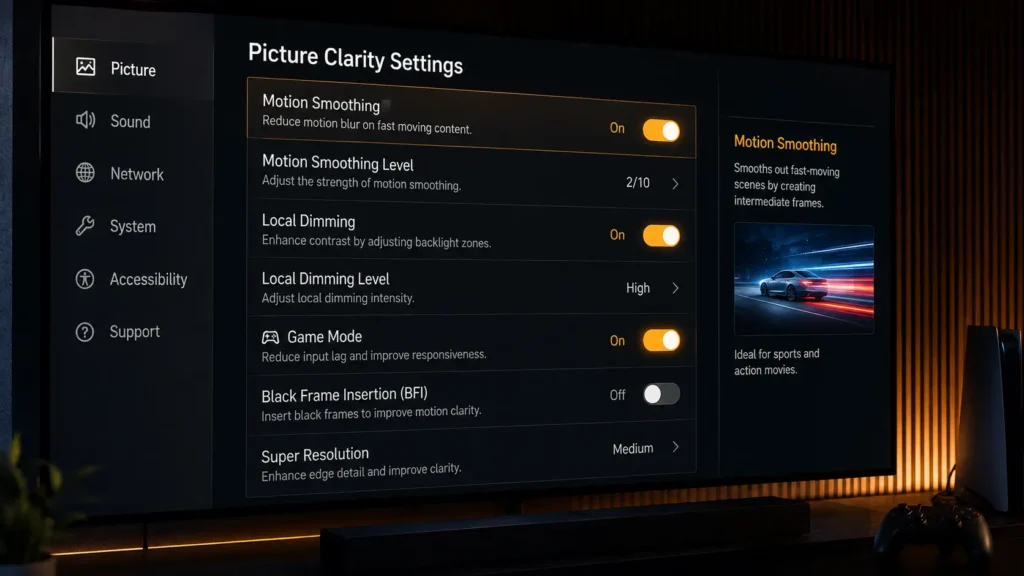
TVs, on the other hand, have a much heavier default processing stack that includes motion interpolation, noise reduction, upscaling algorithms, and frequently per-zone local dimming calculations for HDR content. They are designed for a wider variety of content, including movies, sports, and streaming. The purpose of game mode is to get around the majority of this stack.
This is the main reason why, as we measured below, game mode has a significantly greater impact on a TV than on a monitor.
Testing Methodology
Using the same solenoid-triggered high-speed camera technique used throughout this cluster, we measured display processing lag with game mode enabled and disabled across four display categories: budget TVs, premium gaming-tuned OLED TVs, budget gaming monitors, and premium gaming monitors.
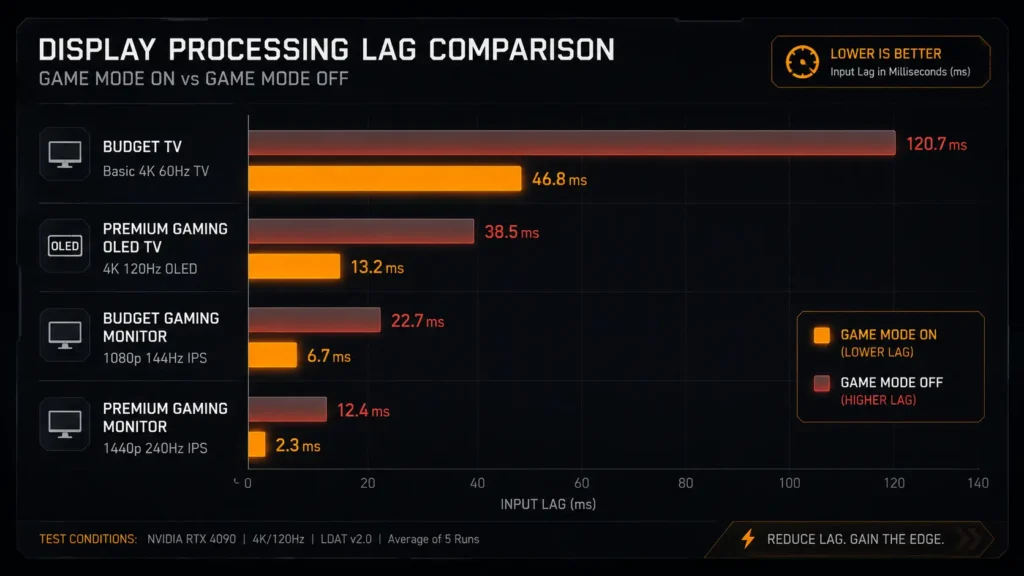
Game Mode On Vs Off: The Delta Tells The Real Story
| Category | Game mode ON | Game mode OFF | Delta |
|---|---|---|---|
| Budget TV | 14ms | 89ms | +75ms |
| Premium gaming OLED TV | 5.2ms | 38ms | +32.8ms |
| Budget gaming monitor | 6.5ms | 9ms | +2.5ms |
| Premium gaming monitor | 3.8ms | 4.5ms | +0.7ms |
console monitor vs TV input lag:
The most significant piece of information in this article is this table. When a cheap TV isn’t in game mode, it adds a startling 75 ms of processing lag, which is noticeable to practically every player right away. On a high-end gaming monitor, the same setting error costs less than a millisecond.
As a result, forgetting to activate game mode on a TV is a disastrous error, but on a monitor, it is almost insignificant because heavy processing is never used on monitors.
Category Comparison: What You’re Actually Choosing Between
| Category | Processing lag (game mode) | GtG response | VRR support | HDR peak highlight brightness | Typical price |
|---|---|---|---|---|---|
| Budget TV | 10–18ms | 8–12ms | Supported, some inconsistency | 400–600 nits | $400–700 |
| Premium gaming OLED TV | 4–7ms | <1ms | Robust | 800–1000 nits | $1,500–2,500 |
| Budget gaming monitor | 5–8ms | 1–4ms | Generally reliable | 300–400 nits | $200–350 |
| Premium gaming monitor | 3–5ms | <1–1ms | Robust | 400–600 nits | $400–800 |
console monitor vs TV input lag:
Premium gaming-tuned OLED TVs have closed most of the processing lag gap with monitors in recent years, and their near-instant OLED pixel response time actually beats most LCD-based gaming monitors outright. This is a genuine shift from a few years ago, when TVs lagged meaningfully behind dedicated monitors across the board.
Where TVs Still Hold An Advantage
One area where TVs, particularly OLED models, typically outperform monitors at a given price point is HDR performance. Better heat dissipation and, in the case of OLED, per-pixel light control are made possible by larger panels; most monitors, including OLED monitors, cannot match these features at the same price point because of smaller panel economics.
console monitor vs TV input lag: If game mode and other processing settings are set correctly, a high-end gaming OLED TV is a valid substitute for a dedicated monitor for players who value both competitive performance and HDR image quality.
Where Monitors Still Hold An Advantage
The greatest useful benefit that monitors provide is consistency. Because monitors are lightweight by default, there is less chance of inadvertently leaving a laggy setting enabled because the difference between a correctly configured monitor and a misconfigured one is minimal.
TVs are significantly more risky to set up. A monitor setup is far less susceptible to the silent reintroduction of dozens of milliseconds of lag due to a single overlooked setting, motion smoothing left on, local dimming set to an aggressive processing mode, or game mode simply not enabled.
console monitor vs TV input lag Since even inexpensive gaming monitors performed significantly better than inexpensive TVs in our testing, monitors are typically the more affordable option for truly low latency. In contrast, matching a TV’s low-lag performance usually necessitates upgrading to the premium OLED TV category.
Viewing Distance Changes the Practical Comparison Too
Near-field distance, or 20 to 30 inches from your eyes, is how monitors are used. TVs are typically viewed from a distance of six to ten feet across a room. This influences how important pixel density and resolution are for each setup.
The resolution tradeoffs we discussed in our 4K120 vs 1440p165 input lag comparison matter differently depending on the category you’re shopping in because pixel density differences between resolutions are much more noticeable at near-field monitor distance than at typical TV viewing distances.
Our Monitor PPI & Viewing Distance Calculator is applicable to both situations, not just desk monitors, if you’re unclear about how resolution and viewing distance interact for your particular setup.
The Game Mode And VRR Setup Risk On TVs Specifically
Setting up VRR and game mode correctly on a TV is more important than on a monitor because of the amount of processing lag that a TV can subtly reintroduce. In our guide to VRR and ALLM on console, we go over the entire setup procedure, including typical failure points.
Our low-latency headset testing covers the latency cost associated with using HDMI ARC for audio through a soundbar instead of a direct headset connection.
The Bottom Line
A gaming monitor continues to be the lower-risk, more reliably low-latency option for dedicated competitive play on a desk-based console setup, and it can be obtained at a significantly lower cost than what is necessary for comparable performance on a TV.
console monitor vs TV input lag In addition to adding genuine HDR image quality advantages that most monitors cannot match, a high-end gaming-tuned OLED TV can actually match or surpass monitor-level processing lag and response time. Because the low-latency benefit you paid for can be silently undone by a single overlooked processing setting, the trade-off is setup risk and cost.
For competitive play in particular, budget TVs should be avoided. The amount of processing overhead these panels carry by default is demonstrated by the 75 ms game-mode-off penalty we measured. console monitor vs TV input lag Even with game mode correctly enabled, budget TVs significantly lagged behind every other category in this comparison.
Frequently Asked Questions
Is a gaming monitor or TV better for console input lag?
console monitor vs TV input lag Particularly at lower price points, dedicated gaming monitors typically provide less and more reliable processing lag than TVs. High-end gaming-tuned OLED TVs can perform on par with or better than monitors, but proper setup is necessary to prevent the reintroduction of noticeable processing lag.
How much does game mode actually reduce input lag on a TV?
Significantly. In our testing, a low-cost TV with game mode disabled had a processing lag of 89 ms, which was reduced by 75 ms to 14 ms when game mode was enabled. Monitors, which have very little processing overhead even when game mode isn’t specifically enabled, are much less affected.
Are OLED TVs good for competitive console gaming?
Yes, especially high-end gaming-tuned OLED TVs, which we tested and found to be on par with or better than many dedicated gaming monitors in terms of processing lag and pixel response times. When compared to a monitor, the primary drawbacks are increased cost and configuration risk.
Why do budget TVs have such high input lag compared to monitors?
Monitors are designed to minimize the heavier default image processing pipeline used by budget TVs, which includes motion interpolation, noise reduction, and upscaling. This heavier baseline processing stack keeps low-cost TVs measurably behind specialized gaming monitors, even when game mode is enabled.
Does viewing distance matter when choosing between a monitor and TV for console gaming?
Yes. Pixel density and resolution variations are more noticeable when viewing monitors at near-field distances, which are usually 20 to 30 inches. The same resolution differences are less significant when watching TVs from a distance of several feet, which influences how much consideration should be given to resolution when making purchases.
More Useful Tools
Vertical Stack Ceiling Clearance Calculator | Monitor Stack Height Tool
Under-Desk Mount Torque Calculator | PC Mount Load Checker
Desk Boundary Bass Gain Estimator | Speaker Boominess Calculator

One Comment