Ergonomic Keyboard and Mouse: Do You Actually Need One, and How to Choose the Right Pair
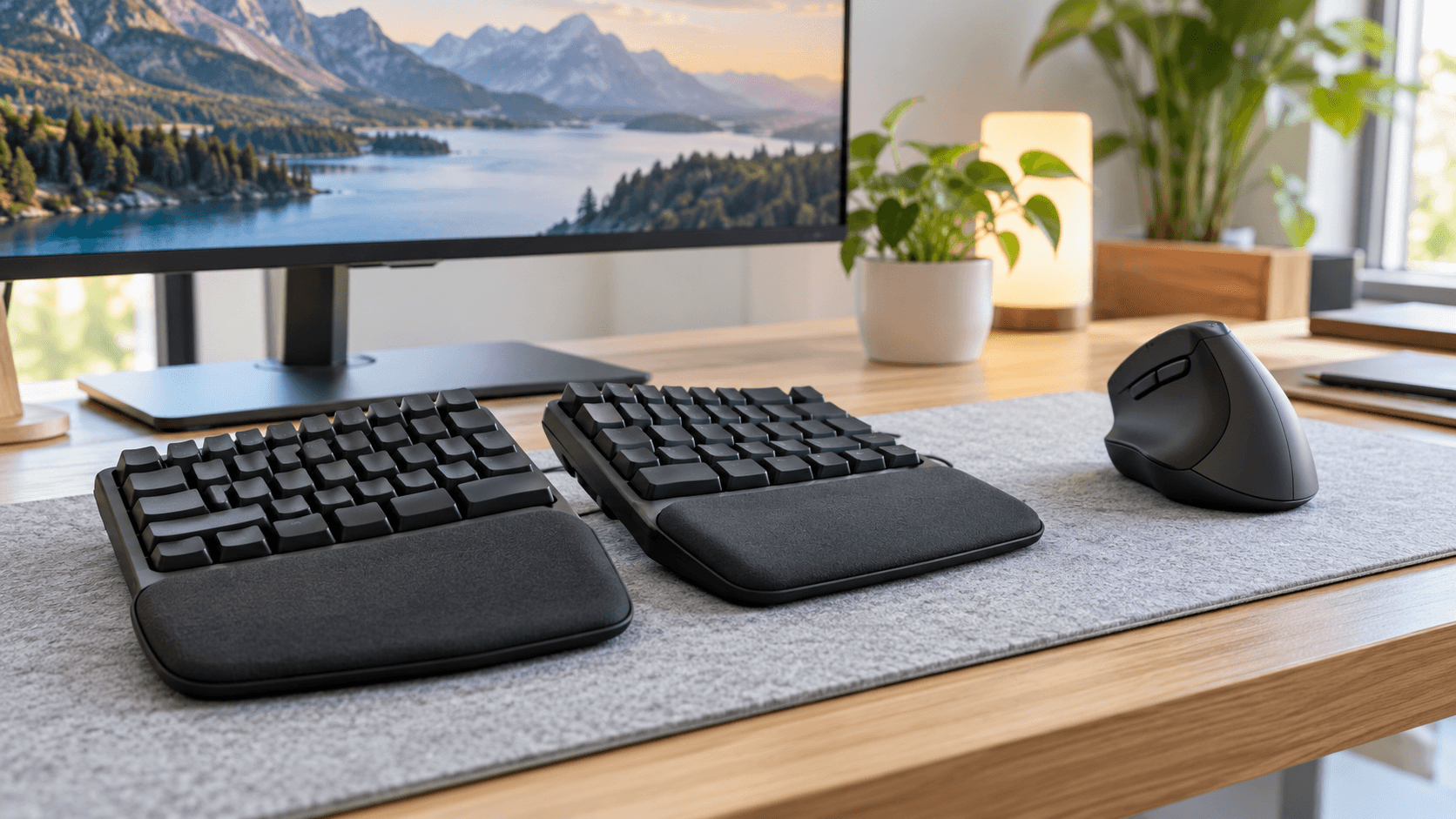
Ergonomic Keyboard and Mouse, If your wrists ache after a long day at the keyboard, or your hand feels stiff by the time you close your laptop, you have probably seen ergonomic keyboards and mice mentioned as the fix. They look unusual, sometimes oddly shaped or split down the middle, and that alone makes a lot of people hesitate before trying one. But understanding what these products actually do, and which specific features matter for your situation, makes the decision a lot easier than it looks.
What “ergonomic” actually means here
Ergonomic, in the context of keyboards and mice, simply means a design built around how your hands, wrists, and arms naturally move and rest, rather than forcing your body to adapt to a flat, uniform shape designed decades ago mostly around manufacturing simplicity. A standard keyboard and mouse were never designed with long term comfort as the top priority. Ergonomic designs flip that priority, aiming to reduce strain during the exact repetitive motions typing and clicking involve for hours at a time.
Why your hands and wrists actually get strained in the first place
Understanding the actual mechanics helps explain why ergonomic designs look the way they do, rather than just seeming unusual for no reason.(Ergonomic Keyboard and Mouse)
A standard flat keyboard forces your wrists to bend inward toward each other to reach the keys comfortably, a position called ulnar deviation, which puts ongoing pressure on the tendons and nerves running through your wrist. A standard mouse similarly forces your forearm into a twisted position, called pronation, holding your palm facing downward for extended periods rather than in a more natural, relaxed angle.
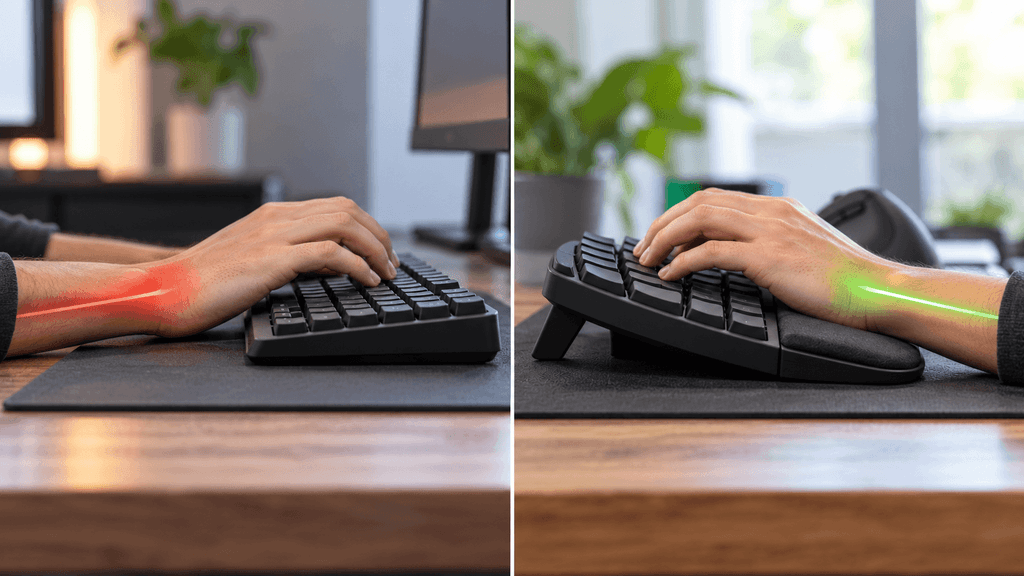
Neither of these positions causes a problem in short bursts. The issue comes from repeating them for hours every day, year after year, which is exactly the pattern that leads to the discomfort, stiffness, and in some cases more serious strain injuries that prompt people to look into ergonomic alternatives in the first place.
The main types of ergonomic keyboards
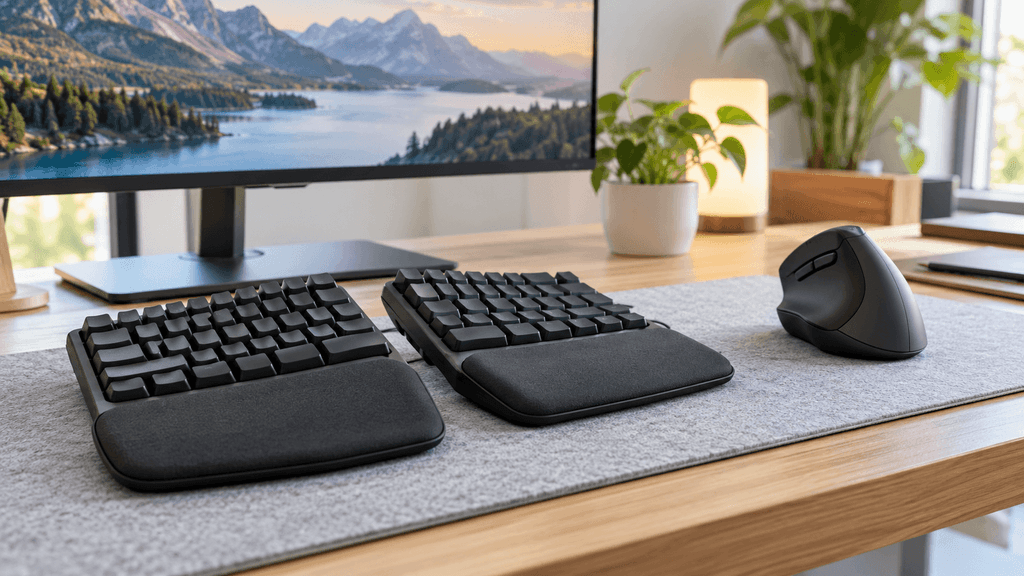
Split keyboards divide the key layout into two separate halves, either connected or fully separate, allowing your hands and shoulders to rest at a wider, more natural angle instead of being forced close together in front of you.(Ergonomic Keyboard and Mouse)
Tented keyboards angle the two halves upward toward the center, similar to a gentle roof shape, which lets your wrists rest in a more neutral, relaxed position rather than flat and turned inward.(Ergonomic Keyboard and Mouse)
Curved or contoured keyboards keep a single connected unit but shape the key layout in a gentle curve, offering a smaller adjustment than a fully split design while still reducing some of the inward wrist angle a flat keyboard requires.
Mechanical ergonomic keyboards combine any of the above shapes with mechanical switches, giving you the tactile typing feel many people prefer alongside the ergonomic benefits, rather than having to choose one or the other.
The main types of ergonomic mice
Vertical mice rotate the grip angle so your hand rests in a more natural handshake position, palm facing inward rather than flat down, which significantly reduces the forearm twisting a standard mouse requires.(Ergonomic Keyboard and Mouse)
Trackball mice remove the need to move your whole hand and arm across a mousepad at all, since you move the cursor by rolling a ball with your thumb or fingers while your hand and wrist stay still, which can be a genuinely dramatic change for anyone whose strain comes specifically from repetitive arm movement.(Ergonomic Keyboard and Mouse)
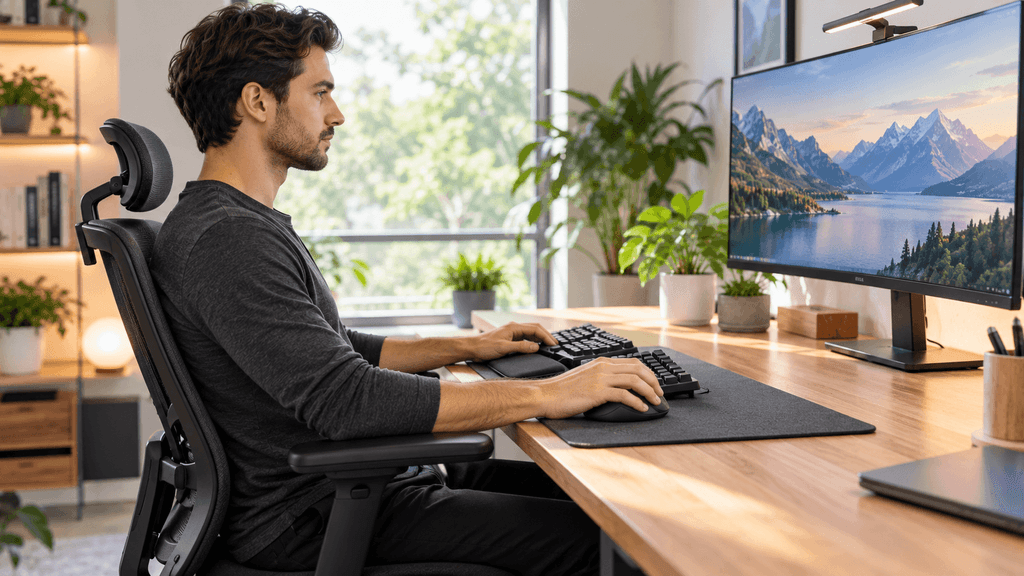
Ergonomically contoured standard mice keep the traditional palm down grip but reshape the body to better support your hand’s natural curve and reduce pressure points, offering a smaller adjustment than a vertical or trackball mouse for anyone not ready for a bigger change.(Ergonomic Keyboard and Mouse)
Do you actually need one, or is this overkill for your situation
This genuinely depends on your current experience, not just how many hours you spend at a computer.(Ergonomic Keyboard and Mouse)
If you experience real, noticeable discomfort, wrist ache, tingling, numbness, or stiffness that shows up during or after long computer sessions, an ergonomic keyboard and mouse are worth taking seriously, and in cases involving numbness or tingling specifically, it is also worth mentioning this to a doctor, since those particular symptoms can indicate nerve compression that benefits from more than just equipment changes alone.
If you spend many hours a day at a computer but currently feel fine, ergonomic equipment can still be a reasonable preventative step, though it is not an urgent necessity the way it is for someone already experiencing pain.(Ergonomic Keyboard and Mouse)
If you only use a computer casually for short periods, the benefits of ergonomic equipment are considerably smaller, since the repetitive strain these products are designed to prevent mainly builds up from sustained, regular use over long periods, not occasional short sessions.(Ergonomic Keyboard and Mouse)
What else affects strain beyond just the keyboard and mouse themselves
It is worth knowing that ergonomic equipment alone will not fully solve discomfort if the rest of your setup works against it. Desk and chair height matter enormously, since your elbows should rest at roughly a 90 degree angle while typing, with your wrists staying straight rather than bent up or down to reach the keyboard. A keyboard and mouse positioned too high or too low relative to your seated position can undercut even the best ergonomic equipment. Taking regular short breaks to stretch and move your hands also plays a real role, since no equipment fully eliminates the effects of sitting in one position for many hours straight without any movement at all.(Ergonomic Keyboard and Mouse)
What to actually check before buying
Try before committing if at all possible, since ergonomic shapes, especially split and vertical designs, feel genuinely different from a standard setup, and personal hand size and grip style affect comfort more than any single spec on a product page can tell you.
Expect a real adjustment period, particularly with more dramatic designs like fully split keyboards or trackball mice, since your hands have built years of muscle memory around a standard layout, and comfortably adapting to a significantly different shape commonly takes anywhere from a few days to a few weeks.
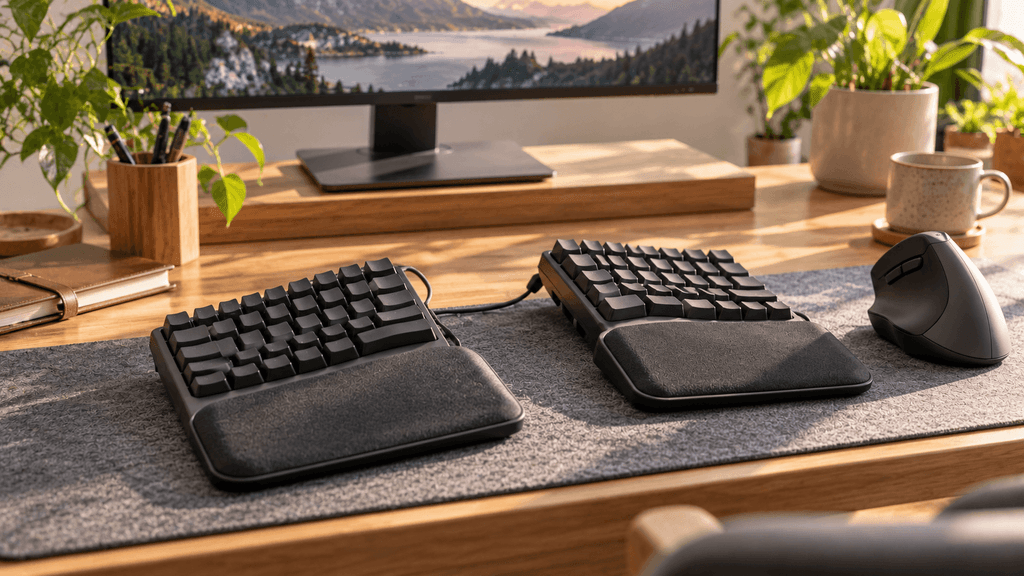
Check adjustability specifically, since many split and tented keyboards allow you to customize the angle and separation yourself, and a model with more adjustment range gives you a better chance of finding the exact position that actually relieves your specific strain pattern.(Ergonomic Keyboard and Mouse)
Consider wireless versus wired based on your desk setup, since a cleaner, more flexible desk arrangement can make it easier to position a split keyboard at the wider, more natural angle these designs are built around, something a tangle of wires can sometimes get in the way of.(Ergonomic Keyboard and Mouse)
A realistic expectation for how much this actually helps
Ergonomic equipment is not a guaranteed cure for existing pain, and it will not undo damage that has already built up over years of strain on its own. What it genuinely does well is reduce the ongoing mechanical stress that caused the problem in the first place, which for a lot of people meaningfully improves comfort over time and helps prevent things from getting worse, especially when combined with proper desk setup and regular movement breaks throughout the day.(Ergonomic Keyboard and Mouse)
The bottom line on ergonomic keyboards and mice
An ergonomic keyboard and mouse are a genuinely worthwhile upgrade for anyone experiencing real discomfort from long hours at a computer, and a reasonable preventative step for heavy daily users even without existing pain. The specific type that helps most, split, tented, vertical, or trackball, depends on your particular strain pattern and how big an adjustment you are comfortable making, so trying a model in person when possible, and giving yourself a genuine adjustment period afterward, matters more than picking whichever option looks the most impressive on a store shelf.(Ergonomic Keyboard and Mouse)
Have you made the switch to an ergonomic keyboard or mouse, or are you still deciding if your discomfort is bad enough to make the change? Let us know in the comments.
FAQ: Ergonomic Keyboard and Mouse
Do ergonomic keyboards take long to get used to?
Yes, typically. More dramatic designs like fully split or vertical layouts often take a few days to a few weeks to feel natural, since your hands have built muscle memory around a standard layout over years of use.
Will an ergonomic mouse fix wrist pain I already have?
It can help reduce the ongoing strain causing discomfort, but it is not a guaranteed cure, especially for pain that has built up over a long time. If you experience numbness or tingling specifically, it is worth mentioning to a doctor as well.
What is the difference between a vertical mouse and a trackball mouse?
A vertical mouse changes your grip angle to a more natural handshake position while you still move your whole hand across a surface. A trackball mouse removes that arm movement entirely, letting you move the cursor with just your thumb or fingers while your hand stays still.
Is a split keyboard better than a tented keyboard?
Neither is universally better, since they address slightly different aspects of wrist position. A split keyboard widens the angle between your hands, while a tenting angle raises the middle to reduce wrist rotation. Many ergonomic keyboards combine both features together.
Do I need an ergonomic keyboard and mouse if I only use my computer casually?
Probably not urgently. The strain these products address mainly builds up from sustained, regular use over long periods, so casual, short term use generally carries a much lower risk of the discomfort ergonomic design aims to prevent.
Can desk height affect how well an ergonomic keyboard works?
Yes, significantly. Your elbows should rest at roughly a 90 degree angle while typing with your wrists straight. A desk or chair at the wrong height can undercut the benefits of even a well designed ergonomic keyboard and mouse.
More Useful Tools
Vertical Stack Ceiling Clearance Calculator | Monitor Stack Height Tool
Under-Desk Mount Torque Calculator | PC Mount Load Checker
Desk Boundary Bass Gain Estimator | Speaker Boominess Calculator