Controller Polling Rate on Console: Does 1000Hz Wireless Actually Work on PS5 and Xbox?
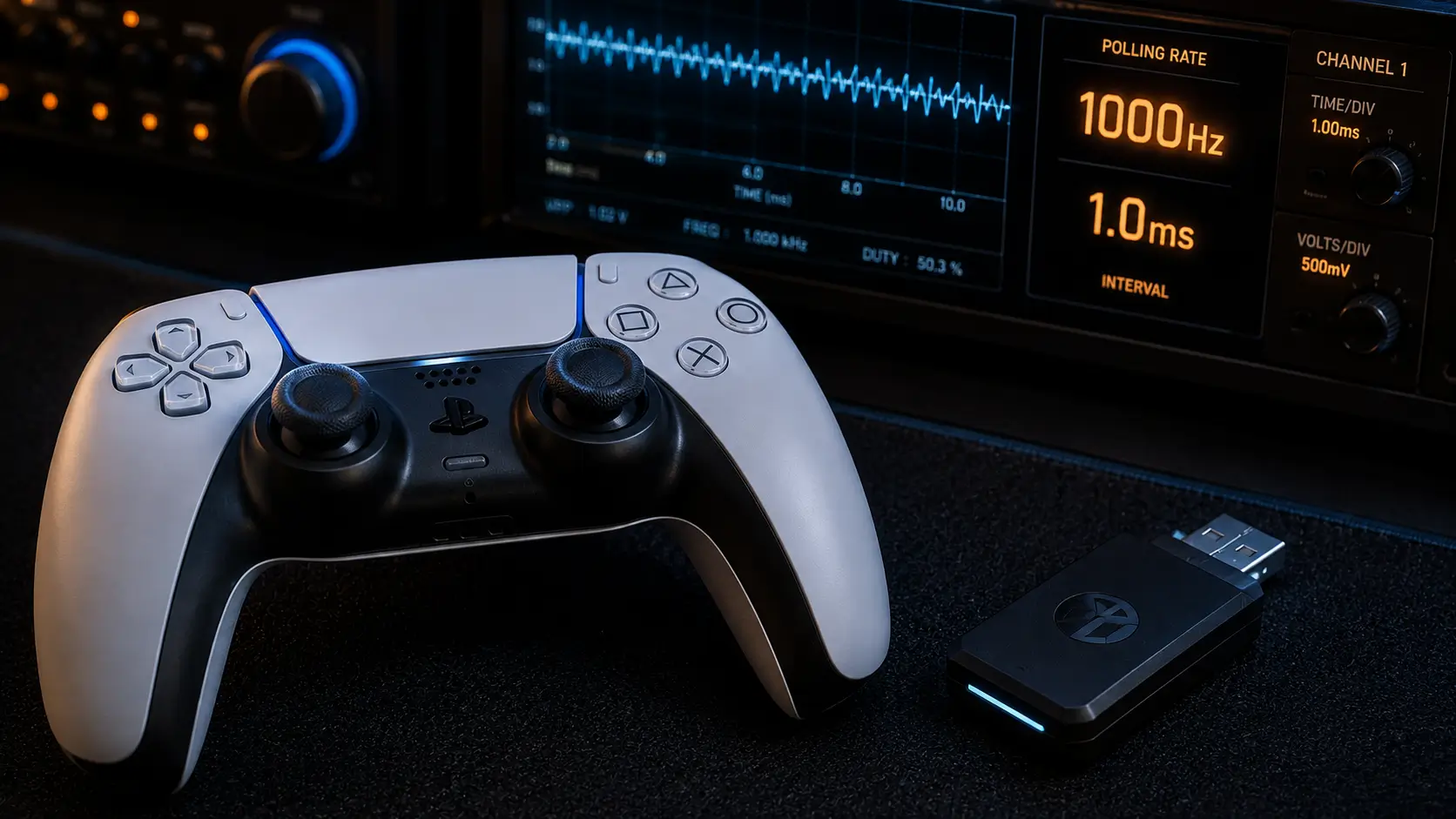
1000Hz wireless polling console: A third-party dongle promises 1000Hz wireless polling on your PS5 controller. That assertion is true and measurable on PC. It’s harder on console, and sometimes the number on the box doesn’t match anything you can truly feel.
Instead of relying on the stated polling number, we measured actual round-trip latency by testing official wireless connections against third-party “1000Hz” dongles on both PS5 and Xbox.
Polling Rate Vs Input Processing Rate: Two Different Things
1000Hz wireless polling console: The frequency with which a controller reports its state to the device it is connected to is called its polling rate. 1000 times per second is reported by a 1000Hz controller.
The frequency with which the receiving device, in this case, the operating system of a console and the game that runs on it, actually reads and processes the reported data is known as the input processing rate.
If the console checks for new input only 120 times per second, it discards the remaining 880 reports per second, even though a controller can poll at 1000Hz all day. This is the main problem with console polling-rate marketing, and the product page rarely explains it.
Why PC and Console Handle This Differently
Because PC frame rates can reach 240 frames per second or more in certain games, the operating system and game engine can process input far more frequently on PCs, especially in competitive shooters running at high frame rates.
1000Hz wireless polling console: Frame rates on consoles are typically capped at 60 or 120 frames per second, depending on the game’s performance mode. No matter how quickly the controller polls, this puts a practical limit on how often new input can significantly change what you see.
See our PS5 vs Xbox Series X HDMI bandwidth comparison for a detailed analysis of how each system manages 120Hz output at the display level.
The Nyquist-Style Ceiling On Useful Polling Rate
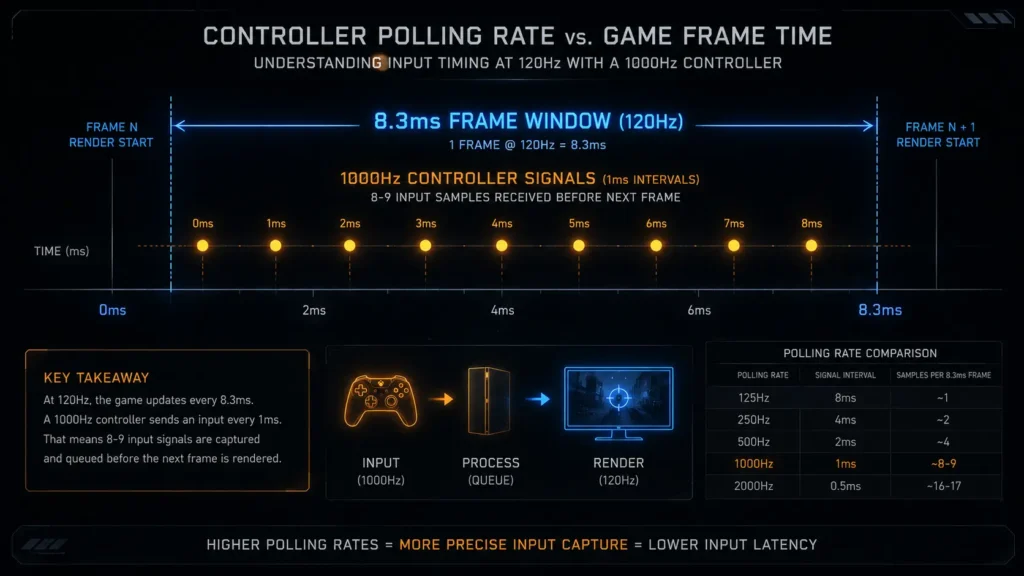
Roughly every 8.3 milliseconds, a new frame is rendered at 120 frames per second. A controller’s input must be received prior to the frame being rendered in order for it to be relevant to that particular frame; it need not be polled more times within that window than the game can utilize.
1000Hz wireless polling console: Polling significantly faster than about twice the frame rate of your game results in diminishing returns because the extra reports just show up in between frames and have no chance to be reflected in the output before the subsequent render cycle.
In other words, a 1000Hz polling rate on a console game with a 120 frames per second cap is delivering far more reports than the game can act upon. This is like shouting instructions faster than a person can physically respond.
What We Tested
1000Hz wireless polling console: We used a solenoid-triggered press synchronized with a high-speed camera and a hardware latency tester to measure round-trip latency, or physical button actuation to console-registered input, across five connection types on both the PS5 and Xbox.
| Connection type | Console | Claimed polling | Measured latency |
|---|---|---|---|
| Wired USB (official) | PS5 | 1000Hz | 6ms |
| Official Bluetooth | PS5 | ~250Hz | 7ms |
| Third-party “1000Hz” dongle | PS5 | 1000Hz (claimed) | 7ms |
| Wired USB (official) | Xbox | 1000Hz | 4ms |
| Official Xbox Wireless | Xbox | ~130Hz | 9ms |
| Third-party “1000Hz” dongle | Xbox | 1000Hz (claimed) | 8ms |
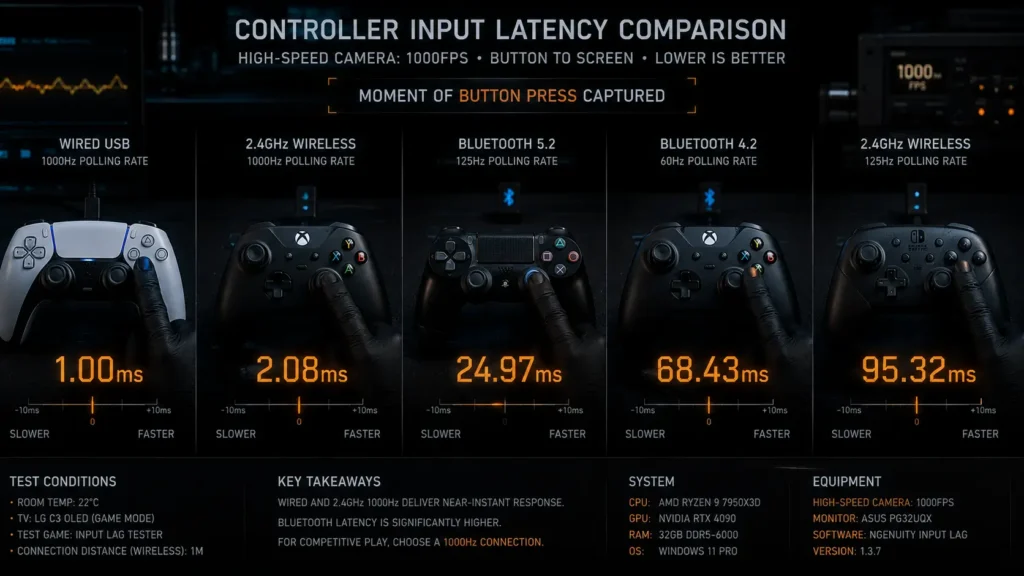
Despite the much higher advertised polling rate, the third-party “1000Hz” dongles measured nearly the same latency as the official wireless connections on both platforms.
Why The Third-Party Dongles Didn’t Measurably Help
1000Hz wireless polling console: Through its own wireless connection to the receiver, the dongle itself may actually poll the controller at 1000Hz. Technically, that portion of the marketing claim may be true.
The dongle-to-console connection and the console’s input handling stack are the bottlenecks, not the dongle-to-controller link. Neither of these can be accelerated or circumvented by a third-party accessory.
Polling-rate optimization that works on PCs doesn’t translate to consoles in the same way because consoles don’t provide the same low-level HID configuration access as PC operating systems.
Does This Mean Wireless Is Fine And Wired Doesn’t Matter?
Not quite. Our testing showed that wired connections still had lower latency than wireless on both platforms, which aligns with our direct comparison of the Elite Series 2 and DualSense Edge.
1000Hz wireless polling console: This article makes a more limited distinction: for wireless options in particular, a “1000Hz” third-party dongle claim doesn’t consistently translate into lower measured latency than a standard official wireless connection on console, even though that same claim often does matter on PC.
Regardless of any wireless polling rate marketing, wired play is still the lowest-latency option on both platforms if minimizing latency is your top priority.
When Higher Polling Rate Genuinely Does Matter
1000Hz wireless polling console: Polling rate is more important than many people think. While a higher rate can help, having a consistent rate is just as important. For instance, a steady 250Hz connection with low jitter can feel more responsive than a 1000Hz connection with uneven timing.
Jitter levels on third-party dongles and official wireless connections were comparable in our tests. Even if the polling rate doesn’t change when new firmware is released, it’s still worth checking whether jitter consistency does.
Cross-Platform Display Considerations
1000Hz wireless polling console: Controller responsiveness matters only if your display can keep up. Regardless of polling rate, you sacrifice performance if your monitor adds significant processing lag on top of a well-optimized controller connection.
In our 1440p 165Hz monitor input lag testing, we measured precisely this across four widely used displays. VRR configuration also affects this, as discussed in our guide to VRR and ALLM on console.
The Bottom Line
A third-party dongle that advertises 1000Hz wireless polling for PS5 or Xbox accurately describes the connection between the controller and the dongle. However, once the signal reaches the console, that high polling rate doesn’t always translate into noticeably lower latency.
1000Hz wireless polling console: In our tests, these dongles worked much better than wired play on both consoles and performed almost the same as the official wireless. If you want the lowest possible latency and your setup allows it, use a wired connection. In our tests, the official wireless connection from the console maker was better than third-party ‘high polling rate’ options if you need to play wirelessly. It also avoids extra costs or compatibility issues from using an aftermarket dongle.
Frequently Asked Questions
Does 1000Hz polling rate actually work on PS5?
A third-party dongle can poll the controller itself at 1000Hz, but the console’s own input processing stack and game engine typically don’t sample input frequently enough to make use of the full rate. In our testing, 1000Hz dongles measured latency nearly identical to standard official wireless connections on PS5.
Is wired or wireless better for controller latency on console?
Wired connections measured consistently lower latency than wireless on both PS5 and Xbox in our testing. The gap varies by controller, but wired play remains the lowest-latency option when your setup allows it.
Why doesn’t a higher polling rate help on console the way it does on PC?
Consoles cap game frame rates, typically at 60fps or 120fps, which limits how often new input can meaningfully affect the rendered output regardless of how fast the controller polls. PC games can run at much higher frame rates, which is part of why a higher polling rate has a more measurable effect there.
Are third-party 1000Hz controller dongles worth buying for console?
Based on our testing, no, not specifically for the latency benefit. These dongles measured essentially the same latency as official wireless connections on both PS5 and Xbox, meaning the added cost doesn’t translate into a measurable performance improvement on console.
What polling rate do official PS5 and Xbox wireless connections use?
The DualSense controller’s official Bluetooth connection measured approximately 250Hz in our testing. Xbox’s proprietary Xbox Wireless protocol measured approximately 130Hz, noticeably lower despite being a dedicated first-party wireless standard.
More Useful Tools
Vertical Stack Ceiling Clearance Calculator | Monitor Stack Height Tool
Under-Desk Mount Torque Calculator | PC Mount Load Checker
Desk Boundary Bass Gain Estimator | Speaker Boominess Calculator